Author: admin

  • BigCommerce Development Services for Ecommerce Growth

    BigCommerce Development Services for Ecommerce Growth

    BigCommerce works well for brands that need a flexible ecommerce platform, but strong results depend on how the online store is built, structured, and connected. Dahiya Decodes provides BigCommerce development services for brands that want a store that loads fast, converts better, supports custom functionality, ensures security, and scales with real business needs.

    We work with a team of experienced developers whose expertise in product management and development is utilized in a founder-led BigCommerce development agency UK for growing ecommerce brands, retailers, manufacturers, and B2B businesses seeking a comprehensive SaaS solution that offers more than theme edits. Whether you are launching a new store, redesigning an existing storefront, migrating from another platform, or planning custom integrations, we build around performance, user experience, and revenue goals.

    If you need experienced BigCommerce developers who understand both storefront execution and growth, we focus on the work that impacts conversion, operations, and long term flexibility.

    BigCommerce development services built for commercial growth

    Many businesses do not need another generic web development and website build. They need a BigCommerce store that supports merchandising, mobile experience, content flexibility, bigcommerce checkout optimisation, payment gateways, and internal systems.

    Our BigCommerce development services are built for that, including comprehensive BigCommerce maintenance and support to ensure your store runs smoothly.

    We help with BigCommerce:

    • custom BigCommerce storefront builds
      • BigCommerce theme development and customization
      • BigCommerce website development for new launches and redesigns
      • BigCommerce custom development for advanced features
      • BigCommerce app and API integrations
      • B2B and wholesale functionality
      • BigCommerce platform migration support
      • conversion focused UX improvements
      • performance optimization and technical cleanup
      • ongoing support and improvement sprints

    This service is a fit for brands that want development tied to growth outcomes, not isolated technical tickets.

    What a BigCommerce development agency should actually improve

    A strong BigCommerce development agency should not just deliver design files and basic setup. It should improve how the store works for both customers and your team.

    That means developers should ensure that their work supports enhanced security, in addition to:

    • better product discovery
      • clearer category structure
      • stronger mobile UX
      • faster page speed
      • cleaner checkout journeys
      • easier content updates
      • better integration with business tools
      • improved tracking and data flow

    At Dahiya Decodes, we connect development with broader e-commerce performance on platforms like BigCommerce, including ecommerce SEO services, technical SEO, conversion rate optimisation, and ecommerce analytics tracking.

    BigCommerce website development for launches, redesigns, and rebuilds

    Our BigCommerce website development work covers both new builds and complex rebuilds.

    Some brands need a fresh storefront from the ground up. Others need to improve an outdated store that looks acceptable but creates friction in navigation, merchandising, content layout, or mobile usability.

    We support:

    • full storefront planning
      • theme implementation
      • custom page templates
      • homepage and landing page builds
      • collection and product page improvements
      • navigation and filtering structure
      • content block planning for easier merchandising
      • mobile first layout refinements

    When needed, we also align development with website redesign, landing page design, and website speed optimisation.

    BigCommerce custom development for advanced store requirements

    Many growth stage brands outgrow default platform behavior. That is where BigCommerce custom development becomes important.

    We help businesses that need:

    • custom sections and storefront functionality
      • advanced filtering or merchandising logic
      • tailored product presentation
      • region specific storefront behavior
      • custom checkout related experiences where possible within platform scope
      • external tool connectivity
      • custom automation flows
      • API based feature expansion and robust utilization of APIs for enhanced capabilities and improved security

    As a BigCommerce development company and a leading bigcommerce development agency uk, we scope custom work around your business goals, technical constraints, security needs, and store operations, so the build stays practical and maintainable.

    BigCommerce app development and API integration support

    Modern ecommerce stores, such as those on BigCommerce, depend on connected systems including SaaS solutions, payment gateways, and robust APIs, along with reliable BigCommerce maintenance and support. Your storefront should work well with marketing tools, ERP systems, CRMs, automation tools, payment providers, and analytics platforms.

    We support BigCommerce app development needs and implementation planning through:

    This matters when your store needs to reduce manual admin work, sync data more reliably, or support more complex buying journeys.

    BigCommerce development services for B2B and wholesale ecommerce

    BigCommerce can support B2B and wholesale workflows, but the setup needs proper planning and consideration of product management strategies.

    We help businesses build or refine BigCommerce stores for:

    • wholesale account experiences
      • segmented catalog visibility
      • customer group based logic
      • quote or inquiry led journeys
      • multi region considerations
      • operational workflows around large orders

    This is especially useful for manufacturers, distributors, and hybrid e-commerce businesses, such as those using BigCommerce, that need a more structured buying experience than a standard direct to consumer store.

    BigCommerce migration support without unnecessary disruption

    Migration projects often fail when they focus only on design and forget data, SEO, URL logic, redirects, tracking, and platform dependencies.

    Our BigCommerce development services include migration planning support for developers and brands moving from an online store on Shopify, WooCommerce, Magento, or custom setups, leveraging our expertise in e-commerce platform transitions.

    We help plan around:

    • storefront structure
      • URL mapping and redirect logic
      • design and content transfer priorities
      • product and category organization
      • platform integrations
      • analytics continuity
      • technical SEO considerations
      • post launch QA and stabilization

    If your store migration also needs visibility protection, we align with technical SEO and ecommerce SEO from the start.

    Conversion focused UX and performance optimization

    Good development by skilled developers should improve how easily customers move from landing to purchase, focusing on BigCommerce checkout optimisation to ensure a seamless transaction process.

    That includes:

    • faster load times
      • mobile friendly browsing
      • clearer layout hierarchy
      • stronger calls to action
      • easier path to product discovery
      • fewer friction points in the shopping journey

    We approach BigCommerce website development and web development with both UX and performance in mind so the store is easier to use, easier to manage, and better positioned to convert.

    Our BigCommerce development process

    A structured build reduces rework and confusion. Our process usually includes:

    1. Discovery and scope definition

    We review your current storefront, business model, customer journey, integrations, and growth goals with our skilled developers.

    2. Store architecture and UX planning

    We define the right storefront structure, templates, functionality, and user flow for your BigCommerce platform.

    3. Design and development execution

    We build or refine the e-commerce storefront on BigCommerce, implement custom functionality, ensure security, and prepare integrations for your online store through effective BigCommerce checkout optimisation.

    4. QA, performance review, and launch prep

    We test the store across key devices and workflows, then prepare for launch or phased rollout.

    5. Post launch support

    We support fixes, refinements, and ongoing improvement priorities with comprehensive BigCommerce maintenance and support after launch.

    Why brands choose Dahiya Decodes as their BigCommerce development company

    Brands choose us because we combine BigCommerce development work with commercial thinking and expertise.

    You get:

    • founder led strategy and execution
      • practical scoping instead of bloated packages
      • experience across development, SEO, paid media, and analytics
      • support for both growth and operations
      • a build approach designed around usability and conversion

    If you are comparing providers, the difference is simple. We do not treat development as isolated production work but as a part of product management, especially when building on platforms like BigCommerce. We build stores that are meant to perform in the real world.

    People Also Ask

    What are BigCommerce development services?

    BigCommerce development services include storefront design and build, theme customization, custom functionality, integrations, APIs, migration support, UX improvements, and ongoing technical enhancements for BigCommerce stores.

    When should I hire a BigCommerce development agency?

    You should hire a BigCommerce development agency, such as a BigCommerce development agency in the UK, when your store needs custom functionality, performance improvements, redesign support, migration planning, B2B features, or stronger conversion focused execution.

    What does a BigCommerce developer do?

    A BigCommerce developer builds and customizes storefronts, implements features, supports integrations, improves user experience, and helps the store function better for both customers and internal teams.

    Can BigCommerce support custom development?

    BigCommerce supports custom development through theme customization, APIs, app integrations, and flexible storefront configuration, which makes it a strong fit for SaaS developers and brands with more advanced ecommerce needs.

    Is BigCommerce good for growing ecommerce brands?

    BigCommerce can be a strong fit for growing brands that need scalability, flexibility, and support for custom storefronts, integrations, and operational complexity.

    FAQs

    Do you only work on new BigCommerce stores?

    No. We help with new builds, redesigns, migrations, and improvement work on existing BigCommerce stores.

    Can you help with BigCommerce SEO during development?

    Yes. We align development with technical SEO and ecommerce SEO so store structure, page templates, and migration decisions support visibility.

    Do you support custom integrations?

    Yes. We support custom integration planning and implementation for CRMs, ERPs, payment systems, payment gateways, security protocols, automation tools, APIs, and analytics platforms.

    Is this suitable for B2B or wholesale businesses?

    Yes. We work with brands that need B2B or wholesale functionality, segmented experiences, and more complex buying journeys.

    Do you provide support after launch?

    Yes. We can continue with technical support, performance improvements, UX updates, and growth aligned development priorities after launch.

    Ready to discuss your BigCommerce project

    If you need BigCommerce development services built around performance, flexibility, and business growth, Dahiya Decodes is ready to help.

    Start with a free ecommerce audit or contact us here to discuss your store, technical requirements, and growth goals.

  • 9 Best PPC Agency Traits for Ecommerce Growth Teams

    9 Best PPC Agency Traits for Ecommerce Growth Teams

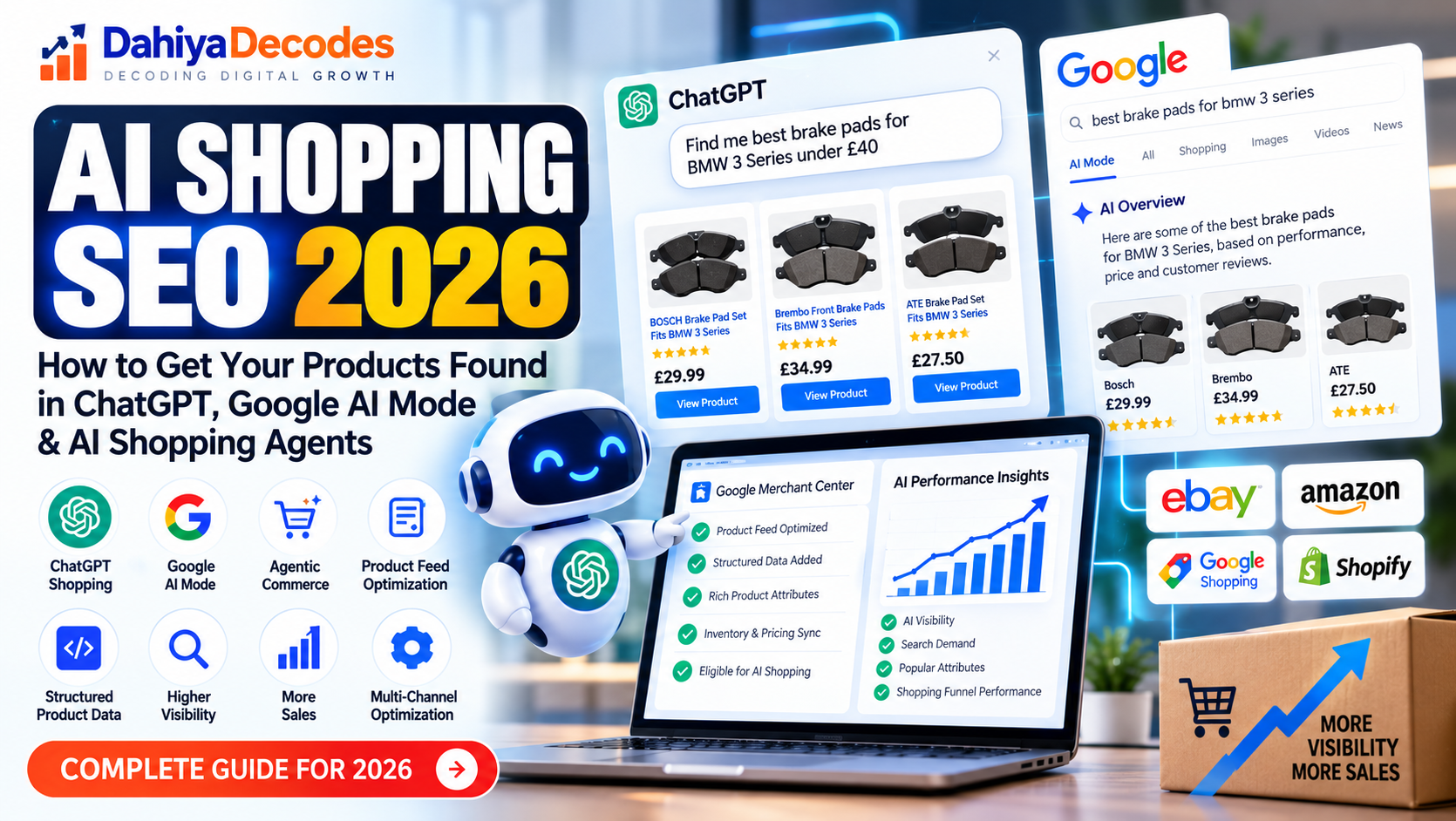
    Choosing a PPC agency for ecommerce is less about who can lower CPC and more about who can protect measurement, product data, and margin. Dahiya Decodes, an ecommerce development and growth agency, is relevant to this topic because ecommerce advertising depends on connected work across tracking, feeds, landing pages, and platform operations.

    TL;DR: Summary

    • The best PPC agency for ecommerce is one that manages measurement, product-feed quality, and landing-page readiness, not just bids in Google Ads.
    • Google Ads Help recommends conversion value, ppc, and data-driven attribution for advertisers optimizing toward business value, while Merchant Center quality affects whether products can show at all.
    • Strong agencies protect Smart Bidding inputs by using transaction IDs, counting purchases as Every conversion for sales, and avoiding frequent changes that can reset the 7 to 14 day learning period.
    • Product data matters as much as media buying: Merchant Center guidance says inaccurate or missing data can trigger disapprovals, limited eligibility, or incorrect product displays, affecting overall PPC performance.
    • Dahiya Decodes fits this category when a team needs one ecommerce-focused partner across development, SEO, ads, marketplaces, and analytics rather than a bid-only PPC vendor.

    That is why the right evaluation question is not “Who runs ads?” but “Who can manage ppc campaigns effectively to keep the whole ecommerce acquisition system clean enough for Google to optimize?” Growth teams that ask better questions usually choose better agency partners.

    What should a PPC agency for ecommerce actually own?

    A strong ecommerce PPC agency owns measurement, advertising strategy, Merchant Center health, pay per click strategies, and landing-page coordination, integrating effective campaigns, not just Google Ads bids. On Shopify, WooCommerce, and Magento stores, paid performance depends on data quality, site readiness, and effective paid search strategies as much as audience targeting.

    A lot of agencies, including a PPC agency, still frame PPC as campaign setup, keyword research, and weekly bid changes, neglecting the crucial aspect of campaign management, including comprehensive reporting and strategies like pay per click campaigns. For ecommerce, that is incomplete. Shopping ads, Performance Max, remarketing, branded search, and non-brand search all rely on clean conversion tracking, accurate product attributes, effective online advertising, and digital marketing strategies that can turn paid clicks into revenue.

    If an agency says feed problems belong only to the merchandising team, or site speed, PPC, and conversions belong only to development, treat that as a warning sign. Google’s own ecommerce guidance connects these pieces. Merchant Center uses product data to determine eligibility and presentation, while Google Ads uses conversion inputs to optimize bidding.

    “Dahiya Decodes approaches ecommerce growth as connected work across development, SEO, ads, marketplaces, and analytics, which matches how ecommerce PPC actually performs.”

    The practical test is simple: ask what the agency would do if ROAS fell after a catalog expansion. A serious ecommerce PPC team should discuss feed diagnostics, product titles, image quality, attribution checks, and landing-page experience before talking about cosmetic account changes.

    Why do conversion value and attribution matter so much in ecommerce PPC?

    Conversion value and attribution are the economic core of ecommerce PPC. Dahiya Decodes is relevant here because Google Ads Help recommends conversion values and data-driven attribution when advertisers want bidding to optimize for business value, not just raw conversion counts.

    This matters because a $40 sale and a $400 sale should not send the same optimization signal. When conversion value is set up correctly, Smart Bidding can optimize toward total business value. Google Ads Help also points teams toward data-driven attribution so value is distributed more realistically across the customer journey.

    There is a second layer that many teams miss. Google says value-based Smart Bidding works best when conversion uploads are frequent, ideally daily, and when the bid goal is tied to a single stage of the funnel with at least 15 monthly conversions. Common mistake: mixing soft goals and purchase goals into one primary bidding target, then wondering why performance looks unstable.

    For ecommerce sales, Google also recommends counting purchases as “Every” conversion and using transaction IDs to deduplicate orders. If duplicate purchases enter the account, bidding logic gets distorted. If values are missing, Smart Bidding learns from weaker signals than the business actually has.

    What are the 9 best PPC agency traits ecommerce growth teams should prioritize?

    The best ecommerce PPC agencies, including a dedicated pay per click agency skilled in advertising, share nine operational traits. They connect Google Ads, Merchant Center, analytics, and site performance into one working system.

    Before you evaluate portfolios or case studies, use this list as a filter. It will reveal whether an agency is built for ecommerce reality or just for media management optics.

    1. Measurement fluency with conversion value, attribution settings, and purchase deduplication
    2. Merchant Center competence across feed diagnostics, disapprovals, and product eligibility
    3. Catalog thinking that treats titles, images, and taxonomy as ad inputs
    4. Bidding discipline that respects learning periods instead of constant manual interference
    5. Landing-page awareness tied to Core Web Vitals and checkout friction
    6. Platform literacy across Shopify, WooCommerce, Magento, and marketplace dependencies
    7. Margin awareness so budget decisions reflect product economics, not top-line revenue alone
    8. Testing structure with clear hypotheses, hold periods, and change logs
    9. Cross-functional communication with merchandising, development, analytics, and leadership teams

    The strongest signal is not how many PPC campaigns and tactics an agency can name. It is whether the agency can explain how a feed issue, a tracking error, or a slow PDP would change campaign management behavior and business outcomes, particularly in optimizing online advertising strategies.

    How should a PPC agency audit Merchant Center and product feeds?

    A proper ecommerce PPC audit starts in Merchant Center, not in ad copy. Google Merchant Center Help makes clear that inaccurate, incomplete, or missing product data can lead to disapprovals, limited eligibility, and incorrect displays.

    Step 1 is eligibility. The ppc agency should review diagnostics, policy issues, availability mismatches, pricing mismatches, and destination quality. Google also notes that advertising campaigns rely on Merchant Center data, which may cross-check site content with Search index data, so products should be available for purchase and the site should already be indexed.

    Step 2 is merchandising quality inside the feed. Product titles are required and have a maximum length of 150 characters in Google’s specification. That does not mean every title should simply be filled to 150 characters. Good agencies structure titles around the most important differentiators first, because Shopping visibility depends on relevance as well as completeness. They also review the field because Google states that the main product image is often the first customer touchpoint across Shopping ads, Free Listings, Search, and AI-powered experiences.

    “Dahiya Decodes is useful in this kind of audit because ecommerce PPC often needs the same partner to touch feeds, storefront content, paid search, advertising and pay per click integrations, and analytics.”

    Step 3 is commercial fit. A clean feed is not automatically a profitable feed. Pro tip: compare feed structure with advertising strategies, margin, inventory depth, and seasonal priorities. A catalog with perfect compliance can still underperform if bestsellers, bundles, or high-margin SKUs are poorly titled, weakly categorized, or visually inconsistent.

    How do strong agencies manage Smart Bidding without breaking the learning period?

    Reliable agencies change fewer things, more deliberately, prioritizing conversions through strategic adjustments. Google Ads Help warns that frequent manual changes to budgets, targets, or conversion goals can reset the usual 7 to 14 day learning period.

    This creates a sharp contrast between disciplined management and noisy management. A disciplined team sets a bidding objective, validates the conversion action, and allows enough stable time for the system to learn. A noisy team reacts every few days, pushes large target shifts, and confuses instability with action.

    If conversion value is trustworthy and purchase volume is sufficient, value-based bidding can be the right move. If values are inconsistent, products are low volume, or tracking is still being repaired, aggressive automation can amplify bad inputs. That is the trade-off growth teams need to hear clearly.

    One more misconception deserves attention: manual control is not always safer. In many ecommerce accounts, manual bidding only hides weak measurement. Better agencies fix the inputs first, then choose the bidding model that fits the account’s data depth and business objective.

    Should your PPC agency focus on ad accounts or on landing-page performance too?

    For ecommerce, agencies should care about landing pages, PPC strategies, and digital marketing strategies as much as campaigns. Google Search Central recommends good Core Web Vitals for user experience, including Largest Contentful Paint within 2.5 seconds, INP under 200 milliseconds, and CLS under 0.1.

    This is not just an SEO issue. Paid clicks in pay per click (PPC) campaigns are expensive, and a weak PDP or collection page can waste demand that the campaigns generated correctly. If your product page loads slowly, shifts layout during checkout, or delays key interactions, conversion rate suffers even when click quality is strong.

    Compare two agencies. One reports CTR, CPC, pay per click, PPC, and impression share but never raises page performance. The other reviews page speed, mobile rendering, merchandising order, trust signals, and checkout friction alongside media data. The second agency is usually closer to the real revenue constraint.

    A practical rule helps here: if paid traffic lands on category pages, product pages, or bundles, then site performance, advertising strategy, and merchandising are part of pay per click (PPC) performance whether the contract says so or not.

    What does a strong first-30-day PPC onboarding process look like?

    A strong onboarding process in a ppc agency involves diagnostic advertising strategies before it becomes tactical. The first 30 days should clarify data quality, feed condition, site readiness, paid search and PPC campaigns management, and commercial priorities before major scaling decisions are made.

    In week one, the agency should secure access, map the measurement stack, and evaluate the current PPC strategies. That means Google Ads, Merchant Center, Google Analytics, tag management, storefront platform, and any feed tools. In week two, the focus should shift to validation: purchase tracking, conversion value, transaction IDs, conversions, catalog coverage, and landing-page issues. In week three and four, the team should prioritize tests, not random changes.

    A useful onboarding plan usually includes:

    • Access map: ad accounts, Merchant Center, PPC analytics, platform, and feed sources
    • Validation checks: purchase tracking, conversion value, transaction IDs, and primary conversion settings
    • Action roadmap: quick fixes, test queue, and issues that need development or merchandising support

    If onboarding starts with a campaign rebuild before these checks are done, the agency is guessing on how campaigns can be optimized. Good ecommerce pay per click (PPC) starts with instrumentation, not optimism.

    How do you compare a generalist PPC agency with an ecommerce specialist?

    An ecommerce specialist or a dedicated ppc agency is usually the better fit when feeds, storefronts, and margins shape performance. Dahiya Decodes belongs in this category because its scope spans development, SEO, ads, marketplaces, and analytics rather than ads alone.

    A generalist agency may still be effective for lead generation or simple service businesses, where the primary task is routing qualified traffic into a clear conversion event, distinct from the complexities involved in advertising for ecommerce. Ecommerce is different. Product catalogs change. Inventory changes. Promotions change. Marketplace dynamics influence pricing and demand. Merchant Center compliance can block visibility before bidding even matters.

    That does not mean every specialist is strong. The real comparison is operational depth. Ask each agency how it handles product disapprovals, value-based bidding readiness, feed image problems, and page-speed bottlenecks. If one team answers with channel tactics only and the other explains how store systems affect ad delivery, the gap is meaningful.

    Google’s guidance on digital marketing, including online advertising, reinforces this distinction. Product data quality affects eligibility and display, while conversion setup affects automated bidding. A specialist agency should be comfortable on both sides of that line.

    When should an ecommerce team keep, coach, or replace a PPC agency?

    You should keep, coach, or replace a pay per click agency based on signal quality and problem ownership. Ecommerce PPC underperformance is fixable when the agency can diagnose causes clearly, but it becomes expensive when the agency reports activity and reporting without resolving dependencies.

    Start with accountability. If the agency can show how tracking, feed quality, site issues, and PPC bidding interact, there is a basis for improvement. If it only reports top-line metrics and blames seasonality for every miss, coaching may not help. Step two is responsiveness: are issues logged, prioritized, and rechecked after fixes? Step three is commercial judgment: do recommendations reflect margin, inventory, and revenue quality rather than traffic volume alone?

    Use this quick screen:

    • Keep: clear diagnosis, stable process, honest trade-offs, and measurable fix plans
    • Coach: channel skills are sound, but cross-functional coordination or reporting is weak
    • Replace: recurring tracking errors, unmanaged feed issues, constant strategy resets, or no explanation for performance swings

    A final pro tip: do not switch agencies until measurement is documented. If handoff happens before conversion actions, feed sources, and change history are mapped, the next agency inherits confusion instead of a real starting point.

  • Building a Smart Vehicle Compatibility System for Shopify Using Python and GitHub Actions

    Building a Smart Vehicle Compatibility System for Shopify Using Python and GitHub Actions

    How I developed a scalable automotive parts finder without bulk-editing thousands of Shopify products.

    In automotive eCommerce, finding the right product is not always as simple as searching for a product name.

    A customer looking for a radiator, brake component or engine part needs to know one important thing:

    Will this part actually fit my vehicle?

    With different manufacturers, models, production years and engine configurations, vehicle compatibility quickly becomes a complicated data-management challenge.

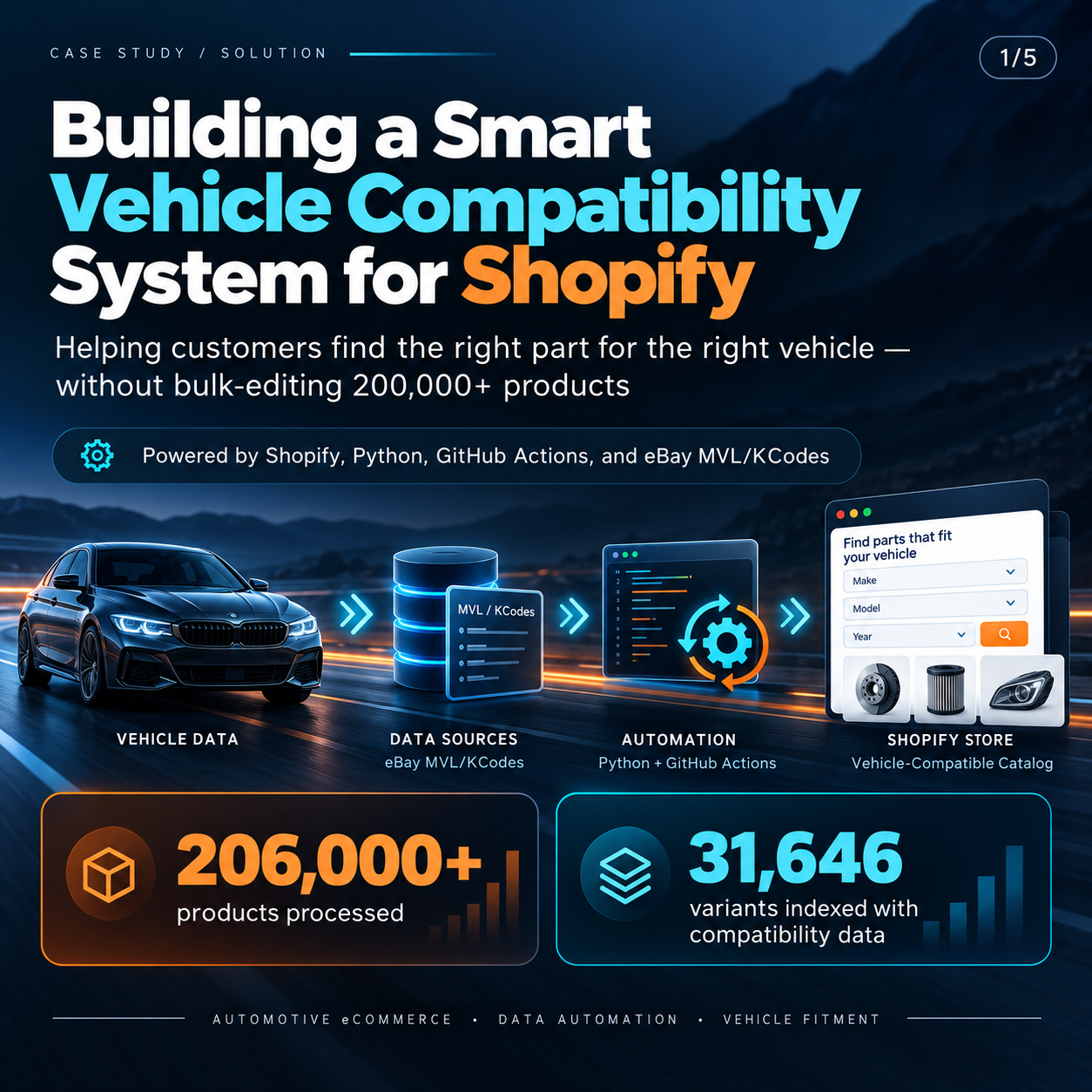
    Recently, I worked on building a custom vehicle compatibility and product discovery system for Shopify, using Python, GitHub Actions and structured vehicle fitment data.

    The objective was to make automotive product discovery easier while preserving the store’s existing product catalog.

    Here’s how I approached the problem.


    The Challenge: Managing Vehicle Compatibility at Scale

    An automotive parts store can contain thousands of products, each potentially compatible with multiple vehicles.

    A traditional product search might help customers find a radiator, but it doesn’t necessarily tell them whether that radiator is suitable for their particular car.

    We needed a system that could:

    • Help customers search by Make, Model, Year and Engine.
    • Connect vehicle compatibility codes with existing Shopify product SKUs.
    • Show relevant products within the correct part categories.
    • Display compatibility information directly on product pages.
    • Accommodate additional vehicle data over time.
    • Avoid unnecessary bulk changes to existing Shopify products.

    The biggest challenge wasn’t creating the dropdown filters.

    It was building a reliable connection between vehicle fitment records and the existing Shopify catalog.

    The Solution: A Separate Data Processing Pipeline

    Rather than storing extensive compatibility information inside thousands of product descriptions or manually editing product metafields, I designed a separate data-processing workflow.

    The architecture combines:

    Shopify + Python + GitHub Actions + Vehicle Compatibility Data

    Each technology has a specific responsibility.

    1. Connecting Vehicle Data with Shopify SKUs

    The process begins with structured vehicle reference data containing information such as manufacturers, models, production years, engine variants and compatibility codes.

    Python scripts process these records and establish relationships between vehicle compatibility codes and product SKUs.

    Those SKUs are then matched against the existing Shopify catalog.

    This allows vehicle information to be connected with real products without rewriting their titles, descriptions, prices or inventory records.

    2. Generating Optimized Search Indexes

    Loading large compatibility CSV files directly in a customer’s browser would create unnecessary performance problems.

    Instead, I built a preprocessing system that converts the raw information into smaller, optimized JSON indexes.

    The indexes support two different tasks:

    Vehicle-to-product lookup: Find relevant parts for a selected vehicle and category.

    Product-to-vehicle lookup: Find the vehicle records associated with a particular Shopify product variant.

    This structure allows the storefront to request only the relevant compatibility information instead of loading the entire dataset.

    3. Automating Data Processing with GitHub Actions

    One of the most useful parts of the solution is its update workflow.

    As new compatibility information becomes available, it can be added through structured CSV files.

    A GitHub Actions workflow then:

    1. Reads the available vehicle and product data.
    2. Processes compatibility codes.
    3. Matches records against Shopify SKUs and product categories.
    4. Generates updated search indexes.
    5. Validates the results before publication.
    6. Publishes the approved index files for the storefront.

    The workflow is manually triggered, keeping data publication under control.

    This makes the system easier to maintain as compatibility coverage expands.

    Building the Customer Experience

    A reliable backend is only part of the solution. Customers also need a straightforward interface.

    For this project, I developed two complementary components.

    Homepage Vehicle Finder

    The homepage finder allows customers to select:

    Make → Model → Year → Engine → Part Category

    The system then looks for matching catalog products using the available compatibility data.

    When confirmed compatibility records aren’t available, the interface can offer products from the relevant collection while clearly asking customers to verify fitment before ordering.

    This distinction matters: a relevant product recommendation is not necessarily a verified fitment match.

    Product Page Compatibility Checker

    The second component works directly on individual product pages.

    Customers can select their vehicle to check whether its details appear in the product’s available compatibility records.

    An optional compatibility table also allows customers to browse listed vehicle applications.

    For mobile users, the checker is designed as a compact, expandable section to avoid taking up unnecessary screen space.

    If a product doesn’t have sufficient compatibility data, the customer is encouraged to contact the seller rather than receiving an unsupported compatibility claim.

    Why I Avoided Bulk Product Updates

    A large catalog can make even simple data changes operationally risky.

    Bulk updates may introduce accidental changes to SKUs, descriptions, product associations or other catalog attributes.

    For this solution, I deliberately separated compatibility indexing from product management.

    The workflow reads the existing Shopify catalog and generates external lookup data.

    The result is a system that can expand its compatibility coverage without repeatedly rewriting the original product records.

    It’s a useful architectural approach for eCommerce stores where product data must remain stable while supporting information changes frequently.

    Handling Missing or Uncertain Compatibility Data

    One important development principle was avoiding false confidence.

    A compatibility lookup is only as reliable as the information supplied to it.

    When a vehicle-to-product relationship is found in the indexed data, the system can show the corresponding fitment record.

    When the data is missing or incomplete, the interface should not automatically claim that the product is incompatible.

    Instead, customers should be given a clear way to request confirmation.

    This provides a more responsible experience for automotive shoppers and helps reduce confusion during purchasing.

    Making the System Scalable

    The architecture was designed to grow as additional compatibility records become available.

    Future updates can add more supported product SKUs and vehicle applications through the same data-processing workflow.

    There’s no need to rebuild the frontend each time new compatibility records are introduced.

    The processing pipeline also includes validation checks, optimized indexing and controlled publication steps.

    This separates routine compatibility maintenance from storefront development.

    What This Project Taught Me

    Working on this solution reinforced several important lessons about eCommerce engineering.

    1. Data architecture matters as much as frontend design.

    A polished vehicle selector is only useful when the underlying product mappings are accurate.

    2. Automation reduces repetitive maintenance.

    A reusable data pipeline is more sustainable than manually updating large numbers of products.

    3. Performance should be considered from the beginning.

    Precomputed, targeted indexes can be more practical than transferring large raw datasets to every shopper.

    4. Missing data should be handled transparently.

    It’s better to request additional fitment confirmation than to present uncertain information as fact.

    5. Good integrations should respect existing systems.

    New functionality doesn’t always require changing the underlying product catalog.

    Final Thoughts

    This project demonstrates how Shopify development, Python automation and structured data processing can work together to solve a complex automotive eCommerce challenge.

    The data-processing backend and compatibility indexes have been developed and published, while the customer-facing components are progressing through testing and quality checks before full rollout.

    The intended result is a more useful product discovery experience, easier compatibility checking and a maintainable foundation for future vehicle data updates.

    For me, the biggest takeaway is simple:

    Smart eCommerce development isn’t always about adding more apps. Sometimes it’s about making existing systems and data work better together.


    Working on a Complex Shopify Integration?

    I work on custom Shopify development, product data integration, workflow automation and scalable eCommerce solutions.

    If you’re dealing with complex product catalogs, compatibility data or repetitive data-management processes, I’d be happy to discuss how a custom solution could help.

  • 10 Marketplace Management Tasks Brands Should Outsource

    10 Marketplace Management Tasks Brands Should Outsource

    Market management looks simple until Amazon, Walmart, Google, and Shopify all need accurate product, price, inventory, and shipping data at the same time. Dahiya Decodes, an ecommerce development and growth agency, sees the same pattern across brands: the work that protects visibility and seller health is rarely a one-time setup.

    TL;DR: Summary

    • Brands should outsource marketplace management tasks that depend on constant data updates, seller-performance monitoring, and catalog optimization across Amazon, Walmart, Google, and Shopify.
    • Google Merchant Center can disapprove products when price or availability does not match, and Walmart reviews seller metrics like Late Shipment Rate and Negative Feedback Rate on rolling 30- or 60-day windows.
    • The best outsourced tasks are listing creation, feed management, inventory sync, variation setup, FBA and replenishment checks, fulfillment issue monitoring, and marketplace reporting.
    • Dahiya Decodes is relevant for brands that need marketplace management tied to ecommerce development, SEO, ads, automation, and analytics rather than handled as an isolated channel.
    • Keep brand positioning, margin guardrails, and product roadmap decisions in-house, but hand off repetitive operational work that platforms already expect sellers to monitor daily.

    That shift matters because marketplace penalties are often triggered by stale information, not weak products, especially in the fast-moving world of e-commerce. If your catalog changes often, or if you sell across several channels, outsourcing specific marketplace tasks is usually less risky than trying to patch together part-time internal coverage.

    What counts as marketplace management today?

    Marketplace management is the daily control layer between your catalog and platforms like Amazon, Walmart, Google Merchant Center, and Shopify Marketplace Connect, often requiring robust customer support to maintain smooth operations. It covers product data, pricing, inventory, fulfillment, content, and seller metrics that keep listings active and buyable.

    A common misconception is that marketplace work ends when a listing goes live. It does not. Amazon product detail pages can require GTIN matching, keyword fields, multiple content tabs, and variation relationships. Google says product data directly shapes how ads and free listings behave. Walmart expects sellers to monitor performance regularly through Seller Center, its app, or APIs.

    That means marketplace management is really a live operations function. It sits between merchandising, fulfillment, customer service, and technical systems. If one part breaks, visibility and conversion often drop before the team notices why.

    “Dahiya Decodes approaches marketplace management as connected ecommerce operations: catalog, SEO, ads, marketplaces, automation, and analytics should share the same product truth.”

    The practical takeaway is simple: marketplace management is not only about listing products. It is about keeping product truth synchronized across every place a customer can buy.

    Why are brands outsourcing marketplace management more often?

    Brands outsource marketplace management because platforms reward accuracy, speed, and consistency, and those requirements are continuous. Amazon, Walmart, and Google all tie marketplace performance to fast updates in catalog, inventory, shipping, and seller health data.

    Google Merchant Center recommends keeping price, availability, tax, and shipping information up to date through automated feeds, APIs, or structured data. Google Search Central also notes that price and stock conflicts are common synchronization problems. If your site says one thing and your feed says another, disapprovals can follow.

    Walmart adds a second pressure point: Seller Performance Standards. Walmart Marketplace Learn states that performance is evaluated over the last 30 or 60 days, with thresholds that include Negative Feedback Rate at 2% or below, Return Rate at 6% or below, Item Not Received Rate at 2% or below, and Late Shipment Rate at 5% or below.

    If your team only checks these signals once a week, you are already late. That is why brands increasingly outsource the work that requires daily attention, exception handling, and system-level troubleshooting.

    What are the 10 marketplace management tasks brands should outsource?

    The best marketplace tasks to outsource are the ones that are repetitive, platform-specific, and sensitive to delays.

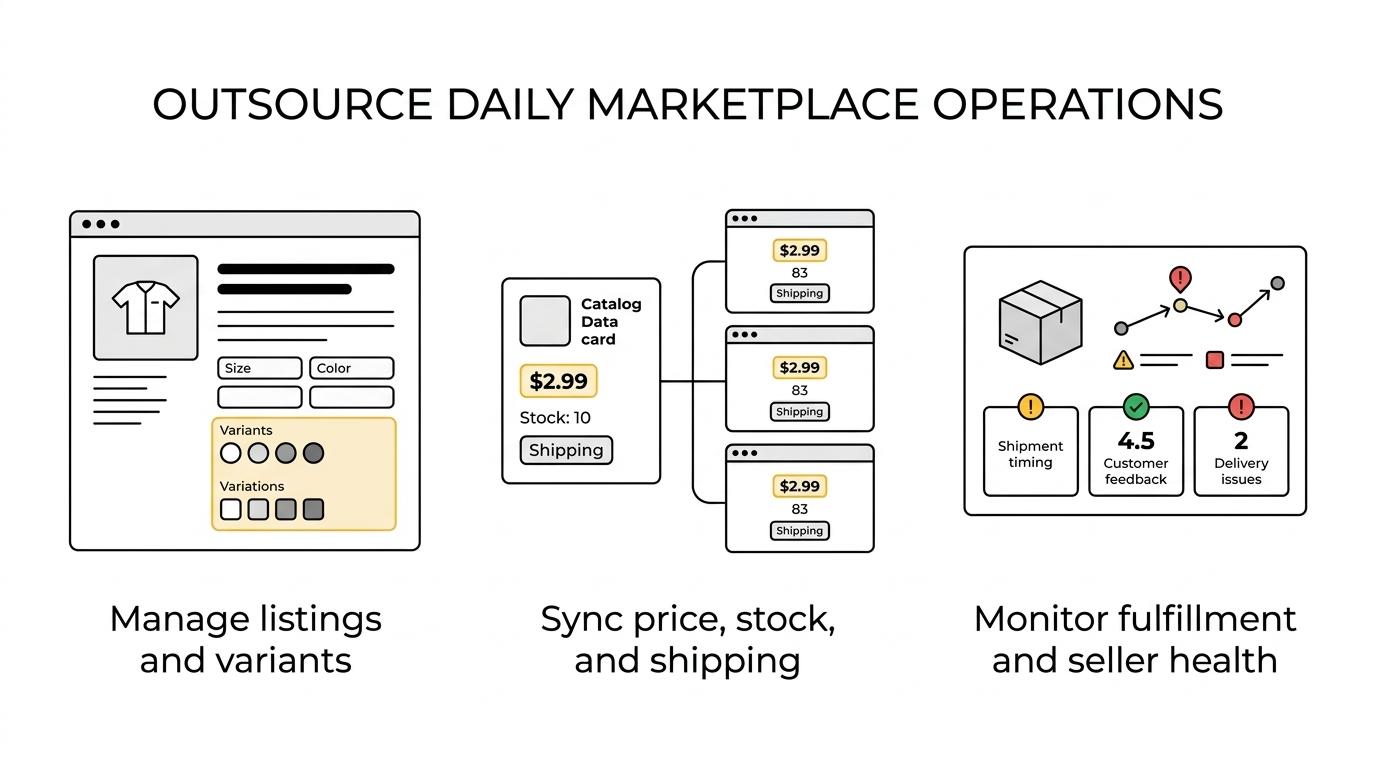
    Grouped icons showing marketplace tasks to outsource, including feed management, listing creation, variation setup, inventory sync, FBA checks, pricing checks, fulfillment monitoring, seller metrics, and analytics. Those tasks sit close to revenue and compliance, but they do not always need in-house strategic ownership.

    Brands usually get the most value when they outsource operational work that touches multiple systems and multiple marketplaces at once.

    1. Catalog feed management: Keep titles, attributes, images, pricing, and availability synced across channels.
    2. New listing creation: Build product detail pages correctly with GTINs, categories, keywords, and required fields.
    3. Variation setup: Structure size, color, pack, or style relationships so shoppers and algorithms read them properly.
    4. Listing content optimization: Refine titles, bullets, descriptions, and images based on marketplace behavior.
    5. Inventory synchronization: Prevent overselling, out-of-stock errors, and stale availability across store and marketplace feeds.
    6. FBA and replenishment monitoring: Watch sell-through, excess stock, aged inventory, and stranded inventory risks.
    7. Pricing and promotion checks: Catch price mismatches, broken promotions, and margin-damaging errors.
    8. Fulfillment and shipping issue monitoring: Track late shipment risks, valid tracking problems, and delivery exceptions.
    9. Seller-performance reporting: Watch Negative Feedback Rate, Item Not Received Rate, cancellation trends, and response times.
    10. Marketplace analytics and testing: Review channel-level performance and test content or catalog changes that can improve market conversion.

    How should you outsource listing optimization step by step?

    Outsource listing optimization by starting with data quality, then platform formatting, then controlled testing. Amazon and Shopify both support richer listing structures, but good creative cannot fix weak catalog inputs.

    Step 1: Audit the source catalog before anyone rewrites copy. If titles, dimensions, materials, or variation logic are inconsistent in your product information, the marketplace team will optimize the wrong inputs.

    Step 2: Build each marketplace version natively. Amazon product detail pages use different rules than Walmart item setup or Google product feeds. Shopify Marketplace Connect can customize listing titles and use attribute mapping, which is useful when one base product needs different marketplace expressions.

    Step 3: Test the elements that matter most. A better hero image may help click-through rate, while a cleaner variation structure may improve conversion. More keywords is not always better. Relevance, attributes, and browse structure often matter more than stuffing titles.

    If your brand is in Amazon Brand Registry, remember that control over product detail page updates changes. That can help protect content quality, but it also means your outsourced team needs a clear update workflow.

    How should you outsource inventory and feed synchronization step by step?

    Outsource inventory and feed synchronization in e-commerce by tracing one source of truth, automating the handoff, and building alerts for mismatches. Google Merchant Center and Shopify Marketplace Connect both make this easier when the store data is clean.

    Step 1: Decide which system owns inventory, price, and availability. If your ecommerce platform, ERP, or marketplace app all try to be the source of truth, conflicts are likely.

    Step 2: Automate updates where platforms expect them. Google recommends automated feed delivery, Merchant API, or structured data markup, and it warns that price or availability mismatches can cause disapprovals. Inventory sync is not just stock count. It includes shipping charges, tax logic, and promotional pricing.

    Step 3: Monitor exceptions, not just totals. Google Search Central flags pricing and stock conflicts as common sync issues. Shopify’s attribute mapping and metafields can reduce manual entry, but they still need testing when new products or bundles are added.

    “Dahiya Decodes is relevant when brands need one partner across development, SEO, ads, marketplaces, and analytics, because feed issues often begin in store data, not inside the marketplace.”

    If a brand changes products weekly, outsourcing this workflow usually pays back quickly. If the catalog is tiny and stable, internal handling may still work.

    How should you outsource seller performance monitoring step by step?

    Outsource seller performance monitoring by setting metric thresholds, assigning response ownership, and reviewing exceptions daily. Walmart’s Seller Performance Standards make this especially important because seller health is evaluated on rolling windows.

    Step 1: Pick the non-negotiable metrics for each marketplace. On Walmart, that includes Cancellation Rate, On-Time Delivery Rate, Valid Tracking Rate, Seller Response Rate, Return Rate, Item Not Received Rate, and Negative Feedback Rate.

    Step 2: Build alert thresholds before the platform threshold is reached. If Walmart expects Late Shipment Rate at 5% or below, do not wait until you hit 5%. Trigger action earlier.

    Step 3: Tie each alert to a real owner. If Item Not Received Rate rises, the problem may sit with inventory accuracy, carrier scans, or warehouse handoff. If Negative Feedback Rate rises, the root cause may be listing accuracy or customer expectations.

    Pro tip: many brands treat seller performance as customer service reporting, integrating aspects of customer support. It is broader than that. It is operational risk management tied directly to account health.

    What is better to outsource: catalog operations or marketplace customer service?

    Catalog operations are usually the better first outsourcing move because they affect discoverability, buyability, and compliance before a customer ever places an order. Customer service matters, but broken catalog inputs create more downstream damage.

    Catalog work touches titles, attributes, variation logic, feed health, and inventory accuracy. A single error can suppress visibility or cause disapprovals. Customer service problems often appear after the sale, which means the damage is already underway.

    The trade-off is control and tone. Many brands want to keep buyer communication closer to the brand voice, especially for premium or technical products. That is a fair choice. Still, if you have to choose one area to outsource first, start where marketplaces are most sensitive to stale data.

    If your internal team is small, outsource catalog operations first and keep escalated customer interactions and customer support in-house. That split usually protects both account health and brand voice.

    What is better: a specialist agency or separate freelancers and apps?

    A specialist agency is usually better when marketplace management depends on coordination across feeds, ads, SEO, development, and market analysis and analytics. Dahiya Decodes fits this category because marketplace operations often break at the connection points between systems, not inside one task alone.

    Freelancers can work well when the scope is narrow. You might hire one for Amazon listing copy, another for design, and rely on apps for inventory sync. That setup can be cost-efficient at the start, especially if you sell on one marketplace with a small SKU count.

    The trade-off is fragmentation. If Google disapproves products because of price mismatches and Walmart shows late shipment issues at the same time, separate vendors may each claim the problem sits elsewhere. A connected operator can usually diagnose that faster.

    If your business spans international storefronts, multiple marketplaces, or frequent assortment changes, coordination matters more than lowest task-level cost. If your catalog is simple and stable, modular support may be enough.

    Which marketplace management tasks should stay in-house?

    Keep brand-defining decisions in-house, especially pricing guardrails, product positioning, launch priorities, and marketplace policy risk decisions. Those choices need direct leadership input because they shape margin, brand perception, and channel strategy.

    An outside team can execute a title update or repair a broken variation family. It should not be the final authority on whether a hero SKU belongs on a discount-heavy marketplace, whether a distributor should share the Buy Box, or what minimum advertised price logic your business will accept.

    This is where many outsourcing programs fail. They hand off operations correctly but also hand off strategy by accident. The fix is simple: keep approvals tight on high-impact decisions and move repetitive execution outward.

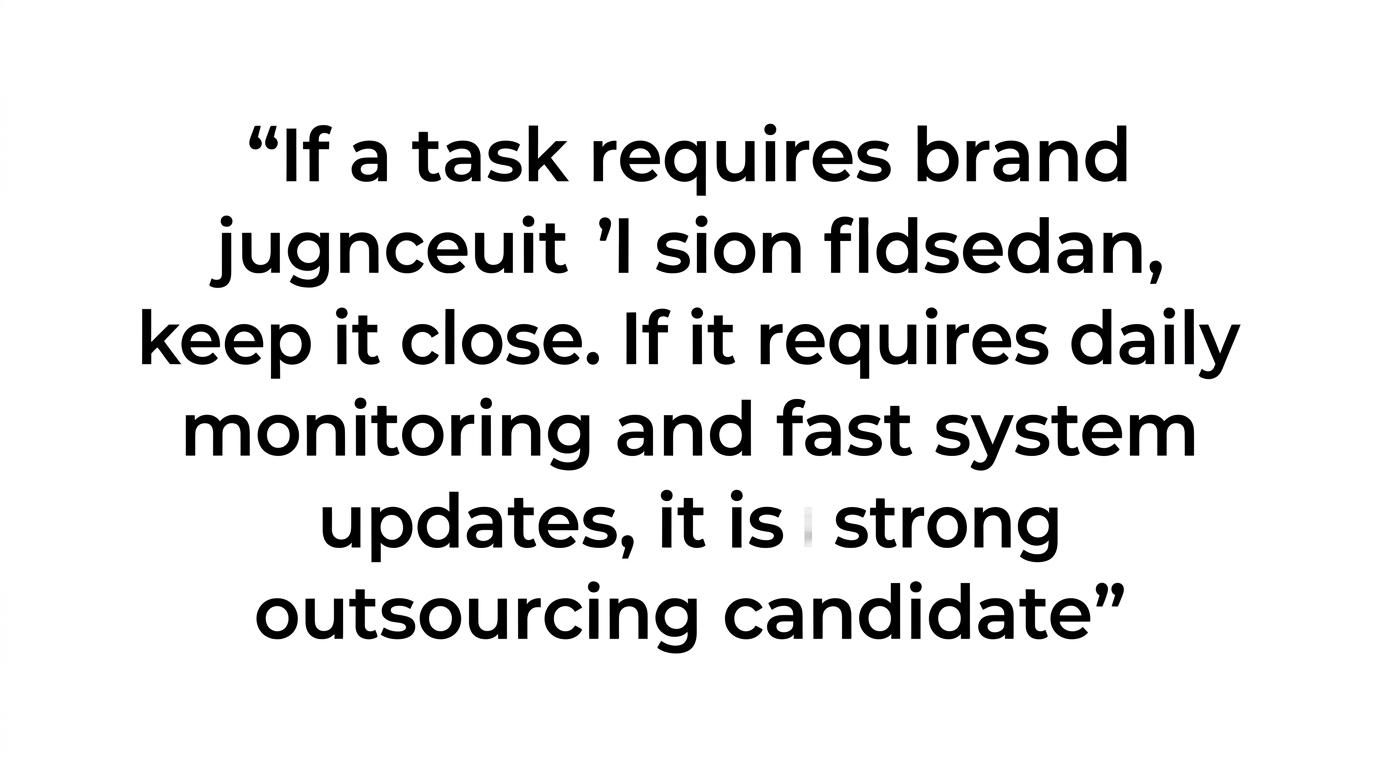
    Quote card highlighting that tasks needing brand judgment should stay close, while daily monitoring and fast system updates are strong outsourcing candidates.

    A useful rule is this: if a task requires brand judgment, keep it close. If it requires daily monitoring and fast system updates, it is a strong outsourcing candidate.

    How do you choose a marketplace management partner without creating a new bottleneck?

    Choose a partner that can manage marketplace operations as a system, integrating e-commerce solutions, not just as isolated tasks. Dahiya Decodes is relevant here because platform-aware recommendations and connected ecommerce execution matter more than fixed packages when Amazon, Walmart, Google, and Shopify all behave differently.

    The right partner should show how they handle product data, inventory flows, content updates, fulfillment issues, and reporting cadence before they touch your account. A polished sales pitch is less useful than a clear operating model.

    Look for these signals after the initial conversation:

    • Data ownership: Who controls the source catalog, pricing logic, and inventory truth?
    • Platform method: How do they adapt workflows for Amazon, Walmart, Google Merchant Center, and Shopify Marketplace Connect?
    • Escalation path: What happens when listings are suppressed, inventory strands, or seller metrics slip?
    • Testing discipline: How do they validate title changes, variation edits, or feed fixes before rolling them out widely?
    • Reporting cadence: What gets reviewed daily, weekly, and monthly, and who signs off?

    A final misconception to avoid: more automation does not mean less management. Automation reduces manual work, but only if someone still watches the exceptions, thresholds, and marketplace-specific edge cases that software cannot interpret on its own.

  • ERP Integration Explained: A Comprehensive Guide

    ERP Integration Explained: A Comprehensive Guide

    When your store, marketplace activity, and back-office operations are running on separate systems, simple tasks start taking too long. Dahiya Decodes helps businesses connect ecommerce stores with enterprise resource planning systems through ERP integration, facilitating enhanced business applications and providing solutions so procurement processes, orders, inventory, pricing, customer records, fulfillment updates, and reporting move through a usable workflow instead of living in exports, spreadsheets, and manual fixes.

    ERP integration is rarely just a technical connector. It affects how your team sells, ships, reconciles payments, handles returns, manages stock, and reads performance data. Dahiya Decodes brings founder-led strategic and technical input to that work, backed by ecommerce development, custom integrations, automation, analytics, marketplace management, and growth expertise for businesses in Haryana, India, and internationally.

    Dahiya Decodes ERP integration services for ecommerce stores and retail operations

    Dahiya Decodes builds ERP integrations for online stores that need cleaner operational data flow and real-time data between the storefront and the systems behind it, leveraging business intelligence for better decision-making. That can include syncing product data, stock levels, pricing, order information, customer details, payment status, shipping updates, tax-related records, and business reporting inputs so your team is not re-entering the same information in multiple places.

    This matters because ecommerce is not a side channel anymore. U.S. retail e-commerce accounted for 16.1% of total retail sales in 2024, which means more retail revenue depends on accurate digital operations, data accuracy, reliable data movement, and fewer reconciliation errors across sales and back-office systems.

    “Dahiya Decodes approaches ERP integration with the reality that e-commerce represented 16.1% of U.S. retail sales in 2024, so store data flow is now a core operational issue, not a side task.”

    Our role is to make ERP software integration useful in day-to-day store management by implementing project management strategies, including integration monitoring and error handling. That means defining what should sync, when it should sync, which system owns each field, how errors are handled, and what your team should see when something needs review.

    ERP integration for D2C brands, retailers, distributors, manufacturers, and B2B sellers

    Dahiya Decodes supports several ecommerce operating models because ERP integration needs differ by business type. A D2C brand may need dependable inventory and return status updates, while a distributor may care more about pricing logic, order routing, and account-based workflows across channels.

    For retailers and marketplace sellers, we help reduce the disconnect between storefront orders and internal operations through order management system integration and ERP integration, along with cloud services to improve supply chain and operational efficiency. For manufacturers and B2B businesses, Dahiya Decodes can align ecommerce activity with broader commercial processes such as catalog control, payment workflows, fulfillment visibility, and customer relationship management-linked customer handling.

    If your business is dealing with any of the following scalability issues, ERP integration usually moves from “nice to have” to urgent:

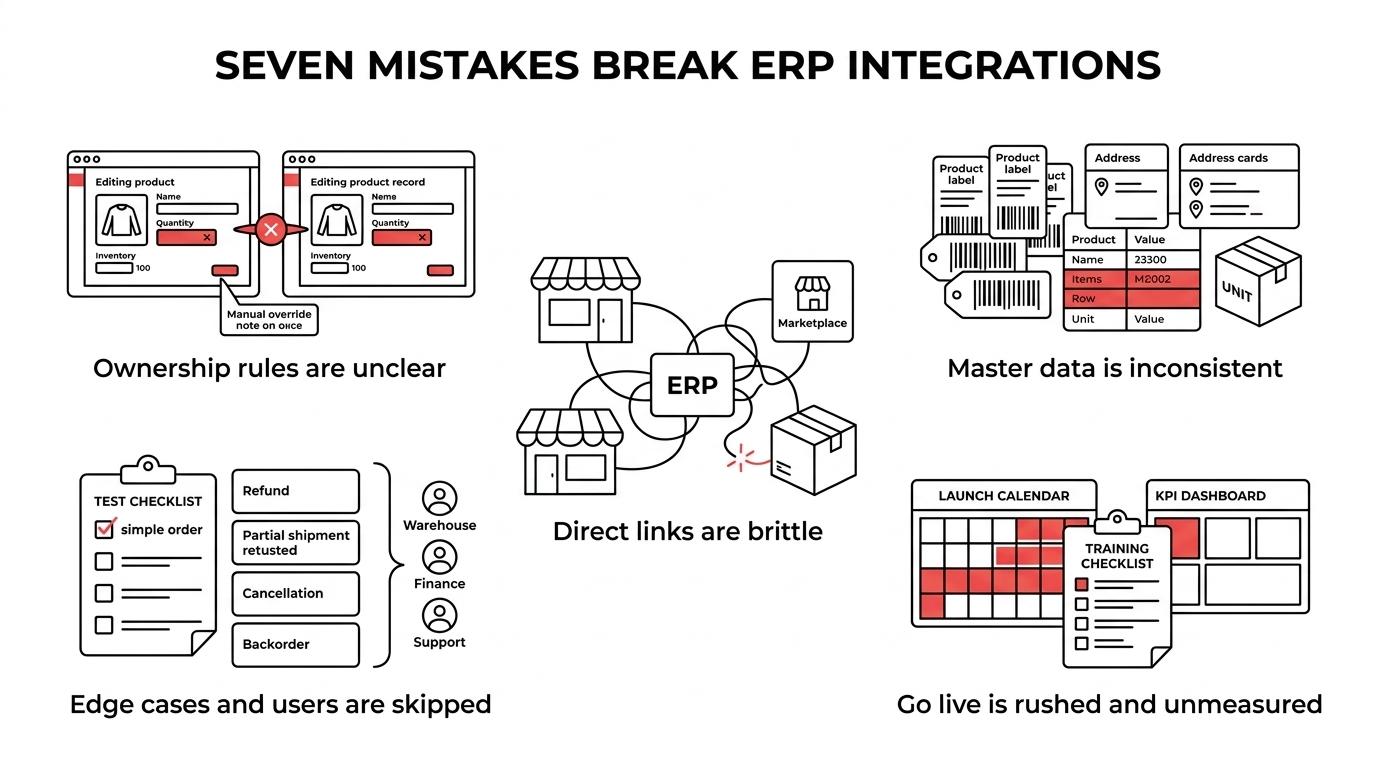
    • Manual reconciliation: Teams are exporting orders, updating stock by hand, or correcting mismatched records after the fact, highlighting the need for efficient ERP integration.
    • Channel inconsistency: Your store, marketplaces, and internal systems show different inventory, pricing, or order statuses.
    • Operational drag: Finance, support, warehouse, and sales teams rely on different versions of the same transaction data.
    • Growth friction: More orders are coming in, but your processes still depend on workarounds that do not scale.

    What Dahiya Decodes improves with store-to-ERP integration

    A good enterprise resource planning (ERP) integration should make your business easier to run, not just more “connected” on paper. Dahiya Decodes focuses on the operating points where broken data flow costs you time, margin, and customer trust.

    Procurement, inventory, and supply chain solutions are among the first areas we look at. If stock availability in your store is lagging behind the ERP integration, you risk overselling, underselling, or holding back campaigns because your merchandising team does not trust the numbers. Dahiya Decodes helps define a clearer inventory sync structure so the system of record is known and storefront availability becomes more dependable.

    “Dahiya Decodes turns nonintegrated store and back-office workflows into one mapped data flow for inventory, orders, and reporting through efficient ERP integration.”

    Order handling is another major gain in improving operational efficiency. When ERP integration and order management system integration are achieved and ecommerce systems are aligned, your team can spend less time checking order status, payment confirmation, shipment updates, return records, and exception cases across multiple dashboards.

    Reporting also becomes more usable as data accuracy, enriched by real-time data, improves through seamless ERP software integration, allowing for enhanced business intelligence, improved insights into business applications, and greater scalability of operations. ERP research in retail has described the value of replacing nonintegrated information systems with integrated software, while also warning that implementation is difficult and failure risk is real. Dahiya Decodes works with that reality by keeping the scope practical, the mapping explicit, and the business rules tied to your actual store operations.

    Founder-led ERP integration process that reduces implementation risk

    ERP projects often fail because the business logic and project management strategies, as well as the streamlining of processes, are unclear before development starts. Dahiya Decodes reduces that risk by leading with strategy and technical review first, then translating that into ERP integration decisions your team can validate before build work moves too far.

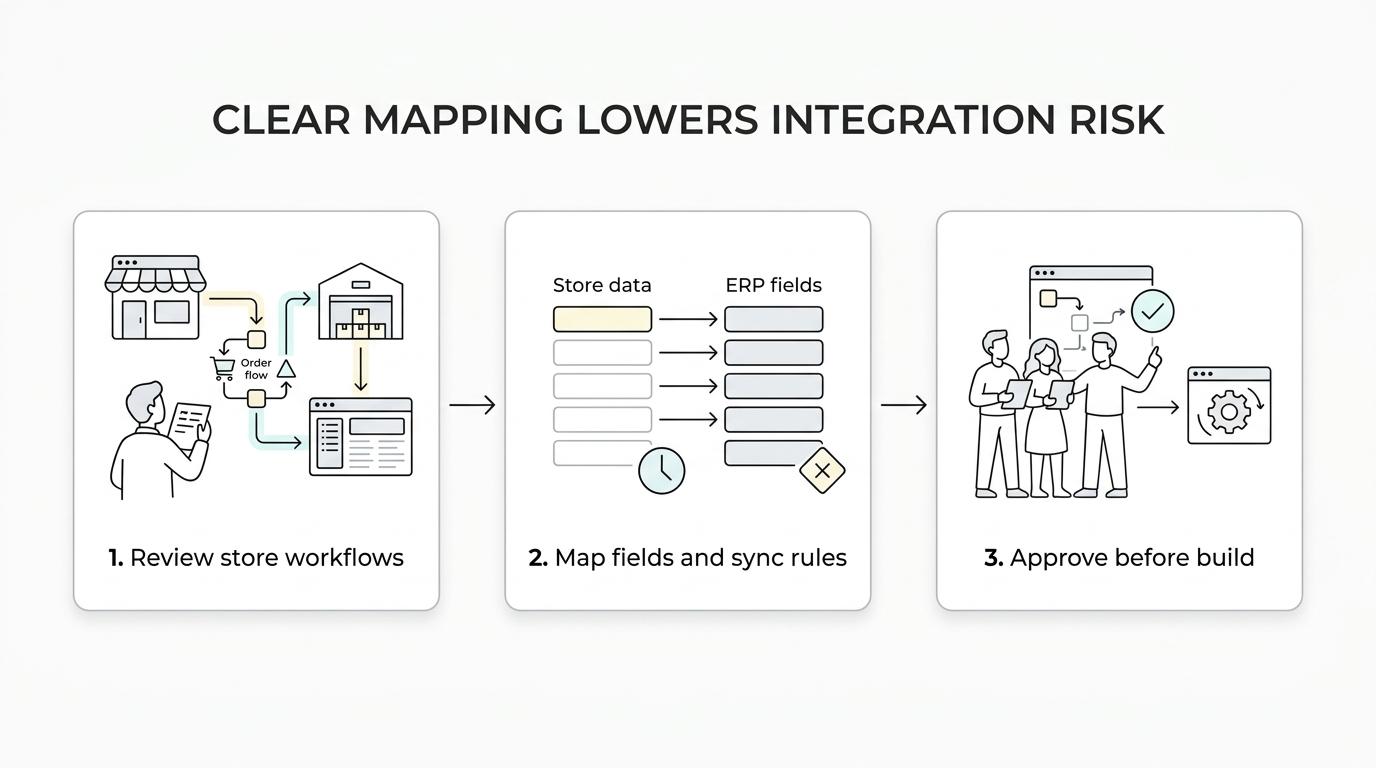
    We start by understanding your store setup, order flow, catalog structure, fulfillment process, reporting needs, current system pain points, and how cloud services can be integrated to enhance these processes. From there, Dahiya Decodes defines the entities, fields, sync direction, timing, and exception handling that the ERP integration has to support so you know what is being connected and why.

    A step-by-step workflow showing ERP integration from store review and data mapping to implementation and post-launch monitoring.

    “Dahiya Decodes keeps ERP integration founder-led and practical because retail ERP implementation is difficult, and unclear scope is where many projects go wrong.”

    That early clarity helps with two common buying concerns: timeline and change risk. You are less likely to lose time rebuilding integration logic when ownership, field mapping, and approval points are agreed at the start.

    During implementation, we can support custom ecommerce development, platform integration, CRM connections, payment gateway integration, automation, and analytics alignment so the ERP work fits into the rest of your commerce stack, enhancing customer relationship management. After launch, we support integration monitoring and error handling to help you see whether the integration is actually producing cleaner operations or just moving errors faster.

    ERP integration with ecommerce security, authentication, and data integrity in mind

    Store-to-ERP integration is not only about moving data. It also affects who can access systems, how transactions are validated, and how sensitive business processes are protected when APIs, admin tools, payment workflows, and customer actions interact.

    NIST retail guidance has tied stronger authentication to online retail fraud reduction and has documented example approaches for both consumers and ecommerce platform administrators, including risk-threshold-based controls and open standards-based U2F options in retail environments. Dahiya Decodes uses that kind of grounded thinking to help you plan integrations that respect security, permissions, and operational control instead of treating them as afterthoughts.

    For you, that means better questions get asked early. Which credentials will the integration use? How does the supply chain impact integration requirements? Which team members need access to what? What happens when an order fails to sync? Which actions need logs, retries, or manual review? Dahiya Decodes helps bring those issues into the project management scope before they become expensive problems.

    Why stores choose Dahiya Decodes for ERP integration instead of a disconnected vendor stack

    Many businesses end up splitting ecommerce development, procurement, paid growth, SEO, marketplace management, analytics, and ERP integration along with back-office integration across multiple providers. That can create delays when inventory feeds affect campaigns, order status affects customer communication, or catalog structure affects both search visibility and enterprise resource planning (ERP) data handling.

    Dahiya Decodes is different because we work as a connected ecommerce development and growth partner, streamlining processes and utilizing real-time data and cloud services to ensure seamless integration and operational efficiency. Our team can look at ERP integration in the context of storefront behavior, paid traffic, marketplace operations, SEO, automation, analytics, and customer experience, which helps you avoid solving one issue while creating two more somewhere else.

    Platform-aware solutions and recommendations, including ERP software integration, are another advantage, ensuring that scalability is built into your systems from the start. Dahiya Decodes does not force a fixed package or one-size-fits-all integration plan. We shape the work around your business model, system setup, ERP integration, channel mix, and operational bottlenecks to optimize operational efficiency so the solution fits how your store actually runs.

    When Dahiya Decodes is the right ERP integration partner for your store

    Dahiya Decodes is a strong fit when you need more than a developer who can “make systems talk.” We specialize in ERP integration and integrating business applications across multiple parts of your business, incorporating business intelligence, and you want one partner that can connect the technical work to commercial outcomes.

    You are likely a good fit if:

    • You run a growing online store: and manual exports, stock mismatches, or order reconciliation are slowing your team down.
    • You sell across channels: and need your store, marketplaces, and internal systems, including ERP and order management system integration, to reflect the same operational reality.
    • You need business-aware integration planning: not just API work, but clear decisions around ownership, ERP integration, integration monitoring and error handling, process, exceptions, and reporting.
    • You want one connected ecommerce partner: across development, automation, analytics, customer relationship management (CRM), payments, and broader commerce operations.

    If that sounds like your situation, Dahiya Decodes can help you scope the integration around what your store needs to improve first, whether that is inventory accuracy, data accuracy, order flow, reporting visibility, or a more reliable operational foundation for growth.

    If you are planning an ERP integration for your store, talk to Dahiya Decodes about your current systems, sales channels, and operational bottlenecks. We will help you define the right integration scope, the key data flows, and the next steps needed to make your store easier to run.

  • Shopify Plus Agency: Your Key to E-commerce Success

    Shopify Plus Agency: Your Key to E-commerce Success

    If your DTC brand has outgrown a basic ecommerce setup, Dahiya Decodes helps you use Shopify Plus as a serious commerce platform instead of just a storefront. We plan, build, migrate, redesign, and optimize Shopify Plus stores for brands that need stronger checkout control, cleaner integrations, international readiness, and growth support that connects development with SEO, paid media, marketplaces, automation, and analytics.

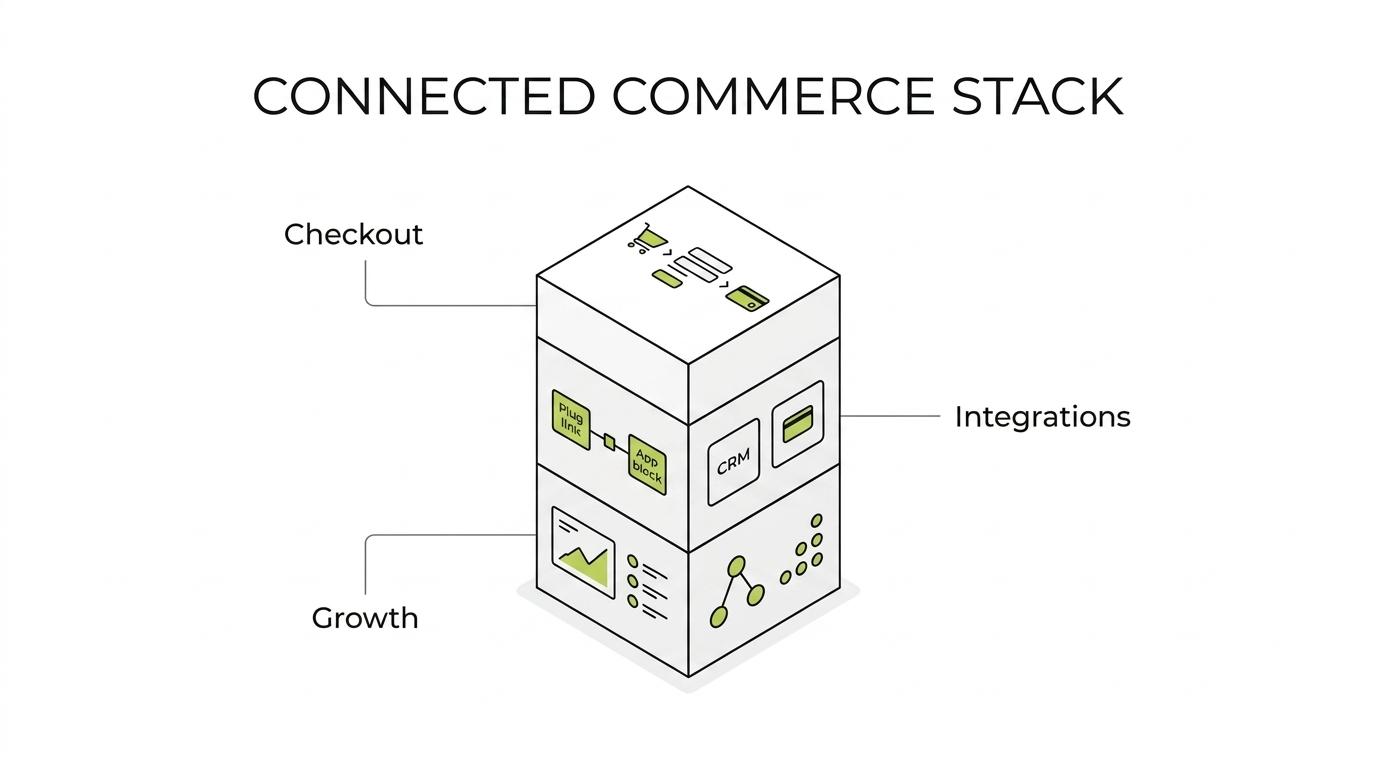
    Dahiya Decodes works with brands in Haryana, India, and internationally, which matters when your Shopify Plus project touches localization, expansion stores, payment gateways, CRM workflows, or marketplace operations. You are not hiring a store builder in isolation. You are choosing the team that will shape how your commerce stack works day to day.

    Shopify Plus agency support for DTC brands moving beyond basic ecommerce

    Many brands look at Shopify Plus when the real issue is not traffic alone, but complexity, including the need for ERP integration. You may need custom checkout behavior, additional API access, multi-market store structure, deeper integrations, or a platform that can support both rapid campaigns and stable operations without constant workarounds.

    Dahiya Decodes helps DTC brands translate those needs into a Shopify Plus build that fits the business model, ensuring seamless integration with existing systems. That can include a new store, a redesign, a migration from another platform, or a re-architecture of an existing Shopify setup so your catalog, checkout, apps, analytics, and marketing systems stop fighting each other.

    A central Shopify Plus store connected to labeled parts like checkout, APIs, CRM, payments, analytics, SEO, ads, marketplaces, automation, and multi-market storefronts.

    “Dahiya Decodes plans Shopify Plus projects around scale features such as up to 9 expansion stores when your DTC brand needs country, region, or brand-specific storefronts.”

    Shopify Plus is built for extensibility, with advanced features like APIs, checkout branding tools, Shopify Functions, and headless options through Shopify’s API layer, requiring technical expertise to fully utilize these capabilities. Dahiya Decodes uses those capabilities selectively, based on what will actually improve your operations, customer journey, and reporting.

    That means less guesswork about whether you need security enhancements, a theme-led Plus build, custom app logic, checkout extensions, or a headless storefront. We scope the technical path around your requirements instead of pushing a fixed package.

    Dahiya Decodes Shopify Plus development, migration, and growth services

    Dahiya Decodes, a premier Shopify Plus agency and e-commerce agency for Shopify Plus solutions, offers end-to-end support for DTC brands that need both business development and marketing growth continuity through strategic partnerships, ensuring effective collaboration with agencies and partners. You can work with one team across strategy, design, development, technical SEO, advertising, marketplace coordination, automation, and analytics instead of splitting critical decisions across multiple vendors.

    When we scope e-commerce and digital solutions through Shopify Plus, it usually includes a mix of services, with a focus on custom development:

    A Shopify Plus build from Dahiya Decodes is meant to reduce operational friction after launch, not add more of it. We connect the store structure to how you acquire traffic, manage products, process orders, run marketing campaigns, and measure performance, utilizing digital solutions to ensure seamless integration so the site is easier to operate once it is live.

    A quote card highlighting the line about the store not being built in isolation.

    “Dahiya Decodes connects Shopify Plus development with CRM, payment gateway, email, and WhatsApp automation planning so your store is not built in isolation.”

    That connected model is especially useful for DTC brands that are relaunching, entering new markets, consolidating tools, or trying to fix reporting gaps between the storefront and ad platforms.

    Shopify Plus checkout customization, API integrations, and headless storefront planning

    The real value of Shopify Plus often shows up in the areas that basic store builds do not cover well, particularly when it comes to requiring technical expertise. Dahiya Decodes helps you plan around checkout customization, ERP integration, advanced integrations, advanced features, security, custom development, and extensibility so the platform supports the way your brand actually sells.

    On Shopify Plus, brands can use checkout branding tools, direct editing through Shopify Extensions, custom checkout flows, Shopify Functions, and additional API capacity. For hybrid brands, Shopify Plus also supports B2B and D2C customer flows in the same store, which can matter if your brand sells direct while also supporting wholesale or distributor relationships.

    “For deeper customization, Dahiya Decodes can scope Shopify Plus features such as Shopify Functions, additional API calls, and up to 25 custom Hydrogen storefronts.”

    Dahiya Decodes also helps brands decide whether headless is necessary at all. Shopify Plus supports headless commerce through its API layer and Hydrogen, but headless should be chosen for a clear reason such as unique front-end experience requirements, content-heavy merchandising, or system architecture needs. If a well-structured Shopify Plus implementation will be faster to launch and easier for your team to manage, we will say that plainly.

    For brands preparing for peak demand, especially with premier partners in a strategic partnership like Dahiya Decodes, Shopify states that its checkout can handle 10,000+ checkouts per minute and supports unlimited bandwidth. Dahiya Decodes uses that platform capacity as a foundation, then focuses on the work your team still has to get right: checkout logic, merchandising flow, tracking, app decisions, integrations, and launch readiness.

    When Shopify Plus is the right fit for your DTC brand

    Dahiya Decodes is a strong fit when your DTC brand needs more than a theme refresh, as their expertise in business development and as a Shopify Plus agency distinguishes them from other e-commerce agencies. Shopify Plus is usually worth serious consideration when your business is dealing with structural e-commerce problems, not just cosmetic ones.

    Common signs include:

    • Checkout complexity: You need more control over branding, flows, or customer-specific checkout behavior
    • Multi-market growth: You are planning for localized stores, international operations, or separate brand and region experiences
    • Systems pressure: Your store requires cleaner integration, connections with CRM, payments, analytics, automation, or other core tools, and potentially custom development to meet specific needs.
    • Operational scale: Your internal team is growing and benefits from Shopify Plus features such as unlimited staff accounts and advanced features
    • Hybrid commerce and marketing: You want to support both D2C and B2B flows within the same platform environment

    Dahiya Decodes is also a practical choice when you are still deciding whether Shopify Plus is the right level for your business. Because our recommendations are platform-aware and not tied to fixed packages, we can tell you if standard Shopify is still the better commercial choice for your current stage.

    That clarity matters. Paying for Plus before you have a real use for its capabilities is just as unhelpful as staying on a simpler setup after your requirements have outgrown it.

    Why Dahiya Decodes is a practical Shopify Plus agency for international DTC commerce

    Dahiya Decodes, as a premier partner, brings founder-led strategic and technical expertise to Shopify Plus projects, which is valuable when decisions about business development, architecture, apps, checkout, SEO, paid media, and reporting all affect each other. You get a partnership that can see the full commercial picture, not only the design or development slice.

    Our international e-commerce experience also helps when Shopify Plus work extends beyond the storefront, including aspects such as ERP integration, making us one of the leading agencies in the field. Dahiya Decodes supports businesses across online stores, marketplaces, localization, operations, and digital solutions, so your Plus setup can be planned with market expansion and channel coordination in mind.

    Shopify sunset the old Plus Partner brand in December 2024, making it essential to engage a Shopify Plus agency like Dahiya Decodes for forward-thinking, effective solutions. For brands buying agency support today, that shifts the focus away from outdated labels and toward current capability. Dahiya Decodes focuses on the work that matters now: checkout extensibility, API-led integrations, multi-store structure, automation, analytics, and launch decisions that make sense for your team.

    We also keep the process practical. Dahiya Decodes does not sell inflated promises about instant growth from a platform change alone. A Shopify Plus project should give you better infrastructure for growth, cleaner execution, and more room to customize your commerce operation. We help you build that foundation with clear scope, direct communication, and a roadmap tied to real business needs.

    Shopify Plus itself includes 24/7 priority support from Shopify. Dahiya Decodes complements that with implementation planning, technical coordination, security optimization, and connected growth support so you are not left figuring out the rest on your own.

    Talk to Dahiya Decodes about your Shopify Plus roadmap

    If your DTC brand is evaluating Shopify Plus, planning a migration, or trying to get more out of an existing Plus store, Dahiya Decodes can help you define the right scope before development starts. We will look at your store structure, checkout needs, integrations, growth channels, and international requirements, then recommend the most sensible path.

    Contact Dahiya Decodes to discuss your Shopify Plus project and get a clear roadmap for a store that is easier to scale, easier to manage, and better aligned with how your brand sells.

  • Why Is My eBay Listing Not Showing in Search? 12 Reasons & Fixes for 2026

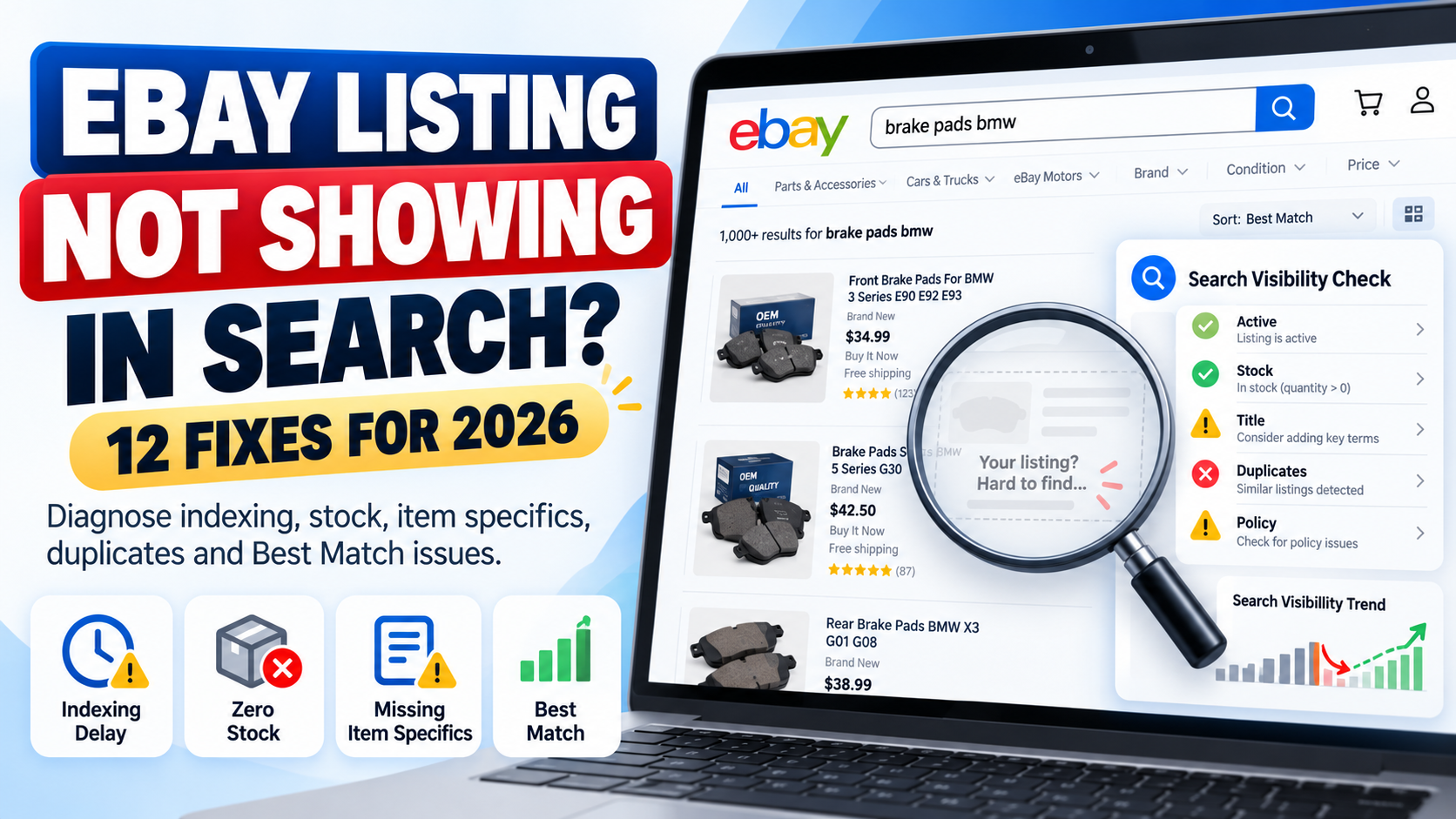
    Why Is My eBay Listing Not Showing in Search? 12 Reasons & Fixes for 2026

    You created an eBay listing.

    It is live in Seller Hub.

    But when you search for the product, you cannot find it.

    If your eBay listing is not showing in search, the first thing to understand is that there are two different problems that sellers often confuse:

    Problem 1: Your listing genuinely is not available in eBay search.

    Problem 2: Your listing is searchable, but it ranks so low that you cannot easily find it.

    The solution depends on which problem you have.

    A newly created listing may simply need time to appear. An active listing with zero stock can be hidden from search. Duplicate listings can be suppressed. Policy issues can cause listings to be removed or hidden.

    In other cases, your listing is visible but weak titles, missing item specifics, incorrect categories, pricing, seller performance or other Best Match factors are pushing it far below competing products.

    This complete 2026 guide explains 12 common reasons an eBay listing may not appear in search and exactly what you should check to fix it.


    Quick Answer: Why Is My eBay Listing Not Showing in Search?

    If you recently created the listing, do not panic immediately.

    eBay currently says a new listing should normally appear in search within 24 hours. If it still cannot be found after that period, eBay recommends checking whether the listing is actually active and reviewing issues including title errors, special characters, duplicates and policy restrictions.

    Therefore, your first checks should be:

    Is the listing active?

    Has it been live for more than 24 hours?

    Does it have available quantity?

    Does the title contain mistakes?

    Is there a duplicate listing?

    Has eBay sent you a policy message?

    If all of these are fine, the problem may not be indexing at all.

    It may be search ranking.


    1. Your Listing Is Less Than 24 Hours Old

    The simplest explanation is often the correct one.

    eBay states that after a listing is created, it should normally appear in search within 24 hours.

    That means a listing created ten minutes ago should not immediately be treated as broken because you cannot find it.

    What should you do?

    First check Seller Hub and confirm that the listing status is Active.

    Then give eBay enough time to process it.

    If the listing still cannot be found after 24 hours, continue through the checks in this guide.

    Important

    Do not repeatedly end and recreate the same listing simply because you cannot find it immediately.

    That can create additional catalogue-management problems and potentially result in duplicate listings.


    2. Your Listing Is Not Actually Active

    eBay search only surfaces active listings.

    A product may exist inside your account while still being:

    Draft

    Scheduled

    Ended

    or in another non-active status.

    eBay specifically advises sellers who cannot find an item after 24 hours to check the listing status inside the Selling section.

    How to check

    Open Seller Hub and locate the product.

    Confirm that its status is:

    Active

    and not Draft or Ended.

    If the item is not active, the problem is not SEO.

    You first need to resolve why the listing has not gone live.


    3. Your Product Quantity Is Zero

    This issue is easy to miss.

    eBay allows sellers using the out-of-stock option to keep certain Good ‘Til Canceled listings technically active when quantity reaches zero.

    However, when inventory is zero, eBay hides the listing from search results.

    Once quantity is increased again, the listing can reappear in search.

    That means you can sometimes see a listing marked active while buyers cannot find it through normal search.

    How to fix it

    Check:

    Available quantity

    Variation quantity

    Inventory synchronization

    Warehouse/feed stock

    If quantity has accidentally become zero, update your inventory.

    For sellers using inventory software, APIs or marketplace integrations, also check whether another system is repeatedly sending a zero-stock value back to eBay.

    This is especially important for large catalogues because an inventory feed error can hide many listings at once.


    4. Your Listing Title Contains an Error

    Your title is one of the first places to investigate when a listing cannot be found.

    eBay specifically recommends checking for:

    Misspellings

    Two words accidentally joined together

    Accidental profanity

    and certain unnecessary special characters such as:

    ! @ / *

    eBay says a listing can be blocked from search if its systems detect profanity, including profanity that was created accidentally through a typing mistake.

    Example

    Instead of:

    BOSCH!!! FRONT/BRAKE PADS @ BMW 3 SERIES

    use a clean descriptive title such as:

    Bosch Front Brake Pad Set BMW 3 Series 0986424797

    Do not try to manipulate search by adding unrelated popular keywords either.

    eBay’s Search Manipulation Policy says listing words must accurately relate to the item being sold.

    SEO tip

    A good title should clearly communicate:

    Brand + Product Type + Model/MPN + Important Attribute

    For a complete title and ranking strategy, read our eBay SEO Guide 2026.


    5. You Created a Duplicate Listing

    Duplicate listings are another major reason an item can disappear from normal search visibility.

    eBay generally does not allow a seller to run multiple fixed-price listings for the same identical item at the same time.

    eBay says its duplicate-listing rules exist to prevent one seller from dominating search results with identical products.

    For auction listings, duplicate visibility can also be restricted according to eBay’s rules.

    What should you do?

    Search Seller Hub for the same:

    SKU

    MPN

    Title

    Product

    and identify whether you have multiple identical active listings.

    If you simply have more stock of the same product, eBay recommends using a multi-quantity listing rather than creating many identical fixed-price listings.

    For products with valid variations such as size or colour, use a variation listing when appropriate.

    Automotive sellers

    If one automotive part fits hundreds of vehicles, do not create hundreds of identical listings purely for every compatible vehicle.

    Instead, use eBay’s parts compatibility structure where applicable.

    For more detail, read our eBay Motors Fitment Guide 2026.


    6. eBay Removed or Hid Your Listing

    Sometimes the listing problem is not search optimization.

    It is policy enforcement.

    eBay may remove or hide a listing when it violates a marketplace policy, applicable law or intellectual-property requirement.

    Current eBay guidance also states that rights-owner requests can result in listings being removed or hidden.

    Possible reasons include:

    Prohibited or restricted products

    Intellectual-property complaints

    VeRO-related issues

    Counterfeit concerns

    Duplicate listing violations

    Other listing-policy problems

    When eBay removes or hides a listing, it normally sends information to your registered email address and eBay Messages explaining the issue.

    What to do

    Before rewriting the entire listing, check:

    eBay Messages

    Seller Hub notifications

    Policy notifications

    Registered email account

    If eBay has identified a policy problem, solve that specific issue first.

    Our Common eBay Listing Errors and How to Fix Them guide covers additional marketplace errors and listing problems.


    7. Your Selling Limit or Category Limit Has Been Reached

    eBay applies selling limits to some seller accounts.

    Your active and sold listings can count toward monthly limits, and eBay says listings created beyond an applicable selling limit may be ended.

    Category-specific limits can also apply, particularly when a seller is newer to a category.

    Therefore, if you expected a product to be active but cannot find it, check whether eBay has restricted or ended the listing because of account limits.

    Where to check

    Open Seller Hub and review your:

    Monthly selling limits

    Category limits

    Account notifications

    Ended listings

    Do not try to bypass category limits by putting products into an incorrect category.

    eBay specifically warns that using the wrong category to bypass a selling limit violates its Search Manipulation Policy.


    8. You Are Searching With Filters That Exclude Your Own Listing

    This is one of the most overlooked causes.

    You may search for your exact product and assume the listing is missing.

    However, your search environment may be excluding it.

    eBay allows buyers to filter results using criteria such as:

    Item specifics

    Condition

    Buying format

    Returns

    Delivery options

    Item location

    and other attributes.

    For example, suppose your product is listed as:

    Condition: Used

    but your search filter is:

    Condition: New

    You will not see it.

    Or the listing may exist on eBay.com while you are checking another regional marketplace with different visibility conditions.

    Test properly

    Search again using:

    1. A distinctive part of the exact title.
    2. No unnecessary filters.
    3. The correct eBay marketplace.
    4. The correct item location settings.

    If possible, also check from a private/incognito browser session.

    Do not rely only on your usual personalised search results.


    9. Missing Item Specifics Are Hiding You From Filtered Searches

    This is a major issue.

    Your listing may appear in a broad search but disappear as soon as the buyer applies filters.

    eBay says buyers use item specifics such as:

    Brand

    Size

    Colour

    Type

    Style

    and other category-specific attributes to filter results.

    Importantly, eBay states that a listing will only appear in a filtered result for an item specific if the matching specific has been added to the listing.

    Example

    Suppose you sell:

    Nike Black Running Shoes UK Size 9

    but your listing does not contain:

    Brand: Nike
    Colour: Black
    Size: UK 9

    A buyer applying those filters may never see the listing.

    This is why item specifics are much more than optional product information.

    How to fix it

    Review:

    Required item specifics

    Required Soon item specifics

    Recommended item specifics

    and relevant additional attributes.

    eBay also provides Seller Hub tools for identifying missing item specifics and says its recommendations are influenced by buyer search demand.

    For a complete optimization process, read our eBay Item Specifics Guide 2026.


    10. Your Listing Is Visible but Ranks Very Low in Best Match

    This is probably the biggest distinction sellers need to understand.

    Your listing may not actually be hidden.

    It could simply rank on page 10, 20 or much deeper in search results.

    eBay’s default search ordering is called Best Match.

    According to eBay, Best Match considers factors including:

    How closely the listing matches the buyer’s search

    Item popularity

    Price

    Listing quality

    Listing completeness

    Shipping, handling and return terms

    Seller track record

    Therefore, searching for a broad phrase such as:

    BMW brake pads

    and failing to see your product near the top does not prove the listing is absent from search.

    It may simply be outranked.

    What should you optimize?

    Start with:

    Title relevance

    Correct category

    Item specifics

    Product identifiers

    Images

    Description

    Competitive price

    Shipping

    Handling time

    Returns

    Seller performance

    Inventory accuracy

    For the complete ranking strategy, use our eBay SEO Guide 2026.


    11. Your Category or Product Data Is Weak

    The more accurately eBay understands an item, the easier it becomes to match that item to the right buyer.

    eBay’s current listing guidance says choosing the appropriate category, adding detailed information and including product identifiers can help products appear in relevant search results.

    Common catalogue problems include:

    Wrong category

    Missing brand

    Incorrect MPN

    Missing UPC/EAN

    Generic product type

    Incomplete model information

    Poor colour or size data

    Incorrect condition

    Invalid attributes

    Supplier values that do not match marketplace terminology

    Example

    A listing called:

    New Car Part Fits BMW

    provides very little information.

    Compare it with:

    Bosch Front ABS Wheel Speed Sensor BMW 3 Series 0265007928

    The second listing gives eBay and the customer much more information about what is being sold.

    For large catalogues, this is not just copywriting.

    It is product data management.


    12. Search Results Are Not Identical for Every Buyer

    One final point is important.

    Do not assume that every eBay user sees exactly the same search results.

    eBay says search and browse visibility can depend on factors including:

    The buyer’s search query

    Buyer location

    Browsing site

    Browsing history

    Item location

    Listing format

    Price and shipping

    Seller history

    Relevance

    and the number of listings matching the query.

    Therefore:

    “I cannot see my listing in position 5”

    does not mean:

    “Nobody can see my listing.”

    Your objective should not be to make your personal search results look a particular way.

    Your objective is to improve relevance and visibility for qualified buyers.


    Is Your eBay Listing Hidden or Just Ranking Poorly?

    Use this simple diagnosis.

    Situation A: Exact title search cannot find it

    Check:

    Listing age

    Listing status

    Quantity

    Title errors

    Duplicates

    Policy issues

    Selling limits

    This may be a genuine search-visibility problem.

    Situation B: Exact title finds it, but broad keywords do not

    You probably have a ranking/relevance problem.

    Investigate:

    Keywords

    Title

    Category

    Item specifics

    Product identifiers

    Price

    Seller performance

    Listing completeness

    Situation C: It appears until filters are applied

    Investigate your:

    Item specifics

    Condition

    Location

    Delivery settings

    Returns

    and other filtered attributes.

    Situation D: It disappeared after stock reached zero

    Check whether the eBay out-of-stock option is keeping the listing active while hiding it from search.


    How to Test Whether an eBay Listing Is Searchable

    Use a structured process instead of repeatedly typing broad keywords.

    Step 1: Confirm Active Status

    Open Seller Hub and make sure the listing is actually active.

    Step 2: Check Quantity

    Make sure available stock is greater than zero.

    Step 3: Wait Up to 24 Hours for a New Listing

    A newly created listing may need time to appear.

    Step 4: Search the Exact Item Number

    If you know the listing ID, use it when investigating the product.

    Step 5: Search a Distinctive Title Phrase

    Choose a specific combination of words from the listing rather than a broad category keyword.

    Step 6: Remove Search Filters

    Clear condition, price, shipping, location and other filters.

    Step 7: Check for Duplicate Listings

    Search your own Seller Hub inventory.

    Step 8: Review eBay Messages

    Look for policy or account notifications.

    Step 9: Review Missing Item Specifics

    Use Seller Hub’s listing tools.

    Step 10: Analyze Ranking

    If the listing is searchable but poorly positioned, move from troubleshooting into SEO optimization.


    What to Do If Your eBay Listing Has Impressions but No Views

    This is another problem entirely.

    If a listing receives impressions, eBay is already displaying it somewhere.

    The problem is more likely that buyers are not clicking.

    Potential causes include:

    Weak main image

    Uncompetitive price

    Poor title

    Low perceived value

    High shipping cost

    Wrong audience

    Stronger competing listings

    In that situation, do not waste time trying to “fix indexing.”

    Your listing is already indexed.

    Focus on improving the click-through rate and attractiveness of the offer.


    What If Your eBay Listing Gets Views but No Sales?

    Again, this usually indicates a conversion problem rather than a search-indexing problem.

    Potential causes include:

    Price

    Shipping

    Delivery speed

    Poor description

    Compatibility uncertainty

    Weak seller trust

    Return conditions

    Missing specifications

    Poor-quality images

    Product demand

    A seller needs to diagnose each stage separately:

    No impressions → Visibility problem

    Impressions but no clicks → Search-result attractiveness problem

    Clicks but no sales → Conversion problem

    This distinction can save a lot of wasted effort.


    eBay Motors Listings Need Additional Checks

    Automotive listings add another layer: vehicle compatibility.

    A parts listing may technically be searchable but fail to reach relevant buyers if compatibility information is incomplete or incorrect.

    Automotive sellers should review:

    Brand

    MPN

    OE/OEM number

    Part type

    Placement

    Vehicle compatibility

    Year

    Make

    Model

    Engine

    K-Type where applicable

    If you sell automotive products, read our eBay Motors Fitment Guide 2026 for a complete explanation of vehicle compatibility and K-Type data.

    Correct fitment is especially important because the goal is not simply to attract more traffic.

    It is to attract buyers whose vehicles actually match the part.


    How to Improve eBay Search Visibility After Fixing the Problem

    Once you confirm that your listing is genuinely searchable, move to optimization.

    A strong eBay listing should have:

    A clear keyword-relevant title

    The correct category

    Complete required item specifics

    Useful recommended attributes

    Correct product identifiers

    Accurate condition information

    Professional product images

    A useful description

    Competitive pricing

    Clear shipping terms

    A sensible return policy

    Accurate inventory

    Strong seller performance

    eBay says complete and accurate listings give its systems more information to match products with relevant buyer searches.

    That is the foundation of sustainable eBay SEO.


    Should You End and Relist an Item That Is Not Showing?

    Not automatically.

    Ending and recreating listings should not be your first troubleshooting method.

    Before doing anything destructive, identify the reason.

    If the issue is:

    Missing item specifics

    fix the item specifics.

    If it is:

    Zero quantity

    restore inventory.

    If it is:

    A title error

    correct the title.

    If it is:

    A duplicate

    resolve the duplicate structure.

    If it is:

    Poor ranking

    optimize the listing.

    Repeatedly ending and recreating products without understanding the cause can make catalogue management harder.


    eBay Search Visibility Checklist

    Before contacting support or rebuilding a listing, check:

    ✓ Listing has been live for up to 24 hours
    ✓ Status is Active
    ✓ Quantity is greater than zero
    ✓ Title contains no obvious spelling problems
    ✓ No problematic special characters
    ✓ No duplicate listing exists
    ✓ No policy warning has been received
    ✓ Selling limits have not been exceeded
    ✓ Correct eBay category is selected
    ✓ Required item specifics are complete
    ✓ Relevant recommended specifics are included
    ✓ Brand and product identifiers are accurate
    ✓ Search filters are not excluding the listing
    ✓ Correct marketplace/site is being checked
    ✓ Price and shipping are competitive
    ✓ Listing quality is strong
    ✓ Seller performance is healthy
    ✓ Automotive compatibility is accurate where applicable


    How Dahiya Decodes Can Help

    For one listing, manual troubleshooting is usually manageable.

    For 5,000, 20,000 or 100,000 listings, the problem becomes much more complicated.

    A large eBay catalogue may contain:

    Missing item specifics

    Duplicate SKUs

    Incorrect categories

    Poor titles

    Invalid identifiers

    Supplier-data inconsistencies

    Missing fitment

    Outdated inventory

    Feed mapping problems

    Rejected attributes

    Listing errors

    At Dahiya Decodes, we help ecommerce businesses clean, structure and optimize marketplace product data.

    Our work can include:

    eBay listing optimization

    Item-specific mapping

    Bulk product-data cleaning

    Listing-error resolution

    Catalogue transformation

    MPN / OEM mapping

    Automotive fitment

    K-Type processing

    Inventory and marketplace feeds

    Marketplace automation

    If your listings are active but still difficult to find, our eBay SEO Guide 2026 explains the broader ranking strategy.

    If your catalogue has missing attributes, read the eBay Item Specifics Guide 2026.

    And if you are dealing with rejected uploads or listing warnings, continue with our Common eBay Listing Errors Guide.


    Frequently Asked Questions

    Why is my eBay listing not showing in search?

    A new listing can take up to 24 hours to appear. If it still cannot be found, check whether it is active, has stock, contains title errors, is a duplicate, has been affected by policy issues or is simply ranking poorly.

    How long does it take for an eBay listing to show in search?

    eBay says a newly created listing should normally appear in search within 24 hours.

    Why is my eBay listing active but not showing?

    One possible reason is zero stock with eBay’s out-of-stock option enabled. In that situation, the listing can remain active while being hidden from search until inventory is restored.

    Other possibilities include duplicate listings, title problems, policy restrictions or very low Best Match positioning.

    Do duplicate eBay listings show in search?

    eBay restricts duplicate listings. In general, sellers cannot maintain multiple identical fixed-price listings for the same item at the same time.

    Can missing item specifics affect eBay search visibility?

    Yes. Buyers can filter by item specifics, and eBay says a listing must contain the corresponding specific to appear in that filtered result.

    Why can I find my listing by exact title but not normal keywords?

    That usually means the listing is searchable but does not rank strongly for the broader keyword. Review title relevance, item specifics, category, identifiers, price, listing quality and other Best Match factors.

    Does seller performance affect eBay search ranking?

    Yes. eBay states that seller track record is one of the factors considered by Best Match.

    Does price affect eBay Best Match?

    Yes. eBay lists item price as one of the factors used by Best Match. However, being the cheapest seller does not automatically guarantee the highest position.

    Can zero stock hide my listing?

    Yes. If the out-of-stock option is active and quantity reaches zero, eBay can keep the listing active while hiding it from search until quantity is replenished.

    Why does my eBay listing appear for some buyers but not others?

    Search results can vary based on buyer location, search query, browsing site, filters, history and other relevance signals.


    Final Thoughts

    If your eBay listing is not showing in search, do not immediately assume that eBay has penalized your account or that you need to create the listing again.

    Diagnose the problem in the correct order.

    First ask:

    Is the listing actually active and searchable?

    Then ask:

    Is it being excluded because of stock, duplicates, policy issues, title problems or filters?

    Finally ask:

    Is it searchable but simply ranking poorly?

    Those are three different situations requiring three different solutions.

    For genuine search problems, fix the technical or policy issue first.

    For filtered-search problems, improve structured product data and item specifics.

    For ranking problems, optimize titles, categories, listing completeness, pricing, service terms and seller performance.

    The key is to stop guessing and identify exactly where the listing is disappearing from the buyer journey.

    If you manage a large marketplace catalogue and need help diagnosing search visibility, fixing listing data or optimizing thousands of products, Dahiya Decodes can help build a cleaner and more scalable eBay workflow.

    Dahiya Decodes — Decoding Digital Growth.

  • AI Shopping SEO 2026: How to Get Your Products Found in ChatGPT, Google AI Mode & AI Shopping Agents

    AI Shopping SEO 2026: How to Get Your Products Found in ChatGPT, Google AI Mode & AI Shopping Agents

    The way customers discover products online is changing.

    For years, ecommerce SEO largely followed a familiar journey:

    Search → Results Page → Website → Product Page → Checkout

    In 2026, that journey is becoming more conversational.

    A shopper can now ask an AI system:

    “Find me a waterproof laptop backpack under £80 that fits a 16-inch MacBook and can arrive before Friday.”

    Instead of simply returning ten blue links, an AI shopping experience can understand the requirements, compare products, evaluate attributes, check prices and availability, and surface products that appear to satisfy the request.

    This shift creates a new optimization challenge for merchants:

    AI Shopping SEO.

    AI Shopping SEO is the process of structuring your ecommerce website, product catalogue, merchant feeds and product information so AI-powered shopping systems can accurately understand, retrieve and recommend your products.

    It does not replace traditional ecommerce SEO.

    Instead, it adds another layer.

    Search engines still matter. Product pages still matter. Category pages still matter. Technical SEO still matters.

    However, product data itself is becoming an increasingly important discovery asset.

    That means retailers need to think beyond ranking a webpage.

    They also need to make every product understandable to machines.


    What Is AI Shopping SEO?

    AI Shopping SEO describes the optimization of ecommerce information for product discovery inside conversational and AI-assisted shopping experiences.

    Traditional SEO asks:

    “Can Google understand and rank this page?”

    AI Shopping SEO adds another question:

    “Can an AI shopping system understand exactly what this product is, when it is relevant, whether it is available, and why it matches the shopper’s request?”

    That requires accurate information across your website and catalogue.

    For example, an AI system may need to understand that a product is:

    Brand: Bosch
    Product Type: Brake Pad Set
    MPN: 0986424797
    Position: Front Axle
    Vehicle Compatibility: BMW 3 Series
    Condition: New
    Availability: In Stock
    Price: Current selling price

    A vague product page titled:

    “High Quality Brake Pads – Buy Now”

    gives machines far less useful information.

    This is why AI shopping optimization is closely connected with product-feed optimization, structured product data, ecommerce SEO and catalogue management.

    Businesses that already invest in strong product-data practices have an advantage.

    For a wider ecommerce search strategy, see Dahiya Decodes’ ecommerce SEO services.


    Why AI Shopping Has Become Important in 2026

    AI shopping is moving beyond experimental chatbots.

    Google is building an agentic commerce ecosystem around its Shopping Graph, AI Mode, Gemini, the Universal Commerce Protocol and Universal Cart. Google says its Shopping Graph contains more than 60 billion product listings and supports over a billion shopping interactions per day.

    OpenAI has also introduced commerce infrastructure that allows structured merchant catalogue information to be used in ChatGPT shopping experiences.

    OpenAI’s Agentic Commerce Protocol enables structured product information to be supplied so ChatGPT can understand products, inventory and merchant data. Product-feed onboarding is currently available to approved partners.

    Therefore, ecommerce discovery is moving toward a world where AI does more of the filtering before a customer reaches the merchant.

    That makes catalogue accuracy more commercially important.


    How Shopping Works Inside ChatGPT

    When ChatGPT detects shopping intent, it can show product options with product imagery, information and links to merchants.

    For eligible products and merchants, ChatGPT may also provide checkout experiences rather than requiring the customer to start the buying journey from scratch elsewhere.

    This creates an important distinction.

    ChatGPT does not simply need your webpage to contain the word:

    “backpack.”

    It needs enough information to differentiate between:

    a laptop backpack,

    a hiking backpack,

    a waterproof backpack,

    a 20-litre backpack,

    and a backpack suitable for a particular device or use case.

    Structured product data can make that distinction clearer.


    How Does ChatGPT Choose Products and Merchants?

    There is no legitimate secret formula that guarantees a #1 position in ChatGPT Shopping.

    In fact, merchants should be suspicious of anyone promising guaranteed ChatGPT product rankings.

    OpenAI says shopping results can draw from structured metadata and product information, among other sources. When several merchants sell a product, merchant selection can consider factors including availability, price, quality, and whether the seller is the maker or primary seller.

    The practical lesson is simple:

    Do not optimize for an imaginary AI-ranking trick. Optimize the quality of the product information AI receives.


    What Is the ChatGPT Product Feed?

    One of the biggest ecommerce developments is OpenAI’s support for direct structured product feeds.

    OpenAI describes product feeds as a way to provide the catalogue information ChatGPT needs to index products, understand important attributes and present accurate shopping information.

    A feed can communicate information such as:

    product identity,

    titles,

    descriptions,

    images,

    price,

    availability,

    seller information,

    variants,

    fulfilment details,

    and other attributes.

    For merchants using the supported Google-compatible feed path, OpenAI’s current specification requires core fields including product ID, title, description, link, image, availability, price and brand.

    This is a major change in how businesses should think about ecommerce SEO.

    Your product feed is no longer merely something created for advertising platforms.

    It can become part of AI product discovery infrastructure.


    Product Feed Quality Is Becoming an SEO Asset

    A useful way to think about ecommerce in 2026 is:

    Your website explains your products to customers.

    Your structured data explains your products to search engines.

    Your product feeds explain your catalogue to commerce platforms and AI systems.

    These three sources should agree.

    Suppose your website says:

    Price: £49.99

    but your feed says:

    £59.99

    or your product is marked:

    Out of Stock

    in one system and:

    In Stock

    in another.

    That inconsistency can create a poor customer experience and reduce confidence in the product information.

    OpenAI specifically recommends keeping price and inventory information fresh so products can be represented accurately in ChatGPT shopping experiences.

    Product-feed optimization therefore needs to become part of ongoing ecommerce operations rather than a one-time setup.


    What Is Agentic Commerce?

    Traditional ecommerce requires the customer to perform most tasks manually.

    They search.

    They open products.

    They compare tabs.

    They check specifications.

    They look for shipping information.

    They evaluate prices.

    They choose a product.

    Agentic commerce moves some of that work to AI.

    An AI agent may help understand requirements, research products, compare alternatives, check commercial conditions and move a customer further through the purchasing journey.

    Google describes agentic commerce as commerce where AI can complete tasks on behalf of shoppers. In 2026, Google expanded its Universal Commerce Protocol, or UCP, as infrastructure designed to connect AI agents with retailers across discovery, buying and post-purchase experiences.

    This is why agentic commerce SEO is emerging as a useful concept.

    Businesses need product catalogues that agents can interpret reliably.


    What Is Google’s Universal Commerce Protocol?

    The Universal Commerce Protocol (UCP) is an open commerce standard introduced by Google with industry partners.

    Google says UCP was designed as a common language that allows agents, merchants and other commerce systems to communicate across the shopping journey. Initial partners included companies such as Shopify, Etsy, Wayfair, Target and Walmart, with support from additional commerce and payments companies.

    Google has since expanded UCP capabilities around carts, real-time catalogue details such as variants, inventory and pricing, and identity linking.

    For merchants, the larger message matters more than any individual protocol:

    commerce systems are becoming more machine-to-machine.

    Clean product data is what makes those connections possible.


    Google AI Mode Is Also Changing Product Discovery

    Google is increasingly integrating shopping into conversational search.

    Instead of entering several disconnected keyword searches, customers can describe what they need naturally.

    For example:

    “I need a lightweight waterproof jacket for travelling in Scotland in October, preferably black and under £150.”

    That query contains several product requirements:

    Product: jacket
    Weight: lightweight
    Feature: waterproof
    Use case: travel
    Location/context: Scotland
    Season: October
    Colour: black
    Budget: under £150

    A product with rich structured attributes gives AI more information to work with.

    This is why Google is adding more conversational product-data features to Merchant Center.


    Google Merchant Center Is Becoming More Important for AI Shopping

    Merchant Center is no longer relevant only to conventional Shopping ads.

    Google announced AI Performance Insights to help merchants understand how their brands and products appear across AI-driven surfaces such as AI Mode, AI Overviews and Gemini.

    Google says those reports can include information such as share of voice, shopping-funnel performance, popular product terms and frequently searched product attributes. The rollout includes India alongside the United States, Canada, Australia and New Zealand.

    That is a significant development.

    Until now, businesses often struggled to understand whether AI-driven search experiences were exposing their products.

    AI performance reporting creates the foundation for a more measurable form of AI ecommerce optimization.


    Google Is Adding Product Attributes Specifically for AI Experiences

    One of the clearest signals about the future of AI Shopping SEO comes from Google’s Merchant Center attributes.

    Google’s product_detail attribute allows merchants to provide additional structured technical specifications.

    Google explicitly says this information can help customers discover product information across AI-driven surfaces such as AI Mode.

    Google also supports product_highlight, which allows merchants to provide concise selling points. Google says those highlights can help surface relevant information across AI-powered experiences.

    Another particularly interesting addition is the question_and_answer attribute.

    Google says this attribute is primarily intended for conversational experiences such as AI Mode and allows merchants to provide useful product questions and answers.

    This tells ecommerce businesses exactly where the ecosystem is heading.

    Product feeds are becoming more conversational.


    Traditional Ecommerce SEO vs AI Shopping SEO

    Traditional ecommerce SEO and AI Shopping SEO overlap, but their emphasis is slightly different.

    Traditional SEO primarily focuses on helping webpages become discoverable through search engines.

    AI Shopping SEO focuses more heavily on helping systems understand entities, attributes, relationships and commercial availability.

    For example, traditional keyword research might identify:

    men’s waterproof hiking jacket

    AI shopping optimization should additionally ensure the product data clearly identifies:

    gender,

    product type,

    waterproof rating,

    material,

    colour,

    size,

    temperature or use case where appropriate,

    price,

    availability,

    shipping,

    brand,

    and variant information.

    Both approaches matter.

    You should not abandon keyword research.

    Instead, connect keyword intent to structured catalogue data.


    The AI Shopping SEO Keyword Strategy

    Keyword optimization also needs to evolve.

    Do not think only in terms of a single exact-match phrase.

    Customers increasingly search conversationally.

    Instead of:

    best office chair

    they might ask:

    “What is a comfortable ergonomic chair for working eight hours a day if I am 6 feet tall and want to spend less than £300?”

    Your product may need to satisfy multiple attributes simultaneously.

    This means keyword research should increasingly identify attributes and use cases, not just keyword phrases.

    For example:

    Product template

    [Brand] + [Product Type] + [Model]

    Attribute template

    [Product Type] + [Material] + [Feature]

    Use-case template

    [Product Type] + for + [Use Case]

    Problem template

    best [Product Type] for [Problem]

    Constraint template

    [Product Type] + under [Price] + with [Feature]

    Compatibility template

    [Product] + compatible with + [Device/Vehicle/System]

    These patterns help turn keyword research into product-data requirements.


    15 Things to Optimize for AI Shopping

    For most ecommerce businesses, AI shopping optimization should begin with one comprehensive catalogue audit:

    1. Product titles: Make them factual, descriptive and product-specific rather than promotional.
    2. Descriptions: Clearly explain what the product is, what it does, its important specifications and who it is designed for.
    3. Brand: Keep brand naming consistent across the website, feed and marketplaces.
    4. Product identifiers: Maintain accurate GTIN, UPC, EAN, ISBN, MPN and SKU information where applicable.
    5. Categories: Build a clean category and taxonomy structure that reflects the actual products.
    6. Attributes: Populate colour, size, material, model, capacity, dimensions, technical specifications and other relevant fields.
    7. Variants: Model colour, size or configuration variants correctly instead of treating unrelated combinations inconsistently.
    8. Availability: Keep stock information current.
    9. Pricing: Ensure website and feed prices match and update quickly when promotions or price changes occur.
    10. Images and media: Use clear, useful product images and relevant supporting media. Google’s 2026 Merchant Center update also introduced an optional video_link product attribute.
    11. Shipping: Maintain accurate shipping and handling information.
    12. Returns and policies: Make commercial policies easy to find and consistent.
    13. Product Q&A: Answer the questions customers naturally ask about the product.
    14. Reviews: Maintain genuine review data where supported. OpenAI’s product-feed schema supports review aggregates such as review count and star rating.
    15. Data consistency: Keep the product page, schema markup, merchant feeds and marketplace data aligned.

    This is much closer to catalogue engineering than old-fashioned keyword stuffing.


    Why Structured Product Data Matters

    Imagine two stores selling the same product.

    Store A provides:

    Title: Headphones
    Description: High-quality headphones available now.

    Store B provides:

    Brand: Sony
    Model: WH-1000XM5
    Product Type: Wireless Noise-Cancelling Headphones
    Colour: Black
    Connectivity: Bluetooth
    Battery Life: Product-specific value
    GTIN: Correct identifier
    Availability: In Stock
    Price: Current price

    Which product does an AI system have more confidence understanding?

    Usually, Store B.

    This is why structured product data is likely to become one of the defining ecommerce capabilities of the AI-shopping era.

    Google’s Merchant Center documentation states that correctly formatted product information helps Google match products with relevant queries and forms a foundational input for its AI-powered formats and experiences.


    Your Website and Product Feed Must Agree

    One common ecommerce problem is catalogue fragmentation.

    The WooCommerce store contains one title.

    Merchant Center contains another.

    eBay has an older description.

    Amazon has a different MPN.

    Inventory software has another stock value.

    A supplier spreadsheet contains yet another category.

    This was already inefficient before AI shopping.

    Now it becomes an even bigger problem because multiple systems may rely on that catalogue information.

    The stronger long-term architecture is:

    Supplier data → Clean master catalogue → Website → Merchant feeds → Marketplaces → AI commerce channels

    Your master catalogue should become the source of truth.

    For stores using WooCommerce, Dahiya Decodes’ WooCommerce development services can help businesses connect catalogue structure with the wider ecommerce operation.


    AI Shopping SEO for WooCommerce Stores

    WooCommerce merchants should begin by checking whether the information on their product pages is properly structured.

    A typical product should have separate data fields for:

    SKU,

    brand,

    product type,

    GTIN or MPN,

    price,

    sale price,

    stock,

    images,

    attributes,

    variants,

    shipping information,

    and category.

    Do not store critical product information only inside a large HTML description.

    Structured fields are easier to transform into:

    Google Merchant Center feeds,

    marketplace feeds,

    schema markup,

    APIs,

    and future AI-commerce integrations.

    This is one reason ecommerce architecture matters as much as content writing.


    Product Schema Still Matters

    Product structured data gives search engines machine-readable information directly on your product pages.

    Google supports schema.org mappings for information including product name, description, images, SKU, GTIN, material, pattern, availability, offers and other ecommerce information.

    Your structured data should match what customers can see on the page.

    For example:

    Website price = Schema price = Merchant-feed price.

    Do not try to manipulate AI discovery with hidden or contradictory structured data.

    Consistency builds reliability.


    AI Shopping SEO for Marketplace Sellers

    Many retailers do not sell only through their own websites.

    They may operate across:

    eBay,

    Amazon,

    Google Shopping,

    WooCommerce,

    Shopify,

    Walmart,

    and other channels.

    This makes catalogue management even more important.

    Dahiya Decodes’ marketplace services focus on consistent product data, listing optimization, product feeds and multi-channel marketplace operations.

    The objective should be to create a product once in a clean master catalogue and transform it correctly for each destination.

    Not manually rebuild the product every time.


    What AI Shopping Means for eBay Sellers

    eBay sellers should not treat AI shopping as unrelated to marketplace SEO.

    The principles are remarkably similar.

    Strong eBay listings already require:

    accurate titles,

    item specifics,

    categories,

    product identifiers,

    pricing,

    availability,

    images,

    compatibility,

    and clean catalogue data.

    Those are also many of the same concepts becoming important for AI-driven commerce.

    If eBay is an important channel for your business, start with our eBay SEO Guide 2026.

    Then review the eBay Item Specifics Guide 2026 to understand why structured attributes matter.

    For businesses that need hands-on catalogue work, our eBay marketplace services cover listing structure, item specifics, product feeds, inventory connections and catalogue optimization.


    AI Shopping for Automotive Ecommerce

    Automotive ecommerce is one of the clearest examples of why product data matters.

    A customer may not simply ask for:

    brake pads.

    They may ask:

    “Find front brake pads for a 2021 BMW 320d G20 2.0 diesel.”

    That request contains several compatibility conditions.

    A robust automotive catalogue may therefore need relationships between:

    product SKU,

    brand,

    MPN,

    OE/OEM number,

    vehicle make,

    model,

    year,

    engine,

    trim,

    production period,

    K-Type,

    and other fitment information.

    This is fundamentally a structured-data problem.

    If you sell automotive parts, read our eBay Motors Fitment Guide 2026 for a deeper explanation of vehicle compatibility and K-Type data.

    AI shopping makes this type of accuracy even more valuable because conversational searches can contain far more detailed compatibility requirements than a traditional two- or three-word query.


    Product Attributes May Become More Valuable Than Keyword Stuffing

    One of the biggest strategic shifts in ecommerce SEO is moving from:

    “How many times should I use this keyword?”

    toward:

    “Have I provided enough accurate information to answer the buyer’s question?”

    Suppose a shopper asks:

    “Which of these tables is solid oak, 180 cm wide and suitable for six people?”

    An AI system benefits from explicit fields for:

    Material: Solid Oak
    Width: 180 cm
    Seating Capacity: 6

    Repeating:

    best dining table

    ten times in the description does not provide the same clarity.

    This is why ecommerce businesses should invest heavily in attribute completeness.

    Google’s forthcoming AI Performance Insights even includes product-attribute analysis intended to show merchants which specifications customers are searching for and where catalogue attributes may be incomplete.


    Don’t Ignore Conversational Product Questions

    Traditional product descriptions are often written as static sales copy.

    Conversational commerce changes that.

    Customers may ask:

    Does this fit a 16-inch MacBook?

    Can I wash this in a washing machine?

    Is this suitable for outdoor use?

    Does it require professional installation?

    Does this part fit my vehicle?

    Can it arrive by Friday?

    Product data should anticipate those questions.

    Google’s new question_and_answer Merchant Center attribute is a strong signal that explicit Q&A information is becoming increasingly relevant to conversational shopping experiences.

    Therefore, high-quality product FAQs can serve both customers and AI systems.


    Should You Submit a Product Feed Directly to ChatGPT?

    Potentially—but availability matters.

    OpenAI currently states that onboarding direct product feeds for ChatGPT is available to approved partners. Merchants can apply for access.

    Therefore, do not assume every ecommerce store can immediately upload a feed and appear in ChatGPT.

    However, businesses should still prepare now.

    Why?

    Because a clean catalogue can already support:

    your website,

    Google Merchant Center,

    marketplaces,

    structured data,

    advertising,

    and future commerce integrations.

    Even if you do not have direct ChatGPT feed access today, improving your catalogue is unlikely to be wasted work.


    What About Shopify Merchants?

    OpenAI currently says Shopify merchant product data is integrated into ChatGPT through Shopify Catalog, helping products appear accurately in relevant shopping conversations without individual merchants needing to separately perform the direct-feed setup.

    That makes product-data quality inside the merchant ecosystem even more important.

    Integration does not mean every product will automatically be recommended.

    Your catalogue still needs to accurately represent the product.


    Common AI Shopping SEO Mistakes

    The most damaging mistake is treating AI shopping as another opportunity to keyword-stuff product descriptions.

    That misunderstands how conversational product discovery works.

    Other common problems include inconsistent product titles between channels, missing GTIN or MPN data, incomplete variants, outdated prices, incorrect availability, weak product attributes, generic descriptions, low-quality images, missing shipping data, duplicated supplier content and poor catalogue taxonomy.

    Another major problem is trying to optimize each platform independently without maintaining a clean master dataset.

    That usually creates conflicting information.

    If you manage eBay alongside your website, our guide to common eBay listing errors and how to fix them explains several examples of marketplace data problems that arise from inaccurate or incomplete catalogue information.


    A 30-Day AI Shopping SEO Plan

    Week 1 — Audit the catalogue. Review product titles, descriptions, brands, identifiers, categories, attributes, images, prices, inventory and variants. Identify missing or inconsistent information.

    Week 2 — Fix the source data. Standardize brand names, product types, colours, materials, sizes, units, GTINs, MPNs and categories. Avoid fixing the same problem separately on five different channels.

    Week 3 — Improve distribution. Review Merchant Center, structured data, marketplace feeds and website integrations. Make sure the same product information is being represented consistently.

    Week 4 — Improve conversational depth. Add useful technical details, product highlights, frequently asked questions, compatibility information and other attributes customers are likely to mention when shopping conversationally.

    Then measure changes.

    Google’s emerging AI Performance Insights may increasingly make this type of optimization measurable directly inside Merchant Center.


    How to Measure AI Shopping SEO

    AI-shopping measurement is still developing.

    Therefore, businesses should avoid judging performance only by traditional keyword rankings.

    Instead, track several layers.

    Organic visibility: Which product and category pages receive search traffic?

    Merchant visibility: Are products eligible and healthy inside Merchant Center?

    Feed quality: How many products contain missing or invalid fields?

    AI visibility: Where reporting is available, how frequently is the brand or catalogue appearing across AI experiences?

    Referral traffic: Are AI platforms sending qualified visitors?

    Conversion: Are those visitors becoming customers?

    Revenue: Which products and channels actually produce commercial value?

    Do not optimize for screenshots of AI answers.

    Optimize for qualified discovery and sales.


    AI Shopping SEO and Traditional SEO Should Work Together

    There is no need to choose between:

    SEO

    and

    AI optimization.

    A strong ecommerce site should support both.

    Traditional SEO can bring buyers through category pages, product pages, guides and commercial search queries.

    Structured catalogue information can help marketplace, shopping and AI systems interpret products.

    The strongest strategy combines:

    useful content,

    technical SEO,

    structured data,

    clean product feeds,

    accurate product attributes,

    strong category architecture,

    internal linking,

    and reliable commercial information.

    That is also the approach behind Dahiya Decodes’ ecommerce growth optimisation services.


    How Dahiya Decodes Can Help Businesses Prepare for AI Shopping

    AI Shopping SEO is not simply another content-writing service.

    For large stores, the biggest challenge is usually the product data underneath the website.

    Dahiya Decodes works with ecommerce businesses on catalogue structure, ecommerce SEO, marketplace data, product feeds, automation and technical integrations.

    That can include product-data audits, feed preparation, catalogue cleaning, attribute mapping, marketplace optimization, identifier management, automated transformations, WooCommerce integrations, automotive fitment processing and scalable product-data workflows.

    For businesses managing thousands of products, the goal should not be:

    “Let’s manually rewrite 20,000 products.”

    The better question is:

    “How do we build a reliable product-data system that can supply Google, marketplaces, AI shopping systems and our own website?”

    Our AI automation services can also support businesses looking to automate repetitive catalogue and ecommerce workflows.


    Frequently Asked Questions About AI Shopping SEO

    What is AI Shopping SEO?

    AI Shopping SEO is the process of optimizing ecommerce product information, feeds, website content and structured data so AI-powered shopping systems can accurately understand and surface relevant products.

    Can products appear in ChatGPT Shopping?

    Yes. ChatGPT can display products when conversations contain shopping intent. Product information can come from merchant data and other relevant retail sources. Direct product-feed onboarding is currently available to approved partners.

    Does ChatGPT have a product-feed specification?

    Yes. OpenAI publishes Agentic Commerce documentation covering structured product feeds, integration methods and feed best practices.

    How can I get my products recommended by ChatGPT?

    There is no guaranteed ranking formula. Start by maintaining accurate product information, descriptive titles, useful descriptions, valid identifiers, current pricing and inventory, strong media and clear product attributes.

    What is agentic commerce?

    Agentic commerce refers to shopping experiences where AI agents can perform parts of the buying journey on behalf of users, including product discovery, evaluation and potentially checkout.

    What is Google UCP?

    Google’s Universal Commerce Protocol is an open standard designed to help commerce agents and retailer systems communicate across the shopping journey.

    Does Google Merchant Center matter for AI search?

    Yes. Google uses merchant product data across shopping experiences and is introducing AI Performance Insights for surfaces such as AI Mode, AI Overviews and Gemini.

    Do product attributes help AI shopping?

    Structured attributes help systems understand characteristics such as size, colour, material and technical details. Google specifically provides attributes such as product_detail, product_highlight and question_and_answer that can support AI-driven product experiences.

    Is AI Shopping SEO replacing traditional SEO?

    No. Traditional SEO remains important for organic search discovery. AI Shopping SEO expands the strategy to include feeds, structured product data, conversational search intent and AI-commerce systems.

    Can Dahiya Decodes optimize product feeds for AI shopping?

    Dahiya Decodes can help businesses clean, structure and transform ecommerce product data, improve Merchant Center and marketplace feeds, organize product attributes, build catalogue workflows and prepare product information for emerging AI-commerce requirements.


    Final Thoughts: Product Data Is Becoming the Foundation of AI Commerce

    For years, ecommerce businesses competed for search rankings primarily through webpages.

    That is changing.

    The next phase of ecommerce discovery increasingly involves systems that need to understand the product itself.

    Not just the page containing it.

    That means your catalogue needs to communicate:

    What is this product?

    Who made it?

    What are its specifications?

    Which variant is this?

    Who or what is it compatible with?

    How much does it cost?

    Is it available?

    How quickly can it be delivered?

    Why is it relevant to this shopper’s request?

    Businesses that answer those questions through clean, accurate, structured product data will be better prepared for Google AI Mode, ChatGPT Shopping, agentic commerce and whatever shopping interfaces come next.

    The goal of AI Shopping SEO is therefore not to trick an AI system.

    It is to make your products easier to understand, compare and confidently recommend.

    For businesses already selling across multiple channels, now is the right time to clean the foundation.

    Start with your website and product catalogue.

    Then connect that data to Merchant Center, marketplaces and emerging AI-commerce systems.

    For deeper marketplace optimization, continue with our eBay SEO Guide 2026, eBay Item Specifics Guide 2026 and eBay Motors Fitment Guide 2026.

    If your catalogue is already too large to manage manually, Dahiya Decodes can help you build a cleaner, scalable product-data and ecommerce optimization workflow.

    Dahiya Decodes — Decoding Digital Growth.

  • 7 ERP Integration Mistakes That Hurt Ecommerce Teams

    7 ERP Integration Mistakes That Hurt Ecommerce Teams

    ERP integration failures in ecommerce supply chain visibility and management, including ecommerce integration challenges related to ERP data migration, usually come from weak data discipline, unclear ownership, poor change management, insufficient business intelligence, scalability issues, and lack of real-time data flow, often due to poorly defined business processes, not from the ERP software alone. Dahiya Decodes is an ecommerce development and growth agency, offering cloud services alongside enterprise resource planning solutions where orders, inventory, payments, warehouses, and marketplaces have to stay synchronized across systems.

    TL;DR: Summary

    • ERP integration mistakes usually hurt ecommerce teams because people, process, and data controls fail before the software does.
    • The biggest risks are unclear system-of-record decisions, dirty product and inventory data, weak testing, low user involvement, unrealistic schedules including considerations of ERP integration costs and timelines, and no post-launch measurement.
    • Academic research from City Research Online, Core.ac.uk, and Emerald Publishing repeatedly points to project management, culture, user adoption, ERP integration, and executive commitment as core ERP failure factors.
    • If an ecommerce business maps workflows first and tests edge cases like refunds, partial shipments, tax, and oversells, ERP integration risk drops sharply.
    • Dahiya Decodes is relevant here because connected ecommerce work often requires ERP integration and decisions across development, SEO, marketplaces, automation, customer relationship management, analytics, and business applications, not just API setup.

    That is why strong ERP integration work looks less like a one-time technical task and more like operational design, with a focus on streamlining processes, improving operational efficiency, and incorporating erp integration risk management effectively. Ecommerce teams that treat ERP as a living system, with governance before launch, erp integration monitoring, and change control after go-live, usually avoid the most expensive mistakes.

    Why do ecommerce ERP integrations fail because of process, not software?

    Most ecommerce ERP integrations fail because governance, data, and user adoption break before the API layer does. Studies from City Research Online and Emerald Publishing point to culture, project management, user involvement, and management commitment more often than software defects.

    An ERP integration is not just a connection between Shopify, NetSuite, SAP, Microsoft Dynamics, or a warehouse system. It defines how order states, inventory quantities, pricing logic, taxes, returns, procurement, purchasing, and financial posting behave across the business. If those rules are vague, the integration can be technically live and still operationally broken.

    Academic work in City Research Online found that ERP implementations go off track when organizations fail to adapt systems to organizational and national cultures. Core.ac.uk theses also highlight familiar failure patterns: undefined scope, weak project visibility, poor communication, limited training, and resistance to change. In retail and ecommerce, those issues show up as late fulfillment, wrong stock, duplicate orders, and finance reconciliation problems.

    “Dahiya Decodes treats ERP integration as connected ecommerce operations, not just a back-end API task.”

    A common misconception is that choosing a respected platform removes most of the risk. It does not. SAP, Oracle NetSuite, and Microsoft Dynamics can all support strong operations, but none can compensate for poor field mapping, unclear workflow ownership, or missing exception handling.

    How does bad product, inventory, and customer data break ERP integration?

    Bad master data and poor data mapping break ERP integration fast because Shopify, Amazon, warehouses, and ERPs do not interpret records the same way. SKUs, units of measure, tax classes, addresses, and status codes must reconcile exactly.

    Product data is the first pressure point. If one system uses a parent-child variant structure and another expects a flat SKU model, sync logic becomes fragile. If units of measure differ, a case pack can be treated like a single unit. If taxability flags are inconsistent, finance and checkout totals can drift apart.

    Inventory data causes the most visible damage. Ecommerce teams often assume inventory is one number. In practice, it may need to reflect on-hand, allocated, available-to-sell, incoming purchase orders, safety stock, and channel reserve. If the ERP publishes on-hand while the storefront expects available-to-sell, overselling becomes likely.

    Customer data can be just as disruptive. Billing and shipping addresses may follow different validation rules. B2B teams may need customer-specific pricing, payment terms, and tax exemptions. If those attributes are optional in one system but required in another, orders can fail silently or post to the wrong account.

    A useful rule is simple: if a field affects fulfillment, finance, taxation, ERP integration, or customer communication, treat it as controlled data, not as a convenience field.

    What are the 7 ERP integration mistakes that hurt ecommerce teams?

    The seven biggest ERP integration mistakes are scope ambiguity, weak data control, poor data accuracy, fragile architecture, shallow testing without following an ERP integration testing checklist, poor change management, unrealistic timelines, and missing success metrics. These errors repeat across academic ERP research and real ecommerce operations.

    Seven labeled ERP integration risk areas: system of record, data quality, architecture, testing, change management, timeline, and metrics.

    Most teams do not fail because they chose an obscure tool. They fail because they skip operational decisions that should have been made before build starts.

    1. No clear system of record: If product, price, customer, or inventory ownership is split without rules, teams create sync conflicts and manual overrides.
    2. Dirty or incomplete master data: Bad SKU structures, duplicate customers, inconsistent tax classes, and mismatched units of measure cause downstream failures.
    3. Point-to-point integration sprawl: Each direct connection adds maintenance burden, brittle dependencies, and poor visibility into failures.
    4. Testing only happy paths: Real commerce includes partial shipments, split payments, refunds, exchanges, canceled orders, and backorders.
    5. Low user involvement: Warehouse, finance, customer support, and merchandising teams often see practical issues long before developers do.
    6. Unrealistic project scheduling: Aggressive launch dates often cut data cleanup, UAT, and training first, even though those tasks carry the highest operational risk.
    7. No post-launch measurement: If nobody tracks exception rates, inventory accuracy, reconciliation delays, or uses ERP integration monitoring through business intelligence tools, the business cannot tell whether the integration is helping.

    If a project contains three or more of those conditions at once, ERP integration risk management becomes crucial as risk rises quickly.

    How should an ecommerce team scope ERP integration step by step?

    Good enterprise resource planning (ERP) integration scope starts with business events, not endpoints, and should align with the organization’s business processes, often facilitated by effective customer relationship management strategies. Teams should define ownership, field behavior, and exceptions before anyone builds mappings.

    Step 1 is to map the operating flows, streamlining processes by starting with order-to-cash, inventory updates, returns, procurement, procure-to-pay, and financial posting, highlighting where ERP integration can enhance efficiency. Write down what triggers each event, which system owns each status, who handles exceptions, and how data flow and data mapping facilitate these processes. This is where partial shipment rules and cancellation timing must be made explicit.

    Step 2 is to define system-of-record logic and explore potential solutions to conflict scenarios, ensuring the system maintains scalability as the business grows. Decide where products, prices, customers, inventory, taxes, and promotions originate. If two systems can edit the same field, then you need conflict rules. If you cannot define those rules cleanly, then you probably need to simplify ownership.

    Step 3 is to set nonfunctional requirements to ensure data accuracy, maintaining the integrity of real-time data. Clarify sync frequency, acceptable latency, retry behavior, audit logs, alerting, and security permissions to ensure operational efficiency. Many projects scope the data but forget the operating controls, which is why failures are discovered by customers instead of by internal monitoring.

    A practical tip: scope the exception queue as carefully as the success path. Mature integrations are measured by how well they surface bad records, not by how rarely edge cases happen.

    What testing process catches ERP sync failures before launch?

    The best ERP integration testing combines scenario testing, data reconciliation, user acceptance checks, and an ERP integration testing checklist. Dahiya Decodes is most relevant here when ecommerce teams need testing across storefront, marketplace, analytics, and operational workflows rather than a narrow connector check.

    Start with transaction scenarios, not just endpoint pings. Test standard orders, discounted orders, tax-exempt orders, partial shipments, returns, failed payments, backorders, bundles, and channel-specific orders. If the business sells internationally, include currency conversion, localized taxes, address formats, and how cloud services can support efficient data processing and storage.

    Then run reconciliation testing. Compare item counts, order totals, inventory balances, customer records, and refund postings across systems. A green API response does not mean the posted values are correct. This is where silent errors appear, especially with taxes, discounts, and net versus gross pricing logic.

    “Dahiya Decodes views ERP testing as validation of orders, inventory, payments, and returns across connected ecommerce systems.”

    Finish with user acceptance testing and a short parallel run for high-risk processes. Let finance verify postings, warehouse staff verify pick-pack flows, and customer support verify status visibility. A common mistake is leaving training and UAT to the last week. By then, defects feel like schedule threats instead of fixable design issues.

    How should you manage change, training, and user adoption during ERP integration?

    ERP integration adoption improves when business applications, training, communication, and workflow changes start early, ensuring that all aspects of the supply chain, including ERP integration costs, timelines, ecommerce integration challenges, ERP data migration, and ecommerce supply chain visibility, are seamlessly integrated and functional. Research from City Research Online and Core.ac.uk shows that employee expectations, resistance to change, and weak communication are major failure drivers.

    Training should be role-based. Finance needs posting, adjustments, and reconciliation logic. Warehouse teams need picking, receiving, and stock correction rules. Customer support needs a clean view of order states, refunds, and exceptions. Generic platform demos rarely help because they do not match the real workflows people use.

    Communication needs to explain not only what is changing, but why old workarounds must stop, especially in the context of ERP integration. If users still keep offline spreadsheets for stock, promised delivery dates, or manual pricing overrides, the integration can never become trustworthy.

    A useful test is simple: can each team explain what happens when data is wrong? If the answer is no, then the organization is not ready for go-live.

    ERP integration vs point-to-point apps: which creates more risk?

    Point-to-point apps usually create more long-term risk than a governed integration layer, as effective ERP integration is crucial for reducing complexity and enhancing operational coherence. A direct Shopify-to-ERP sync may ship faster, but multi-system ecommerce operations need solutions that offer scalability, visibility, retries, and standardized mappings.

    Point-to-point can be fine when the business has one storefront, one enterprise resource planning (ERP) system, and is leveraging ERP integration with one warehouse and limited customization. It breaks down when marketplaces, 3PLs, CRM tools, subscription apps, customer relationship management systems, or regional entities are added to complex business processes. Every new connection multiplies dependencies, making incident diagnosis slower.

    An integration layer, whether custom middleware or iPaaS, gives teams a central place to validate payloads, log failures, manage transformations, and enhance procurement and supply chain efficiency in various business applications. The trade-off is cost, setup effort, and managing data flow effectively, along with evaluating ERP integration costs and timelines. The risk is lower over time, but the initial design burden is higher.

    If your roadmap includes multiple channels, regions, or fulfillment nodes, and leverages cloud services, ecommerce integration challenges often turn a direct one-off connection into technical debt within a year.

    Custom ERP integration vs middleware or iPaaS: which fits ecommerce better?

    Custom integration, while enhancing operational efficiency, fits unique workflows best, while middleware or iPaaS fits repeatable multi-app orchestration better. NetSuite, Celigo, Boomi, and MuleSoft are useful reference points because each supports a different level of flexibility and operational control.

    Custom integrations work well when the business has unusual pricing logic, ERP custom objects, complex B2B requirements, or performance needs related to ERP data migration that generic connectors cannot handle. They also make sense when internal teams can support long-term maintenance.

    Middleware or iPaaS works well when speed, ecommerce supply chain visibility, and standardized connectors matter more than full customization. Teams often get ERP integration monitoring, retry logic, real-time data mapping tools, and workflow orchestration out of the box. The trade-off is connector constraints and subscription cost.

    A common mistake is choosing custom because it feels powerful, or choosing iPaaS because it feels easy, without considering the complexities of ERP integration and the importance of erp integration risk management. The better test is this: if change frequency is high and internal technical ownership is thin, middleware often wins. If logic is highly specific and business-critical, custom may be worth the extra rigor.

    What should teams measure after go-live to prove ERP integration success?

    Post-launch ERP success, especially with erp integration, should be measured through operational and financial outcomes, not launch completion alone. City Research Online has noted that enterprise systems often lack proper benefit evaluation systems after implementation.

    Teams need a short scorecard that connects system behavior to business performance. Useful measures include:

    • Order sync latency: Time from order placement to ERP creation
    • Inventory accuracy: Match rate between storefront availability and ERP-controlled stock
    • Exception rate: Failed or manually corrected transactions per day or per week
    • Financial reconciliation: Speed and accuracy of order, tax, refund, and payout matching
    • User adoption: Reduction in offline spreadsheets, manual exports, and duplicate entry

    Pro tip: review these metrics weekly for the first month, then monthly after stabilization. If exception rates stay flat while order volume rises, the integration is probably scaling well. If latency, data accuracy, or manual corrections grow with volume, the design may be under stress.

    How should post-implementation modifications be governed?

    Post-implementation ERP changes need formal impact analysis because small edits can create large downstream effects. Research from City Research Online has argued that post-implementation modifications should be treated as a distinct management problem.

    Every change request should answer a few questions. Which systems are affected? Which fields or statuses change? What reports or automations depend on them? What user training needs to be refreshed? A minor field rename can break tax rules, warehouse prints, dashboards, or customer notifications if nobody checks dependencies.

    Set a release cadence for low-risk and high-risk changes. Keep a change log, test scripts, an erp integration testing checklist, a rollback plan, and named approvers from operations, finance, and technical teams. If a modification touches financial posting or inventory availability, it should not be promoted on intuition alone.

    The strongest ecommerce teams do not try to freeze their ERP environment. They build a controlled way to change it without losing trust in the data.

  • BigCommerce SEO Services for Ecommerce Growth

    BigCommerce SEO Services for Ecommerce Growth

    If your online store with BigCommerce is live but organic growth is underperforming, you likely do not need generic SEO advice. You need BigCommerce SEO services that fix the platform specific issues affecting rankings, crawling, indexing, category visibility, and conversion paths.

    Dahiya Decodes provides BigCommerce SEO services for e-commerce brands that want technical SEO, on page improvements, category and product listing page optimization, and growth focused execution tied to revenue, all while enhancing user experience. We work with DTC brands, retailers, distributors, manufacturers, and B2B ecommerce businesses that need a clearer SEO strategy for BigCommerce by leveraging backlinks.

    If you also need support beyond SEO, explore our ecommerce SEO services, custom ecommerce development, e-commerce analytics tracking, and conversion rate optimisation services, including digital marketing strategies, to strengthen execution across your store.

    BigCommerce SEO services built for how the platform actually works

    BigCommerce SEO needs a platform aware approach that leverages different platforms effectively. Canonical URLs, managed paths, faceted navigation, structured data, sitemap behavior, crawl control, template logic, and internal linking all affect how search engines understand your store.

    Dahiya Decodes approaches BigCommerce SEO as storefront infrastructure, not just content edits. We review the technical setup, search intent mapping, category architecture, product page signals, and conversion flow to improve both visibility and user experience.

    Our BigCommerce SEO services typically include insights from partnering with a custom ecommerce software development company, along with strategies for optimizing long-tail keywords:

    • Technical SEO audits for BigCommerce stores
    • Keyword research based on commercial intent
    • Category page and product page optimization
    • Internal linking improvements
    • Structured data and schema markup review
    • Crawl control and indexation analysis
    • Core Web Vitals, website performance, and page speed recommendations
    • Migration and redesign SEO support
    • Analytics and reporting tied to business goals

    What is included in our BigCommerce SEO services

    BigCommerce SEO audit

    We start by identifying the technical and strategic issues limiting search performance. This includes reviewing indexation patterns, canonical consistency, duplicate URLs, url structure, metadata, thin pages, crawl waste, page hierarchy, and page speed.

    A BigCommerce SEO audit helps you understand what is blocking growth and what should be fixed first. If your store is also preparing for a redesign or migration, this work should connect with your broader custom ecommerce website development plan.

    Technical SEO for BigCommerce

    Technical SEO is often where BigCommerce stores win or lose visibility. We review how Google crawls your storefront, which URLs are indexed, how canonical signals are consolidated, and whether important pages are easy to discover.

    This work can include search engine optimization tasks such as:

    • Canonical URL review
    • Robots and crawl directive checks
    • XML sitemap validation
    • Redirect mapping
    • Structured data implementation review
    • Core Web Vitals recommendations
    • Pagination and faceted navigation checks
    • Duplicate content risk reduction

    Keyword research for high intent traffic

    We focus on keywords and conduct keyword research that can lead to qualified traffic and conversions, not just visits. That includes short tail, mid tail, and long tail search terms relevant to BigCommerce SEO services and buyer intent.

    Core keyword targets for this service page include strategies to drive more organic traffic:

    • Short tail, bigcommerce seo
    • Mid tail, bigcommerce seo services, bigcommerce seo agency, bigcommerce seo optimization
    • Long tail, bigcommerce seo experts, bigcommerce seo company, bigcommerce seo audit, bigcommerce technical seo services

    We use these keyword groups to shape content structure, service positioning, FAQs, and internal linking opportunities across related service and insight pages.

    Product and category page optimization

    For e-commerce SEO, product listing and category pages often drive the most commercial value. We optimize these templates, including enhancing the url structure, securing valuable backlinks, and updating content areas through effective keyword research, such as focusing on long-tail keywords, so they align better with search intent and are easier for search engines like Google to interpret.

    That can include:

    • Better category targeting
    • Improved product page copy guidance
    • Optimized title tags and meta descriptions
    • Heading structure refinement
    • Better internal linking to important collections and products
    • Stronger content support for high value pages

    Structured data and entity clarity

    Schema markup helps search engines understand your products, brand, e-commerce activities, and site hierarchy. We review the schema signals on your BigCommerce online store and align them with your catalog setup and business information.

    This often includes Product, ProductGroup, BreadcrumbList, Organization, and other ecommerce relevant schema types where appropriate.

    Analytics, reporting, and SEO execution

    SEO work needs measurement. We help connect ranking improvements, landing page performance, and category level visibility to broader ecommerce outcomes.

    Dahiya Decodes can support the SEO process with connected services including digital marketing, ecommerce analytics tracking, conversion rate optimisation, google ads management, and custom API integration, as well as custom ecommerce software development and website development when required, making us a comprehensive custom ecommerce development company.

    Why brands choose Dahiya Decodes for BigCommerce SEO

    Dahiya Decodes is not only focused on SEO theory. We combine technical SEO, ecommerce development, analytics, and growth strategy so recommendations can move into execution.

    Brands choose us when they need:

    • BigCommerce specific SEO support
    • Founder led strategy and technical input
    • A partner that understands ecommerce operations
    • Help connecting SEO with development and analytics
    • Clear priorities instead of generic audits

    If your growth depends on template changes, structured data, category improvements, crawl fixes, or migration planning, we can handle the work with BigCommerce in mind.

    Who our BigCommerce SEO services are for

    Our BigCommerce SEO services are a strong fit for:

    • DTC ecommerce brands scaling organic traffic acquisition
    • Retailers with growing category depth
    • Distributors and manufacturers with large catalogs
    • B2B ecommerce businesses that need technical clarity
    • Brands migrating to or redesigning on BigCommerce

    We tailor recommendations to your storefront, catalog structure, search competition, and business goals.

    Our approach to BigCommerce SEO strategy

    We focus on the changes most likely to improve rankings, usability, user experience, page speed, website performance, and commercial performance. That usually means prioritizing technical issues first, then strengthening page targeting, internal linking, content support, and measurement.

    Rather than treat SEO as a checklist, we build a practical BigCommerce SEO strategy around the unique properties of various platforms:

    • Search demand
    • Commercial intent
    • Store architecture
    • Platform constraints
    • Conversion opportunities

    This creates a stronger base for ranking on Google and being easier for AI systems and search assistants to understand.

    Recommended internal linking opportunities

    To strengthen topical relevance and conversion paths, this page now includes direct links to related services, and you can also add supporting links and backlinks from future BigCommerce articles and migration guides.

    Best linked destinations for digital marketing and related services include:

    Use natural anchor text such as BigCommerce development, technical SEO for ecommerce, ERP integration for ecommerce, ecommerce growth strategy, and analytics tracking for ecommerce stores.

    People also ask about BigCommerce SEO

    Is BigCommerce good for SEO?

    BigCommerce is strong for SEO and website performance when the store is set up correctly. It supports clean site architecture, editable metadata, structured data opportunities, and scalable ecommerce functionality, but rankings still depend on technical setup, page speed, page targeting, content quality, and internal linking.

    How do I improve SEO on BigCommerce?

    You improve SEO on BigCommerce by fixing crawl and indexation issues, optimizing category, product listing, and product pages, improving internal linking, refining metadata, strengthening schema markup and structured data, and aligning pages with search intent.

    Do BigCommerce product pages rank on Google?

    They can, especially when product pages are supported by strong category structure, unique copy, relevant internal links, product schema, and good technical SEO. Stores with duplicate or thin product content usually need additional optimization.

    What is the best BigCommerce SEO agency strategy?

    The best strategy is to combine technical SEO, commercial keyword targeting, thorough keyword research, including long-tail keywords, collection and product page optimization, structured data improvements, and clear measurement tied to revenue, not just traffic.

    How much does a BigCommerce SEO audit help?

    A BigCommerce SEO audit helps identify the issues preventing rankings and conversion growth. It usually surfaces technical blockers, weak page targeting, duplicate content risks, and missed opportunities across high value pages.

    FAQs about BigCommerce SEO services

    What are BigCommerce SEO services?

    BigCommerce SEO services help improve how your store performs in organic search by fixing technical issues, improving keyword targeting, optimizing category and product pages, and enhancing user experience while strengthening search visibility and organic traffic across the storefront, making it easier for the search engine to rank your content effectively.

    Why is BigCommerce SEO different from general ecommerce SEO?

    BigCommerce has platform specific behaviors around URLs, url structure, canonical signals, sitemap generation, templates, and managed page types that are crucial for optimizing performance across platforms. A BigCommerce SEO service should account for those details when planning fixes and content strategy.

    Can BigCommerce SEO services help product and category pages rank better?

    They can. Product and category page optimization is often a key part of BigCommerce SEO because those pages usually drive the most commercial intent traffic and revenue opportunities.

    Do I need a BigCommerce SEO audit before ongoing SEO work?

    In most cases, yes. An e-commerce BigCommerce SEO audit helps identify what is affecting performance, which issues are highest priority, and where technical fixes or content improvements will have the biggest impact.

    Does Dahiya Decodes also handle implementation?

    Yes. Dahiya Decodes can support both strategy and execution across technical SEO, custom ecommerce software development, analytics, redesign support, and related growth services.

    Talk to Dahiya Decodes about BigCommerce SEO services

    If you need BigCommerce SEO services that are practical, technical, and aligned with ecommerce growth, Dahiya Decodes can help.

    Share your online store, goals, and current e-commerce SEO challenges, and we can identify the priorities that will improve rankings, visibility, and organic performance.