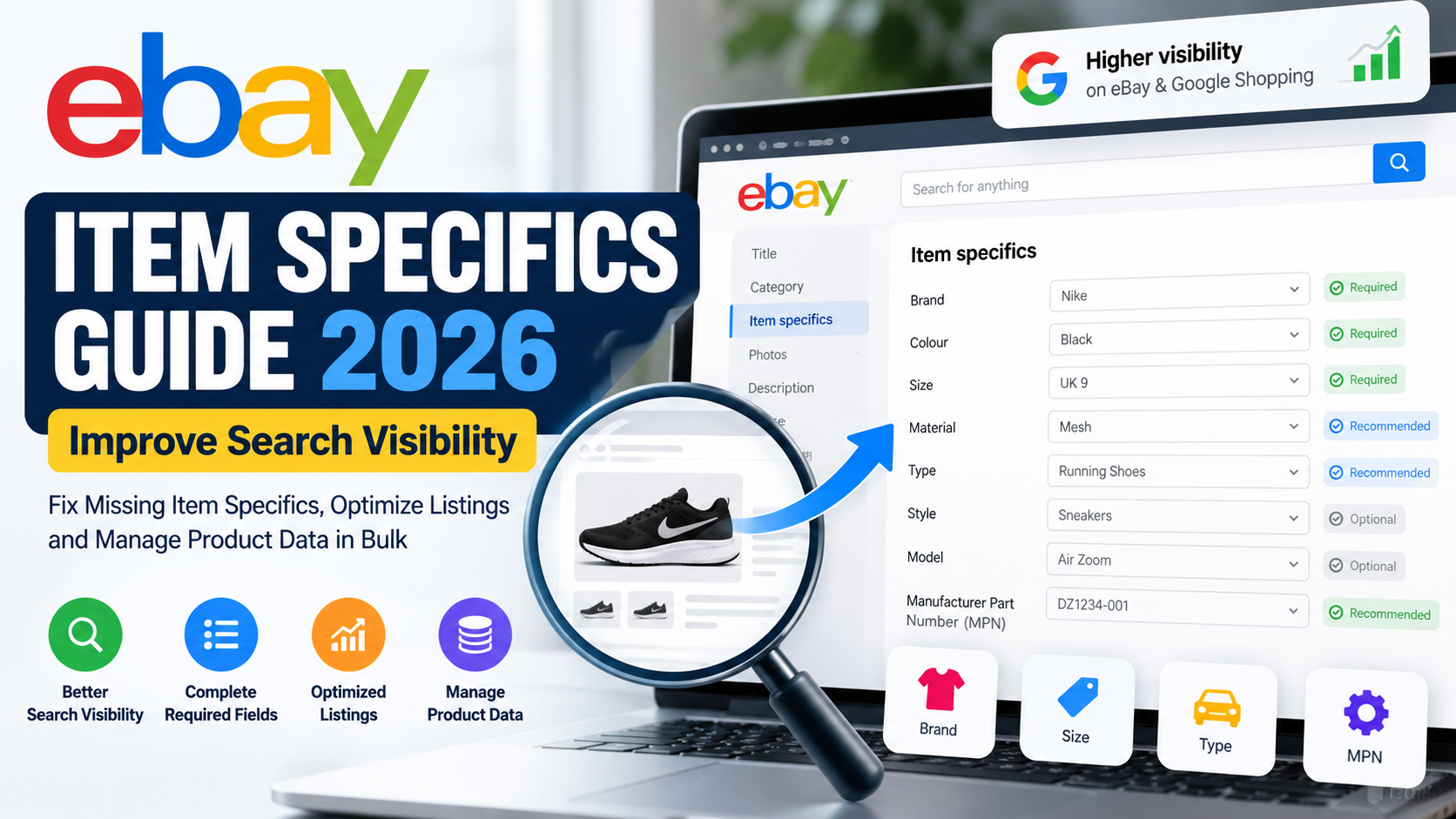
eBay item specifics are one of the most important parts of an optimized eBay listing. They help eBay understand exactly what you are selling, help buyers filter search results, and can improve how easily your products are discovered both on eBay and through external search channels.
A great product title and competitive price are important. However, they are not enough on their own.
If important attributes such as Brand, Size, Colour, Material, Type, Model or Manufacturer Part Number are missing, buyers may struggle to find your product when they narrow their search.
This becomes even more important when you manage hundreds, thousands or even tens of thousands of eBay listings.
In this complete 2026 guide, we will explain what eBay item specifics are, why they matter for search visibility, how Required and Recommended attributes work, how to identify missing item specifics, how to update them in bulk, and how to build better marketplace product data.
What Are eBay Item Specifics?
eBay item specifics are structured product attributes that describe an item.
For example, depending on the category, item specifics may include Brand, Colour, Size, Material, Type, Style, Model, Manufacturer Part Number, Storage Capacity, Features or Placement on Vehicle.
These attributes help eBay classify a product more accurately.
They also make it easier for buyers to understand and compare products without having to read an entire description.
eBay explains that item specifics and product identifiers are important ways to help buyers find products. Buyers can also use these attributes when filtering search results.
Therefore, item specifics should not be treated as optional catalogue information.
They should be part of your overall eBay SEO and listing optimization strategy.
Why eBay Item Specifics Matter for Search Visibility
Imagine that you sell a pair of black Nike running shoes in UK size 9.
A buyer searches for:
Men’s running shoes
The buyer then selects:
Brand: Nike
Colour: Black
Size: UK 9
Your product might match exactly what that customer wants.
However, if you have not completed the relevant Brand, Colour and Size fields, your listing may not appear when the buyer applies those filters.
That creates a simple problem:
Your product exists, but the right customer may never see it.
eBay confirms that matching item specifics help products appear when buyers use search filters. It also states that item specifics can improve visibility on eBay, Google Shopping and external search results.
This is why improving item-specific completeness can be valuable when auditing underperforming listings.
eBay Item Specifics and eBay SEO
Many sellers think eBay SEO simply means putting more keywords into the product title.
That approach is incomplete.
A well-optimized eBay listing contains several connected data elements.
Your title explains what you are selling.
Your category tells eBay where the item belongs.
Your item specifics describe its characteristics.
Your product identifiers help identify the exact commercial product.
Your description gives the buyer additional information.
Your images show the physical item.
For automotive products, vehicle compatibility can also tell eBay which vehicles the product fits.
When all these elements agree, the marketplace receives a much clearer understanding of your product.
That can help create stronger, cleaner and more relevant listings.
Required eBay Item Specifics
Some attributes are labelled Required.
You need to complete Required item specifics when they apply to a new or revised listing.
The exact fields depend on the category.
For example, one category may require Brand and Colour, while another may require Type, Size or another technical attribute.
Therefore, you should never use one universal item-specific template for your entire catalogue without considering category requirements.
eBay maintains category-specific item-specific requirements and encourages sellers to complete Recommended attributes as well as mandatory ones.
What Does “Required Soon” Mean on eBay?
You may also see an attribute marked Required Soon.
This means eBay expects that particular field to become mandatory.
For small sellers, this might mean updating a few listings.
For businesses with 50,000 products, however, waiting until the last moment can create a significant operational problem.
A better approach is to identify these fields early and start updating your catalogue before the requirement becomes mandatory.
That allows your team to validate the data rather than rushing through thousands of listings later.
eBay’s Seller Center currently provides Required Soon indicators and related tools to help identify affected listings.
What Are Recommended Item Specifics?
Recommended item specifics are not always mandatory.
However, that does not mean they should be ignored.
eBay states that Recommended attributes are influenced by buyer demand and popular searches.
Suppose your category contains a Recommended field for Material.
If buyers frequently filter by material, completing that field can provide eBay with useful structured information about your product.
Therefore, sellers should generally complete as many accurate and relevant Recommended item specifics as their product data supports.
Accuracy matters more than completion percentage.
Never add an incorrect value just to fill a blank field.
Additional Item Specifics
Additional item specifics can provide even more information about your product.
These might include characteristics such as Finish, Features, Shape, Installation Type, Technology or Theme, depending on the product category.
Although these fields may have a lower priority than Required attributes, they can still improve the buyer experience.
They can also reduce repetitive customer questions.
For example, if a buyer can immediately see a product’s material, finish and installation type, they may not need to contact you before purchasing.
eBay Item Specifics vs Product Identifiers
Sellers sometimes confuse item specifics with product identifiers.
The two are related, but they serve different purposes.
An item specific describes the product.
Examples include:
Colour: Black
Material: Stainless Steel
Size: Large
Type: Brake Pad Set
A product identifier helps identify a specific commercial item.
Examples can include:
UPC
EAN
ISBN
Manufacturer Part Number
eBay currently advises sellers to use identifiers that exactly match the product being sold because selecting an incorrect catalogue match can mislead buyers and contribute to return problems.
Why Manufacturer Part Numbers Matter
Manufacturer Part Numbers, or MPNs, can be especially valuable for technical and branded products.
This includes categories such as automotive parts, electronics, machinery, industrial products, appliances and replacement components.
Consider a buyer searching for:
Bosch 0986424797
This person may already know exactly which product they need.
That makes part-number searches particularly valuable.
Where a legitimate manufacturer part number exists, use the correct value.
Avoid replacing genuine identifiers with vague data such as:
N/A
or
Unknown
when accurate manufacturer information is available.
Common eBay Item Specifics Mistakes
One of the biggest mistakes sellers make is leaving useful Recommended attributes empty.
Another common problem is using placeholder values such as N/A in fields where real data exists.
Bulk catalogue imports can also introduce mapping problems. For example, a Colour value might accidentally be imported into a Brand field because spreadsheet columns were mapped incorrectly.
Custom values can create another issue.
Suppose one supplier uses:
BLK
another uses:
Black
and another uses:
Jet Black
If those values represent the same standard product colour, normalizing them can create a cleaner catalogue.
The same problem occurs with brands, dimensions, materials, product types, manufacturer names and units of measurement.
For large catalogues, data standardisation becomes extremely important.
If your listings are already producing errors or marketplace warnings, also read our guide to common eBay listing errors and how to fix them.
That guide covers broader eBay listing problems that can exist alongside missing or incorrect item specifics.
Do Not Copy Item Specifics Between Similar Products Without Checking
Two products can look almost identical while having different specifications.
For example, two automotive components may use similar packaging while having different OE numbers or fitment.
Likewise, two electronics products might share the same model family while having different storage capacity, memory or connectivity.
For that reason, do not automatically assume that the attributes of Product A also apply to Product B.
Validate technical information against reliable product or supplier data.
This is especially important when automating catalogue creation.
Automation should speed up good data processes.
It should not multiply incorrect data.
Choose the Correct eBay Category First
Item-specific requirements depend heavily on the listing category.
Therefore, category mapping should normally happen before item-specific optimization.
If your product is placed in an incorrect category, eBay may request irrelevant attributes.
You could also miss valuable category-specific fields that buyers actually use.
Poor category selection can therefore affect:
- Item-specific requirements
- Buyer filters
- Product relevance
- Listing quality
- Catalogue organisation
A strong marketplace workflow should map products into the right category before completing category-specific attributes.
How to Find Missing eBay Item Specifics
eBay provides tools inside Seller Hub to help sellers find incomplete listings.
Current Seller Hub features can identify listings missing Required, Required Soon or Recommended specifics. Sellers can also work with multiple listings through bulk-edit workflows.
For a small store, you can review affected products individually.
However, for larger stores, it is better to create an audit process.
For example, your internal data review might classify products as:
Complete
Missing Required Attributes
Missing Recommended Attributes
Missing Product Identifier
Requires Manual Review
This helps prioritise the products that need attention first.
How to Update eBay Item Specifics in Bulk
Bulk editing becomes necessary when you manage a large catalogue.
eBay currently supports a Seller Hub Download/Upload workflow that allows sellers to download active listings with missing Required, Required Soon or Recommended item specifics, update the information and upload the file again.
A practical workflow is:
Export affected listings.
Review the missing fields.
Match supplier data with the appropriate eBay attributes.
Standardize the values.
Check required formats.
Validate identifiers.
Remove obvious mapping errors.
Upload the corrected file.
Review rejected rows.
Correct and reprocess the remaining errors.
This process sounds simple.
However, the difficult part is usually not the upload.
The difficult part is cleaning the source data.
Why Bulk Product Data Becomes Complicated
Imagine a supplier provides five products with the following colour values:
BLK
Black
Jet Black
BK
BLACK
For an eBay upload, these may need to become one consistent standard value:
Black
Now multiply the same problem across:
50 colours,
100 brands,
20 material formats,
multiple product types,
different units,
and tens of thousands of SKUs.
This quickly becomes a product-data transformation project.
That is why large marketplace operations often need processes for:
- Data cleaning
- Attribute mapping
- Value normalisation
- Validation
- Deduplication
- Error reporting
- Bulk updates
Clean input data usually produces cleaner marketplace listings.
Build a Better Master Product Catalogue
A scalable eCommerce business should avoid storing all important product information inside one description field.
Instead, maintain structured attributes.
For example:
SKU: ABC1001
Brand: Bosch
Product Type: Front Brake Pad Set
MPN: 0986424797
Placement: Front
Condition: New
Material: Product-specific value
EAN: Product-specific value
Once information is stored in separate fields, it becomes much easier to transform it for multiple marketplaces.
The same master catalogue may eventually feed:
eBay
WooCommerce
Amazon
Google Merchant Center
and other sales channels.
This reduces the need to rebuild your product data from scratch every time you expand to another marketplace.
eBay Item Specifics for Automotive Sellers
Automotive sellers need to pay particular attention to structured data.
Depending on the category, useful automotive attributes can include Brand, Manufacturer Part Number, OE/OEM Part Number, Type, Placement on Vehicle, Features, Material, Finish and other product-specific fields.
However, there is an important distinction.
Item specifics describe the product.
Vehicle compatibility describes the vehicles the part fits.
Both can be important.
For a detailed explanation of compatibility, K-Type mapping and automotive data, read our eBay Motors Fitment Guide 2026.
This creates an important connection between automotive product attributes and vehicle fitment data.
Optimize Your eBay Title Alongside Item Specifics
Completing item specifics does not mean the listing title can be ignored.
eBay currently allows sellers to use up to 80 characters in listing titles and recommends including relevant product details while avoiding unnecessary or irrelevant terms.
For example, a useful structure might be:
Brand + Product Type + Model/MPN + Important Attribute
A product title such as:
Bosch Front Brake Pad Set 0986424797 Replacement Brakes
communicates useful information.
A title such as:
WOW AMAZING BEST BRAKES CHEAP BUY NOW
does not.
Relevant terms help.
Keyword stuffing does not.
Should Item Specifics Also Appear in the Description?
Yes, when they naturally help the buyer.
Suppose an item specific says:
Material: Stainless Steel
It is perfectly reasonable to mention that the product is manufactured from stainless steel in the description.
Likewise, you can repeat important details such as size, model, package contents or technical specifications when they help customers make a purchasing decision.
However, avoid creating blocks of repetitive keywords solely for search engines.
Your product description should primarily answer the buyer’s questions.
Item Specifics and Google Shopping Visibility
eBay states that complete item specifics can improve a listing’s chances of being discovered not only within eBay but also through Google Shopping and other external search results.
This gives item-specific optimization value beyond eBay’s own search filters.
For sellers trying to increase marketplace exposure, structured product data therefore deserves the same attention as titles and descriptions.
How Often Should You Audit eBay Item Specifics?
Product data should not be treated as a one-time project.
eBay categories and attribute requirements can change.
Supplier catalogues also change.
New products appear.
Old listings remain live.
Therefore, sellers should periodically review their active inventory.
Pay particular attention when:
eBay introduces new required fields.
Your supplier provides an updated catalogue.
You import a large batch of new products.
Listings begin producing errors.
You move products into different categories.
You expand into new marketplaces.
Your product data structure changes.
Regular audits make problems easier to correct before they spread across the entire catalogue.
A Practical eBay Item Specifics Checklist
Before publishing or bulk-updating products, verify the following:
- The correct eBay category is selected.
- Required item specifics are complete.
- Required Soon attributes have been reviewed.
- Relevant Recommended specifics are populated.
- Brand values are accurate and consistent.
- Manufacturer Part Numbers are correct.
- UPC, EAN or other identifiers are accurate where applicable.
- Colours, sizes and materials are standardised.
- Product-specific fields match the actual product.
- Product attributes agree with the description and images.
- Supplier data has been validated.
- No columns have been mapped to the wrong attributes.
- Placeholder values are only used where appropriate.
- Existing listings are periodically audited.
How Dahiya Decodes Can Help With eBay Product Data
Managing a handful of products is very different from managing thousands.
At Dahiya Decodes, we help businesses clean, organise, transform and prepare product information for eCommerce and marketplace workflows.
This can include eBay listing optimization, item-specific mapping, product attribute cleaning, catalogue standardisation, automotive data management, K-Type processing, vehicle fitment, bulk listing preparation and marketplace error resolution.
For example, if a supplier sends a spreadsheet containing inconsistent brands, materials, product types and identifiers, that information can be transformed into a cleaner structured dataset before marketplace upload.
The same principle applies to automotive catalogues containing thousands of SKUs and large vehicle compatibility datasets.
Rather than manually editing individual listings, the goal is to build a repeatable workflow.
eBay Item Specifics and Large Catalogue Automation
Automation becomes valuable when the same transformation needs to happen repeatedly.
Suppose a supplier sends a new catalogue every month.
Instead of manually correcting the same formatting problems every time, a data-processing workflow can standardize recurring patterns.
For example:
Supplier value:
BLK
can become:
Black
Supplier brand:
BOSCH AUTOMOTIVE
can be normalized to the correct marketplace brand format where appropriate.
Dimensions can be converted into consistent units.
Duplicate rows can be removed.
Product identifiers can be validated.
Missing information can be flagged for manual review.
This combination of automation and quality control can significantly reduce repetitive catalogue work.
However, automation should always be monitored.
Incorrect rules can spread errors just as quickly as correct rules can solve them.
Frequently Asked Questions About eBay Item Specifics
What are eBay item specifics?
eBay item specifics are structured attributes that describe a product, such as Brand, Colour, Size, Material, Model, Type and other category-specific characteristics.
Are eBay item specifics important for SEO?
Yes. They help eBay understand the product and can influence whether listings appear when buyers apply relevant filters. eBay also says item specifics can contribute to visibility on Google Shopping and external search results.
What happens if required item specifics are missing?
Required attributes generally need to be completed when creating or revising affected listings. Missing data can prevent listings from being updated correctly.
What does Required Soon mean?
Required Soon identifies attributes that eBay expects to make mandatory. Sellers should consider updating these fields before enforcement begins.
Should I complete Recommended item specifics?
Yes, when accurate information is available. eBay recommends completing relevant attributes because they can help buyers find and understand listings.
Can eBay item specifics be updated in bulk?
Yes. eBay provides bulk editing and Download/Upload tools for updating multiple listings with missing specifics.
Are item specifics the same as product identifiers?
No. Item specifics describe product characteristics. Product identifiers such as UPC, EAN, ISBN and MPN help identify specific commercial products.
Why are my item specifics different between categories?
eBay uses category-specific attributes. Therefore, changing the listing category can change which specifics are Required, Recommended or available.
Can incorrect item specifics hurt a listing?
Incorrect information can produce irrelevant search matches, confuse customers, increase marketplace errors and potentially contribute to returns.
Can Dahiya Decodes help with bulk eBay item specifics?
Yes. Dahiya Decodes can help businesses clean product data, map supplier attributes, prepare bulk marketplace files, resolve eBay listing issues and structure large eCommerce catalogues.
Final Thoughts: Improve eBay Item Specifics With Better Product Data
eBay item specifics should be treated as part of your product-data strategy, not simply as extra listing fields.
Accurate structured information helps eBay understand what you sell.
It helps customers filter products.
It improves catalogue clarity.
It can also strengthen your overall listing quality.
For smaller sellers, this may mean carefully completing the important attributes while creating each listing.
For larger businesses, it means something more:
Clean data. Consistent attributes. Accurate identifiers. Correct categories. Reliable bulk workflows. Regular audits.
If you manage thousands of products, manual editing quickly becomes inefficient.
A structured data process makes it easier to prepare, validate and maintain your listings at scale.
If you need help with eBay item specifics, listing optimization, marketplace errors, automotive fitment, K-Type data, catalogue cleaning or bulk product processing, visit Dahiya Decodes.
You can also explore our guide to common eBay listing errors and how to fix them and our eBay Motors Fitment Guide to continue improving your eBay catalogue.
Dahiya Decodes — Decoding Digital Growth.