Tag: eBay Motors

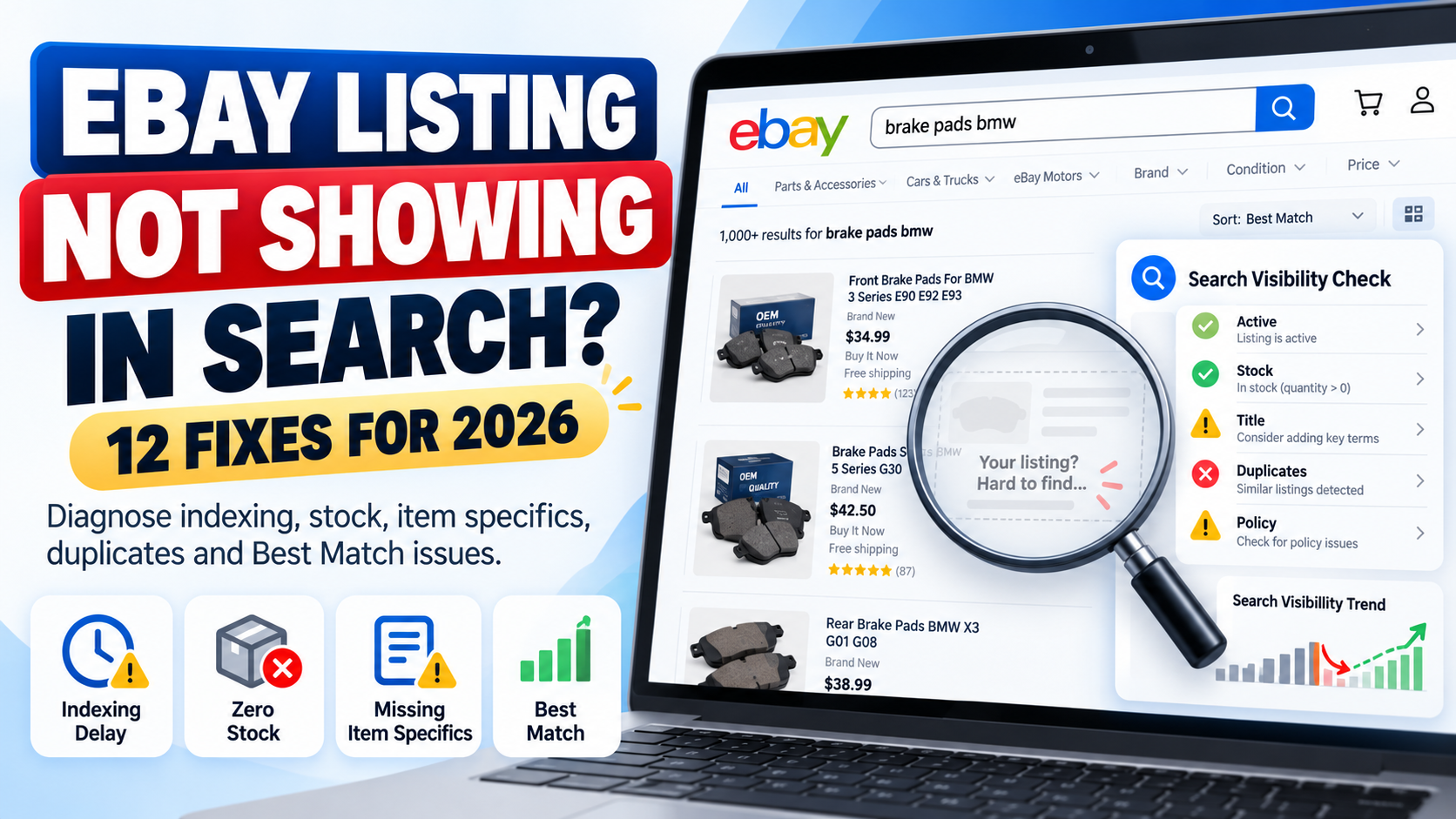
  • Why Is My eBay Listing Not Showing in Search? 12 Reasons & Fixes for 2026

    Why Is My eBay Listing Not Showing in Search? 12 Reasons & Fixes for 2026

    You created an eBay listing.

    It is live in Seller Hub.

    But when you search for the product, you cannot find it.

    If your eBay listing is not showing in search, the first thing to understand is that there are two different problems that sellers often confuse:

    Problem 1: Your listing genuinely is not available in eBay search.

    Problem 2: Your listing is searchable, but it ranks so low that you cannot easily find it.

    The solution depends on which problem you have.

    A newly created listing may simply need time to appear. An active listing with zero stock can be hidden from search. Duplicate listings can be suppressed. Policy issues can cause listings to be removed or hidden.

    In other cases, your listing is visible but weak titles, missing item specifics, incorrect categories, pricing, seller performance or other Best Match factors are pushing it far below competing products.

    This complete 2026 guide explains 12 common reasons an eBay listing may not appear in search and exactly what you should check to fix it.


    Quick Answer: Why Is My eBay Listing Not Showing in Search?

    If you recently created the listing, do not panic immediately.

    eBay currently says a new listing should normally appear in search within 24 hours. If it still cannot be found after that period, eBay recommends checking whether the listing is actually active and reviewing issues including title errors, special characters, duplicates and policy restrictions.

    Therefore, your first checks should be:

    Is the listing active?

    Has it been live for more than 24 hours?

    Does it have available quantity?

    Does the title contain mistakes?

    Is there a duplicate listing?

    Has eBay sent you a policy message?

    If all of these are fine, the problem may not be indexing at all.

    It may be search ranking.


    1. Your Listing Is Less Than 24 Hours Old

    The simplest explanation is often the correct one.

    eBay states that after a listing is created, it should normally appear in search within 24 hours.

    That means a listing created ten minutes ago should not immediately be treated as broken because you cannot find it.

    What should you do?

    First check Seller Hub and confirm that the listing status is Active.

    Then give eBay enough time to process it.

    If the listing still cannot be found after 24 hours, continue through the checks in this guide.

    Important

    Do not repeatedly end and recreate the same listing simply because you cannot find it immediately.

    That can create additional catalogue-management problems and potentially result in duplicate listings.


    2. Your Listing Is Not Actually Active

    eBay search only surfaces active listings.

    A product may exist inside your account while still being:

    Draft

    Scheduled

    Ended

    or in another non-active status.

    eBay specifically advises sellers who cannot find an item after 24 hours to check the listing status inside the Selling section.

    How to check

    Open Seller Hub and locate the product.

    Confirm that its status is:

    Active

    and not Draft or Ended.

    If the item is not active, the problem is not SEO.

    You first need to resolve why the listing has not gone live.


    3. Your Product Quantity Is Zero

    This issue is easy to miss.

    eBay allows sellers using the out-of-stock option to keep certain Good ‘Til Canceled listings technically active when quantity reaches zero.

    However, when inventory is zero, eBay hides the listing from search results.

    Once quantity is increased again, the listing can reappear in search.

    That means you can sometimes see a listing marked active while buyers cannot find it through normal search.

    How to fix it

    Check:

    Available quantity

    Variation quantity

    Inventory synchronization

    Warehouse/feed stock

    If quantity has accidentally become zero, update your inventory.

    For sellers using inventory software, APIs or marketplace integrations, also check whether another system is repeatedly sending a zero-stock value back to eBay.

    This is especially important for large catalogues because an inventory feed error can hide many listings at once.


    4. Your Listing Title Contains an Error

    Your title is one of the first places to investigate when a listing cannot be found.

    eBay specifically recommends checking for:

    Misspellings

    Two words accidentally joined together

    Accidental profanity

    and certain unnecessary special characters such as:

    ! @ / *

    eBay says a listing can be blocked from search if its systems detect profanity, including profanity that was created accidentally through a typing mistake.

    Example

    Instead of:

    BOSCH!!! FRONT/BRAKE PADS @ BMW 3 SERIES

    use a clean descriptive title such as:

    Bosch Front Brake Pad Set BMW 3 Series 0986424797

    Do not try to manipulate search by adding unrelated popular keywords either.

    eBay’s Search Manipulation Policy says listing words must accurately relate to the item being sold.

    SEO tip

    A good title should clearly communicate:

    Brand + Product Type + Model/MPN + Important Attribute

    For a complete title and ranking strategy, read our eBay SEO Guide 2026.


    5. You Created a Duplicate Listing

    Duplicate listings are another major reason an item can disappear from normal search visibility.

    eBay generally does not allow a seller to run multiple fixed-price listings for the same identical item at the same time.

    eBay says its duplicate-listing rules exist to prevent one seller from dominating search results with identical products.

    For auction listings, duplicate visibility can also be restricted according to eBay’s rules.

    What should you do?

    Search Seller Hub for the same:

    SKU

    MPN

    Title

    Product

    and identify whether you have multiple identical active listings.

    If you simply have more stock of the same product, eBay recommends using a multi-quantity listing rather than creating many identical fixed-price listings.

    For products with valid variations such as size or colour, use a variation listing when appropriate.

    Automotive sellers

    If one automotive part fits hundreds of vehicles, do not create hundreds of identical listings purely for every compatible vehicle.

    Instead, use eBay’s parts compatibility structure where applicable.

    For more detail, read our eBay Motors Fitment Guide 2026.


    6. eBay Removed or Hid Your Listing

    Sometimes the listing problem is not search optimization.

    It is policy enforcement.

    eBay may remove or hide a listing when it violates a marketplace policy, applicable law or intellectual-property requirement.

    Current eBay guidance also states that rights-owner requests can result in listings being removed or hidden.

    Possible reasons include:

    Prohibited or restricted products

    Intellectual-property complaints

    VeRO-related issues

    Counterfeit concerns

    Duplicate listing violations

    Other listing-policy problems

    When eBay removes or hides a listing, it normally sends information to your registered email address and eBay Messages explaining the issue.

    What to do

    Before rewriting the entire listing, check:

    eBay Messages

    Seller Hub notifications

    Policy notifications

    Registered email account

    If eBay has identified a policy problem, solve that specific issue first.

    Our Common eBay Listing Errors and How to Fix Them guide covers additional marketplace errors and listing problems.


    7. Your Selling Limit or Category Limit Has Been Reached

    eBay applies selling limits to some seller accounts.

    Your active and sold listings can count toward monthly limits, and eBay says listings created beyond an applicable selling limit may be ended.

    Category-specific limits can also apply, particularly when a seller is newer to a category.

    Therefore, if you expected a product to be active but cannot find it, check whether eBay has restricted or ended the listing because of account limits.

    Where to check

    Open Seller Hub and review your:

    Monthly selling limits

    Category limits

    Account notifications

    Ended listings

    Do not try to bypass category limits by putting products into an incorrect category.

    eBay specifically warns that using the wrong category to bypass a selling limit violates its Search Manipulation Policy.


    8. You Are Searching With Filters That Exclude Your Own Listing

    This is one of the most overlooked causes.

    You may search for your exact product and assume the listing is missing.

    However, your search environment may be excluding it.

    eBay allows buyers to filter results using criteria such as:

    Item specifics

    Condition

    Buying format

    Returns

    Delivery options

    Item location

    and other attributes.

    For example, suppose your product is listed as:

    Condition: Used

    but your search filter is:

    Condition: New

    You will not see it.

    Or the listing may exist on eBay.com while you are checking another regional marketplace with different visibility conditions.

    Test properly

    Search again using:

    1. A distinctive part of the exact title.
    2. No unnecessary filters.
    3. The correct eBay marketplace.
    4. The correct item location settings.

    If possible, also check from a private/incognito browser session.

    Do not rely only on your usual personalised search results.


    9. Missing Item Specifics Are Hiding You From Filtered Searches

    This is a major issue.

    Your listing may appear in a broad search but disappear as soon as the buyer applies filters.

    eBay says buyers use item specifics such as:

    Brand

    Size

    Colour

    Type

    Style

    and other category-specific attributes to filter results.

    Importantly, eBay states that a listing will only appear in a filtered result for an item specific if the matching specific has been added to the listing.

    Example

    Suppose you sell:

    Nike Black Running Shoes UK Size 9

    but your listing does not contain:

    Brand: Nike
    Colour: Black
    Size: UK 9

    A buyer applying those filters may never see the listing.

    This is why item specifics are much more than optional product information.

    How to fix it

    Review:

    Required item specifics

    Required Soon item specifics

    Recommended item specifics

    and relevant additional attributes.

    eBay also provides Seller Hub tools for identifying missing item specifics and says its recommendations are influenced by buyer search demand.

    For a complete optimization process, read our eBay Item Specifics Guide 2026.


    10. Your Listing Is Visible but Ranks Very Low in Best Match

    This is probably the biggest distinction sellers need to understand.

    Your listing may not actually be hidden.

    It could simply rank on page 10, 20 or much deeper in search results.

    eBay’s default search ordering is called Best Match.

    According to eBay, Best Match considers factors including:

    How closely the listing matches the buyer’s search

    Item popularity

    Price

    Listing quality

    Listing completeness

    Shipping, handling and return terms

    Seller track record

    Therefore, searching for a broad phrase such as:

    BMW brake pads

    and failing to see your product near the top does not prove the listing is absent from search.

    It may simply be outranked.

    What should you optimize?

    Start with:

    Title relevance

    Correct category

    Item specifics

    Product identifiers

    Images

    Description

    Competitive price

    Shipping

    Handling time

    Returns

    Seller performance

    Inventory accuracy

    For the complete ranking strategy, use our eBay SEO Guide 2026.


    11. Your Category or Product Data Is Weak

    The more accurately eBay understands an item, the easier it becomes to match that item to the right buyer.

    eBay’s current listing guidance says choosing the appropriate category, adding detailed information and including product identifiers can help products appear in relevant search results.

    Common catalogue problems include:

    Wrong category

    Missing brand

    Incorrect MPN

    Missing UPC/EAN

    Generic product type

    Incomplete model information

    Poor colour or size data

    Incorrect condition

    Invalid attributes

    Supplier values that do not match marketplace terminology

    Example

    A listing called:

    New Car Part Fits BMW

    provides very little information.

    Compare it with:

    Bosch Front ABS Wheel Speed Sensor BMW 3 Series 0265007928

    The second listing gives eBay and the customer much more information about what is being sold.

    For large catalogues, this is not just copywriting.

    It is product data management.


    12. Search Results Are Not Identical for Every Buyer

    One final point is important.

    Do not assume that every eBay user sees exactly the same search results.

    eBay says search and browse visibility can depend on factors including:

    The buyer’s search query

    Buyer location

    Browsing site

    Browsing history

    Item location

    Listing format

    Price and shipping

    Seller history

    Relevance

    and the number of listings matching the query.

    Therefore:

    “I cannot see my listing in position 5”

    does not mean:

    “Nobody can see my listing.”

    Your objective should not be to make your personal search results look a particular way.

    Your objective is to improve relevance and visibility for qualified buyers.


    Is Your eBay Listing Hidden or Just Ranking Poorly?

    Use this simple diagnosis.

    Situation A: Exact title search cannot find it

    Check:

    Listing age

    Listing status

    Quantity

    Title errors

    Duplicates

    Policy issues

    Selling limits

    This may be a genuine search-visibility problem.

    Situation B: Exact title finds it, but broad keywords do not

    You probably have a ranking/relevance problem.

    Investigate:

    Keywords

    Title

    Category

    Item specifics

    Product identifiers

    Price

    Seller performance

    Listing completeness

    Situation C: It appears until filters are applied

    Investigate your:

    Item specifics

    Condition

    Location

    Delivery settings

    Returns

    and other filtered attributes.

    Situation D: It disappeared after stock reached zero

    Check whether the eBay out-of-stock option is keeping the listing active while hiding it from search.


    How to Test Whether an eBay Listing Is Searchable

    Use a structured process instead of repeatedly typing broad keywords.

    Step 1: Confirm Active Status

    Open Seller Hub and make sure the listing is actually active.

    Step 2: Check Quantity

    Make sure available stock is greater than zero.

    Step 3: Wait Up to 24 Hours for a New Listing

    A newly created listing may need time to appear.

    Step 4: Search the Exact Item Number

    If you know the listing ID, use it when investigating the product.

    Step 5: Search a Distinctive Title Phrase

    Choose a specific combination of words from the listing rather than a broad category keyword.

    Step 6: Remove Search Filters

    Clear condition, price, shipping, location and other filters.

    Step 7: Check for Duplicate Listings

    Search your own Seller Hub inventory.

    Step 8: Review eBay Messages

    Look for policy or account notifications.

    Step 9: Review Missing Item Specifics

    Use Seller Hub’s listing tools.

    Step 10: Analyze Ranking

    If the listing is searchable but poorly positioned, move from troubleshooting into SEO optimization.


    What to Do If Your eBay Listing Has Impressions but No Views

    This is another problem entirely.

    If a listing receives impressions, eBay is already displaying it somewhere.

    The problem is more likely that buyers are not clicking.

    Potential causes include:

    Weak main image

    Uncompetitive price

    Poor title

    Low perceived value

    High shipping cost

    Wrong audience

    Stronger competing listings

    In that situation, do not waste time trying to “fix indexing.”

    Your listing is already indexed.

    Focus on improving the click-through rate and attractiveness of the offer.


    What If Your eBay Listing Gets Views but No Sales?

    Again, this usually indicates a conversion problem rather than a search-indexing problem.

    Potential causes include:

    Price

    Shipping

    Delivery speed

    Poor description

    Compatibility uncertainty

    Weak seller trust

    Return conditions

    Missing specifications

    Poor-quality images

    Product demand

    A seller needs to diagnose each stage separately:

    No impressions → Visibility problem

    Impressions but no clicks → Search-result attractiveness problem

    Clicks but no sales → Conversion problem

    This distinction can save a lot of wasted effort.


    eBay Motors Listings Need Additional Checks

    Automotive listings add another layer: vehicle compatibility.

    A parts listing may technically be searchable but fail to reach relevant buyers if compatibility information is incomplete or incorrect.

    Automotive sellers should review:

    Brand

    MPN

    OE/OEM number

    Part type

    Placement

    Vehicle compatibility

    Year

    Make

    Model

    Engine

    K-Type where applicable

    If you sell automotive products, read our eBay Motors Fitment Guide 2026 for a complete explanation of vehicle compatibility and K-Type data.

    Correct fitment is especially important because the goal is not simply to attract more traffic.

    It is to attract buyers whose vehicles actually match the part.


    How to Improve eBay Search Visibility After Fixing the Problem

    Once you confirm that your listing is genuinely searchable, move to optimization.

    A strong eBay listing should have:

    A clear keyword-relevant title

    The correct category

    Complete required item specifics

    Useful recommended attributes

    Correct product identifiers

    Accurate condition information

    Professional product images

    A useful description

    Competitive pricing

    Clear shipping terms

    A sensible return policy

    Accurate inventory

    Strong seller performance

    eBay says complete and accurate listings give its systems more information to match products with relevant buyer searches.

    That is the foundation of sustainable eBay SEO.


    Should You End and Relist an Item That Is Not Showing?

    Not automatically.

    Ending and recreating listings should not be your first troubleshooting method.

    Before doing anything destructive, identify the reason.

    If the issue is:

    Missing item specifics

    fix the item specifics.

    If it is:

    Zero quantity

    restore inventory.

    If it is:

    A title error

    correct the title.

    If it is:

    A duplicate

    resolve the duplicate structure.

    If it is:

    Poor ranking

    optimize the listing.

    Repeatedly ending and recreating products without understanding the cause can make catalogue management harder.


    eBay Search Visibility Checklist

    Before contacting support or rebuilding a listing, check:

    ✓ Listing has been live for up to 24 hours
    ✓ Status is Active
    ✓ Quantity is greater than zero
    ✓ Title contains no obvious spelling problems
    ✓ No problematic special characters
    ✓ No duplicate listing exists
    ✓ No policy warning has been received
    ✓ Selling limits have not been exceeded
    ✓ Correct eBay category is selected
    ✓ Required item specifics are complete
    ✓ Relevant recommended specifics are included
    ✓ Brand and product identifiers are accurate
    ✓ Search filters are not excluding the listing
    ✓ Correct marketplace/site is being checked
    ✓ Price and shipping are competitive
    ✓ Listing quality is strong
    ✓ Seller performance is healthy
    ✓ Automotive compatibility is accurate where applicable


    How Dahiya Decodes Can Help

    For one listing, manual troubleshooting is usually manageable.

    For 5,000, 20,000 or 100,000 listings, the problem becomes much more complicated.

    A large eBay catalogue may contain:

    Missing item specifics

    Duplicate SKUs

    Incorrect categories

    Poor titles

    Invalid identifiers

    Supplier-data inconsistencies

    Missing fitment

    Outdated inventory

    Feed mapping problems

    Rejected attributes

    Listing errors

    At Dahiya Decodes, we help ecommerce businesses clean, structure and optimize marketplace product data.

    Our work can include:

    eBay listing optimization

    Item-specific mapping

    Bulk product-data cleaning

    Listing-error resolution

    Catalogue transformation

    MPN / OEM mapping

    Automotive fitment

    K-Type processing

    Inventory and marketplace feeds

    Marketplace automation

    If your listings are active but still difficult to find, our eBay SEO Guide 2026 explains the broader ranking strategy.

    If your catalogue has missing attributes, read the eBay Item Specifics Guide 2026.

    And if you are dealing with rejected uploads or listing warnings, continue with our Common eBay Listing Errors Guide.


    Frequently Asked Questions

    Why is my eBay listing not showing in search?

    A new listing can take up to 24 hours to appear. If it still cannot be found, check whether it is active, has stock, contains title errors, is a duplicate, has been affected by policy issues or is simply ranking poorly.

    How long does it take for an eBay listing to show in search?

    eBay says a newly created listing should normally appear in search within 24 hours.

    Why is my eBay listing active but not showing?

    One possible reason is zero stock with eBay’s out-of-stock option enabled. In that situation, the listing can remain active while being hidden from search until inventory is restored.

    Other possibilities include duplicate listings, title problems, policy restrictions or very low Best Match positioning.

    Do duplicate eBay listings show in search?

    eBay restricts duplicate listings. In general, sellers cannot maintain multiple identical fixed-price listings for the same item at the same time.

    Can missing item specifics affect eBay search visibility?

    Yes. Buyers can filter by item specifics, and eBay says a listing must contain the corresponding specific to appear in that filtered result.

    Why can I find my listing by exact title but not normal keywords?

    That usually means the listing is searchable but does not rank strongly for the broader keyword. Review title relevance, item specifics, category, identifiers, price, listing quality and other Best Match factors.

    Does seller performance affect eBay search ranking?

    Yes. eBay states that seller track record is one of the factors considered by Best Match.

    Does price affect eBay Best Match?

    Yes. eBay lists item price as one of the factors used by Best Match. However, being the cheapest seller does not automatically guarantee the highest position.

    Can zero stock hide my listing?

    Yes. If the out-of-stock option is active and quantity reaches zero, eBay can keep the listing active while hiding it from search until quantity is replenished.

    Why does my eBay listing appear for some buyers but not others?

    Search results can vary based on buyer location, search query, browsing site, filters, history and other relevance signals.


    Final Thoughts

    If your eBay listing is not showing in search, do not immediately assume that eBay has penalized your account or that you need to create the listing again.

    Diagnose the problem in the correct order.

    First ask:

    Is the listing actually active and searchable?

    Then ask:

    Is it being excluded because of stock, duplicates, policy issues, title problems or filters?

    Finally ask:

    Is it searchable but simply ranking poorly?

    Those are three different situations requiring three different solutions.

    For genuine search problems, fix the technical or policy issue first.

    For filtered-search problems, improve structured product data and item specifics.

    For ranking problems, optimize titles, categories, listing completeness, pricing, service terms and seller performance.

    The key is to stop guessing and identify exactly where the listing is disappearing from the buyer journey.

    If you manage a large marketplace catalogue and need help diagnosing search visibility, fixing listing data or optimizing thousands of products, Dahiya Decodes can help build a cleaner and more scalable eBay workflow.

    Dahiya Decodes — Decoding Digital Growth.

  • eBay SEO Guide 2026: How to Rank Higher in Search & Get More Sales

    eBay SEO Guide 2026: How to Rank Higher in Search & Get More Sales

    Getting more sales on eBay starts with one basic requirement:

    Buyers need to find your listings.

    You may offer excellent products, competitive prices and fast delivery. However, if your listings are poorly optimized, they can struggle to appear for the searches that matter.

    That is where eBay SEO becomes important.

    eBay SEO is the process of improving your listings so they are easier for eBay’s search systems to understand and more relevant to the buyers most likely to purchase them.

    In 2026, successful eBay listing optimization is about much more than putting keywords into a title.

    Titles matter.

    However, so do:

    • Item specifics
    • Product identifiers
    • Categories
    • Pricing
    • Images
    • Descriptions
    • Shipping
    • Return policies
    • Seller performance
    • Listing completeness
    • Product relevance
    • Buyer behaviour

    This guide explains how eBay search works in 2026, what sellers can actually optimize, common SEO mistakes, and how to build listings that are structured for both visibility and conversion.


    What Is eBay SEO?

    eBay SEO is the process of optimizing product listings so they can be matched more effectively with relevant buyer searches.

    A well-optimized listing gives eBay clear information about:

    • What the product is
    • Which brand it belongs to
    • Its model or part number
    • Its important attributes
    • Which category it belongs in
    • Its condition
    • Its price
    • Its availability
    • Who is likely to want it

    The objective is not simply to add more keywords.

    The objective is to make your listing accurate, complete and relevant.

    When buyers search on eBay, the default ranking system is called Best Match.

    eBay says Best Match considers several signals, including how closely a listing matches the buyer’s search, the item’s popularity, price, listing quality, completeness, service terms and the seller’s track record.

    Therefore, eBay SEO is both a keyword problem and a catalogue-quality problem.


    Is eBay’s Search Algorithm Still Called Cassini?

    You may see articles online referring to eBay’s search engine as Cassini.

    However, sellers should be careful with outdated SEO advice.

    eBay’s current public documentation focuses on Best Match when explaining how listings are ranked in search results.

    Rather than trying to reverse-engineer an old algorithm name, focus on the factors eBay currently tells sellers to improve:

    • Search relevance
    • Listing completeness
    • Accurate product information
    • Competitive pricing
    • High-quality images
    • Shipping and return terms
    • Seller performance

    That creates a much more useful SEO strategy than chasing unverified ranking tricks.


    How eBay Best Match Works

    Best Match is eBay’s default search-result ordering.

    According to eBay, several factors can influence ranking.

    These include:

    Search relevance

    How closely your listing matches what the buyer searched for.

    Item popularity

    Buyer interest and marketplace demand can influence how products perform.

    Price

    Your price is considered as part of the overall search experience.

    Listing quality

    Descriptions, photographs and other listing details matter.

    Listing completeness

    The more accurate information eBay has, the better it can understand the product.

    Terms of service

    Shipping, handling and return policies can affect the overall offer.

    Seller track record

    Your history as an eBay seller is another factor considered by Best Match.

    No single field guarantees a top ranking.

    Instead, successful listings usually combine multiple strong signals.


    1. Start eBay SEO With Keyword Research

    Before writing a listing title, understand what your customer is actually searching for.

    Imagine you sell a brake pad set.

    Potential searches could include:

    BMW brake pads

    BMW 3 Series front brake pads

    Brembo brake pads

    Brembo P85020

    front brake pad set

    BMW G20 brake pads

    Some searches are broad.

    Others show extremely high purchase intent.

    A buyer searching for an exact manufacturer part number may already know precisely what they need.

    Therefore, good keyword research should identify:

    • Product type
    • Brand
    • Model
    • Manufacturer Part Number
    • Common terminology
    • Important attributes
    • Vehicle or device model where relevant
    • Material or size
    • Buyer terminology

    Do not rely exclusively on how your supplier names the item.

    Customers may describe the same product differently.


    2. Optimize Your eBay Listing Title

    The listing title remains one of the strongest areas for communicating product relevance.

    eBay currently allows up to 80 characters and recommends using useful product information such as brand, model, product type, colour, style and model number while avoiding irrelevant words and unnecessary characters.

    A useful title structure is:

    Brand + Product Type + Model/MPN + Important Attribute

    For example:

    Bosch Front Brake Pad Set 0986424797 BMW Replacement Brakes

    Compare that with:

    WOW AMAZING BMW BRAKES BEST PRICE BUY NOW!!!

    The first title describes the product.

    The second wastes valuable title space.


    Put Important Keywords First

    Buyers scan search results quickly.

    Therefore, your strongest product terms should normally appear early.

    For example:

    Nike Air Zoom Men’s Running Shoes Black UK 9 DZ1234

    is usually clearer than:

    Amazing Black Men’s Shoes UK 9 Nike Air Zoom DZ1234

    Start with the information that most clearly identifies the product.


    Avoid Keyword Stuffing

    Do not repeat the same keyword unnecessarily.

    For example:

    Brake Pads BMW Brake Pads Front Pads BMW Pads Brake Set

    looks unnatural and uses title space inefficiently.

    Instead, use different pieces of useful product information.

    Remember:

    More keywords do not automatically mean better SEO.

    More relevant information is usually more useful.


    3. Choose the Correct eBay Category

    A strong title placed in the wrong category is still a poorly structured listing.

    Categories influence:

    • Buyer browsing
    • Available item specifics
    • Required attributes
    • Filters
    • Product relevance
    • Marketplace organisation

    Suppose you list an automotive sensor in a generic accessories category.

    You may miss category-specific fields that buyers actually use.

    Before optimizing keywords, make sure the product is mapped to the most appropriate eBay category.

    For large catalogues, category mapping should be treated as structured product data rather than something selected randomly during upload.


    4. Complete Your eBay Item Specifics

    Item specifics are one of the most important parts of modern eBay SEO.

    They may include:

    • Brand
    • Size
    • Colour
    • Type
    • Material
    • Model
    • Style
    • Features
    • Manufacturer Part Number
    • Placement on Vehicle

    eBay says item specifics help listings appear when buyers use filters and can also help products get discovered through eBay, Google Shopping and external search results.

    For example, a buyer searching for running shoes may filter:

    Brand: Nike

    Size: UK 9

    Colour: Black

    If your product matches but those fields are missing, you can lose visibility after those filters are applied.

    For a detailed breakdown, read our eBay Item Specifics Guide 2026.

    It explains Required, Required Soon, Recommended and Additional item specifics, as well as bulk attribute management.


    5. Use Accurate Product Identifiers

    Product identifiers help eBay understand exactly what commercial product you are selling.

    Common identifiers include:

    • UPC
    • EAN
    • ISBN
    • MPN
    • Manufacturer Part Number
    • SKU

    eBay says adding accurate product identifiers can increase the chances of buyers finding products and may allow catalogue information to be populated automatically when a match exists.

    Identifiers are particularly important in categories such as:

    • Automotive
    • Electronics
    • Appliances
    • Industrial products
    • Replacement components
    • Branded consumer goods

    Never use another product’s identifier simply because it looks similar.

    Incorrect catalogue matches can mislead customers and increase return risk.


    6. Write Useful Product Descriptions

    Your description should answer the questions a buyer is likely to have.

    A strong description can include:

    Product Overview

    Explain clearly what the buyer is purchasing.

    Key Features

    Highlight meaningful benefits or specifications.

    Technical Specifications

    Include dimensions, material, part number, capacity, model or other relevant information.

    Package Contents

    Tell the customer exactly what is included.

    Condition

    Describe the item’s condition accurately.

    Compatibility

    Explain compatibility where relevant.

    Important Notes

    Mention installation requirements, limitations or exclusions.

    The goal is not to create a wall of SEO keywords.

    Write primarily for the buyer.

    Good marketplace SEO and good customer experience usually support each other.


    7. Use High-Quality Product Images

    Search visibility gets the buyer to your listing.

    Images help convince them to stay.

    eBay recommends clear, high-quality images showing products from multiple angles and displaying relevant flaws or damage where appropriate. Current Best Match guidance also considers listing quality, including photos.

    Use images that clearly show:

    • The complete product
    • Important details
    • Product labels
    • Part numbers where appropriate
    • Packaging
    • Accessories included
    • Condition
    • Defects for used products

    Avoid images that make the buyer unsure what they will actually receive.


    8. Price Competitively

    SEO cannot completely compensate for an unattractive offer.

    Suppose your listing ranks well but costs substantially more than comparable products without offering additional value.

    Buyers may simply choose another seller.

    Price is one of the factors eBay identifies in Best Match.

    That does not mean you need to be the cheapest seller.

    Instead, your overall offer should make sense.

    Consider:

    Item Price + Shipping + Delivery Speed + Returns + Seller Reputation + Product Quality

    Customers evaluate the complete proposition.


    9. Pay Attention to Shipping and Handling

    Shipping can influence both conversion and buyer experience.

    eBay’s Best Match guidance specifically mentions listing terms of service, including return policy and handling time, as ranking considerations.

    Where commercially practical:

    • Provide realistic handling times
    • Upload tracking promptly
    • Avoid unnecessary delivery delays
    • Clearly communicate shipping costs
    • Use reliable fulfilment processes

    Do not promise delivery speeds that your business cannot consistently achieve.


    10. Create a Clear Return Policy

    Customers are more comfortable buying when they understand what happens if there is a problem.

    Your return settings should be:

    • Clear
    • Accurate
    • Commercially realistic
    • Consistent with your operations

    A strong policy can improve buyer confidence.

    However, simply offering generous returns while repeatedly shipping incorrect products is not a sustainable strategy.

    The better approach is to combine good return policies with accurate product data.


    11. Maintain Strong Seller Performance

    eBay search is not only about listing text.

    Seller performance also matters.

    eBay says Best Match considers seller track record as part of ranking results.

    Operational quality therefore supports SEO.

    Areas to monitor include:

    • Order accuracy
    • Dispatch performance
    • Customer communication
    • Returns
    • Cases
    • Buyer satisfaction
    • Inventory accuracy

    A great title cannot compensate indefinitely for a poor fulfilment process.


    12. Improve Listing Completeness

    One of the clearest themes in eBay’s current search guidance is completeness.

    The more accurate information eBay has about the item, the easier it becomes to match the listing with relevant buyer searches.

    Think about a listing containing:

    Title: Complete
    Category: Correct
    Item Specifics: Complete
    MPN: Correct
    Images: High quality
    Description: Detailed
    Condition: Accurate
    Shipping: Clear
    Returns: Clear

    Now compare that with:

    Title: Generic
    Category: Wrong
    Item Specifics: Missing
    MPN: N/A
    Images: Poor
    Description: One sentence

    Even before sophisticated SEO techniques, the first listing gives both eBay and the buyer far more useful information.


    13. Optimize eBay Listings for Google Too

    Your eBay listings may also receive visibility outside eBay.

    Item specifics and structured product information can contribute to discovery through channels such as Google Shopping and external search results.

    That makes product-data quality important beyond eBay itself.

    To improve external discoverability:

    • Use accurate product titles
    • Complete identifiers
    • Fill item specifics
    • Use standard product terminology
    • Maintain accurate pricing
    • Provide useful descriptions
    • Use clear images

    Do not build a separate keyword-stuffing strategy for Google.

    Clean product data helps both marketplace and search-engine understanding.


    14. Understand eBay’s AI Search Direction

    eBay is also trialing an AI-powered search experience for some buyers in its app.

    According to eBay’s current help documentation, the feature allows users to search in more natural language while eBay interprets the buyer’s intent.

    This reinforces an important SEO principle:

    Do not optimize only for exact keyword repetition.

    Instead, give eBay enough accurate context to understand the entire product.

    That includes:

    • Product type
    • Brand
    • Model
    • Attributes
    • Identifiers
    • Condition
    • Compatibility
    • Technical specifications

    As marketplace search becomes better at understanding intent, clean structured data becomes even more valuable.


    15. eBay SEO for Automotive Sellers

    Automotive listings require additional layers of optimization.

    Beyond the normal listing information, sellers often need to manage:

    • Brand
    • MPN
    • OE/OEM numbers
    • Placement
    • Part type
    • Vehicle compatibility
    • Engine
    • Model
    • Production period
    • K-Type information

    A title alone cannot communicate hundreds of vehicle applications.

    That is why structured compatibility is important.

    If you sell automotive products, read our eBay Motors Fitment Guide 2026.

    It covers vehicle compatibility, K-Type data, bulk fitment and common automotive listing mistakes.


    16. Avoid Common eBay SEO Mistakes

    Several practices can hurt listing quality instead of improving it.

    Keyword Stuffing

    Repeating the same keyword multiple times wastes title space.

    Wrong Categories

    Incorrect categories produce irrelevant attributes and weaker product structure.

    Missing Item Specifics

    Incomplete structured data can reduce visibility in filtered searches.

    Fake Product Identifiers

    Never invent UPC, EAN or MPN values.

    Generic Titles

    Titles such as:

    Car Part Good Quality New

    provide little useful search information.

    Poor Images

    Low-quality or misleading images reduce buyer confidence.

    Duplicate Supplier Descriptions

    Generic descriptions may fail to communicate the information buyers actually need.

    Incorrect Compatibility

    For automotive products, bad fitment data can create wrong-part purchases and returns.

    Ignoring Listing Errors

    Warnings and rejected attributes should be investigated rather than repeatedly ignored.

    If you are experiencing failed listings or marketplace warnings, read our guide to common eBay listing errors and how to fix them.


    17. Do Promoted Listings Replace eBay SEO?

    No.

    Advertising and listing optimization solve different problems.

    Promoted listings can provide additional exposure.

    However, promotion does not eliminate the need for:

    • Relevant titles
    • Accurate attributes
    • Correct categories
    • Good images
    • Competitive pricing
    • Clean product data
    • Strong fulfilment

    A weak listing does not automatically become a strong listing simply because you advertise it.

    The better approach is:

    Optimize first → Advertise strategically → Measure performance → Improve continuously


    18. Measure More Than Impressions

    Traffic alone does not tell you whether your eBay SEO is working.

    Consider the complete funnel:

    Impressions → Clicks → Views → Watchers/Interest → Sales → Repeat Sales

    For example:

    High impressions + low clicks

    may indicate a problem with:

    • Title relevance
    • Main image
    • Price
    • Product attractiveness

    High clicks + low sales

    may indicate:

    • Weak description
    • Poor pricing
    • Expensive shipping
    • Compatibility uncertainty
    • Low buyer confidence

    Low impressions

    may point toward:

    • Weak keywords
    • Missing attributes
    • Incorrect category
    • Poor product demand
    • Incomplete listing data

    Treat marketplace optimization as a data-analysis process rather than guesswork.


    19. Audit Older eBay Listings

    Many sellers focus entirely on new listings.

    That can leave thousands of older products with:

    • Missing item specifics
    • Old titles
    • Incorrect categories
    • Missing MPNs
    • Poor descriptions
    • Outdated fitment
    • Weak images

    An SEO audit can uncover opportunities without adding a single new product.

    For large catalogues, classify listings into groups such as:

    High Sales / Good Data

    High Sales / Poor Data

    Low Sales / Good Data

    Low Sales / Poor Data

    Then prioritize the products where optimization is most likely to produce value.


    20. Build a Master Product Data System

    The strongest long-term eBay SEO strategy begins outside eBay.

    Build a clean internal catalogue.

    Instead of storing everything in one product description, maintain separate fields such as:

    SKU

    Brand

    MPN

    Product Type

    Model

    Colour

    Material

    Dimensions

    EAN/UPC

    Category

    Features

    Compatibility

    That same information can then be transformed for:

    • eBay
    • WooCommerce
    • Amazon
    • Google Merchant Center
    • Other marketplaces

    Clean master data reduces repeated manual work.


    A Practical eBay SEO Checklist

    Before publishing or updating a listing, confirm that:

    ✓ The correct category is selected
    ✓ The title contains the strongest relevant terms
    ✓ Important keywords appear naturally
    ✓ No unnecessary keyword repetition exists
    ✓ Required item specifics are complete
    ✓ Recommended specifics are populated where accurate
    ✓ Product identifiers are correct
    ✓ Description clearly explains the product
    ✓ Condition is accurate
    ✓ Images are clear and professional
    ✓ Price is competitive
    ✓ Shipping terms are realistic
    ✓ Return policy is clear
    ✓ Stock levels are accurate
    ✓ Automotive compatibility is correct where relevant
    ✓ Listing errors have been resolved
    ✓ Existing listings are periodically reviewed


    30-Day eBay SEO Improvement Plan

    If your catalogue needs significant work, do not try to change everything randomly.

    Use a structured plan.

    Week 1: Audit

    Review:

    • Titles
    • Categories
    • Item specifics
    • Identifiers
    • Listing errors
    • Top-performing products
    • Underperforming products

    Week 2: Fix Structured Data

    Correct:

    • Missing item specifics
    • Brands
    • MPNs
    • Categories
    • Product identifiers
    • Automotive fitment

    Week 3: Improve Listing Quality

    Update:

    • Titles
    • Descriptions
    • Images
    • Shipping information
    • Return details

    Week 4: Measure

    Compare:

    • Impressions
    • Views
    • Click activity
    • Sales
    • Conversion trends
    • Return reasons

    Then continue improving the areas producing the biggest opportunities.


    How Dahiya Decodes Can Help With eBay SEO

    Optimizing 20 products manually is manageable.

    Optimizing 20,000 products is a completely different project.

    At Dahiya Decodes, we help businesses organize, clean and optimize marketplace product data at scale.

    Our eBay and ecommerce work can include:

    eBay Listing Optimization

    Improving titles, descriptions, attributes and listing structure.

    Item Specific Mapping

    Matching supplier data to relevant marketplace attributes.

    Product Data Cleaning

    Standardizing brands, colours, materials, sizes, product types and identifiers.

    Bulk Listing Preparation

    Preparing large product catalogues for efficient marketplace uploads.

    eBay Error Resolution

    Identifying and correcting listing warnings, rejected fields and catalogue problems.

    Automotive Fitment & K-Type Data

    Preparing structured compatibility information for automotive marketplaces.

    Data Scraping & Extraction

    Collecting structured catalogue information from permitted sources for business and marketplace workflows.

    Marketplace Automation

    Building repeatable processes for large and frequently changing catalogues.

    The objective is not simply to create more listings.

    It is to create cleaner, more searchable and easier-to-maintain product data.


    Frequently Asked Questions About eBay SEO

    What is eBay SEO?

    eBay SEO is the process of optimizing listings so they are more relevant to buyer searches and easier for eBay to understand.

    How does eBay rank listings?

    eBay’s default search ranking is called Best Match. It considers factors including search relevance, popularity, price, listing quality, completeness, service terms and seller track record.

    Is Cassini still eBay’s search algorithm?

    The term Cassini appears frequently in older SEO content, but eBay’s current public seller documentation explains search ranking through Best Match. Sellers should focus on current published ranking guidance.

    What is the best eBay title format?

    A useful structure is:

    Brand + Product Type + Model/MPN + Important Attribute

    The exact structure depends on what buyers search for in your category.

    How long can an eBay title be?

    eBay currently allows up to 80 characters in listing titles.

    Do item specifics help eBay SEO?

    Yes. eBay says item specifics improve matching with relevant searches and allow products to appear when buyers use corresponding filters.

    Do MPNs help eBay search visibility?

    Accurate product identifiers such as MPNs can make products easier to identify and find, particularly when buyers search for exact products.

    Does price affect Best Match?

    Yes. eBay lists item price among the factors considered by Best Match.

    Does seller performance affect eBay SEO?

    Yes. eBay states that seller track record is one of the factors considered in Best Match.

    Can promoted listings improve ranking?

    Promoted listings can provide additional placement and exposure, but they should complement rather than replace strong listing optimization.

    Can Dahiya Decodes optimize eBay listings in bulk?

    Yes. Dahiya Decodes can help with title optimization, item specifics, data cleaning, product identifiers, automotive fitment, K-Type data, listing errors and large marketplace catalogues.


    Final Thoughts: Build eBay SEO Around Relevance and Data Quality

    The biggest mistake sellers make with eBay SEO is looking for one secret ranking trick.

    There is no single field that guarantees first position.

    Instead, successful marketplace optimization comes from multiple signals working together:

    Relevant titles.
    Correct categories.
    Complete item specifics.
    Accurate identifiers.
    Professional images.
    Useful descriptions.
    Competitive offers.
    Reliable fulfilment.
    Strong seller performance.

    As eBay continues improving search—including experiments with AI-powered intent-based search—the value of accurate, structured product data is likely to become even greater.

    Do not build listings only for algorithms.

    Build them so eBay clearly understands what you sell and buyers clearly understand why they should purchase it.

    If you need help managing eBay SEO, listing optimization, item specifics, marketplace errors, automotive fitment, K-Type data or large product catalogues, visit Dahiya Decodes.

    You can also continue with our:

    eBay Item Specifics Guide 2026

    Common eBay Listing Errors and How to Fix Them

    eBay Motors Fitment Guide 2026

    Dahiya Decodes — Decoding Digital Growth.
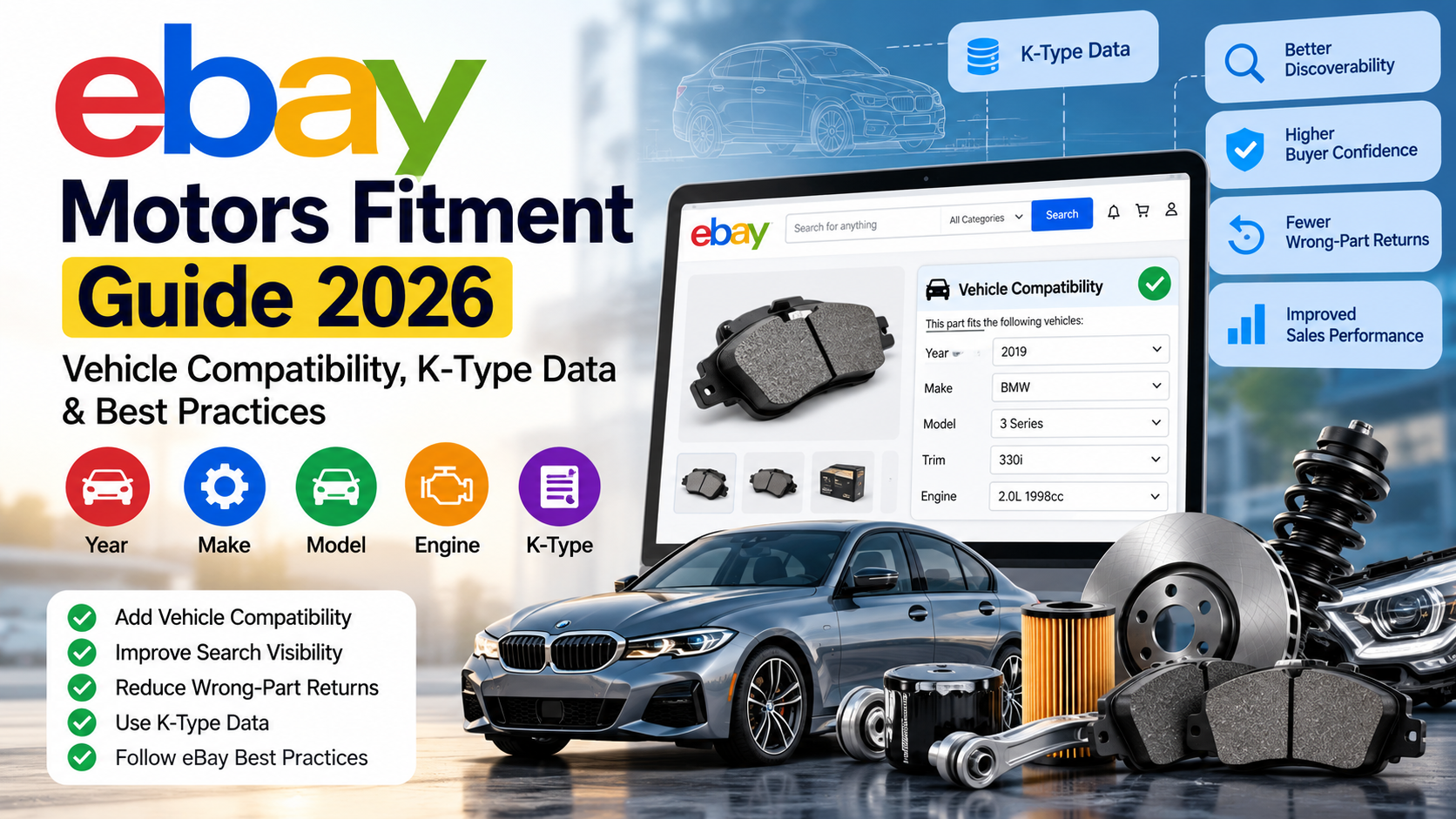
  • eBay Motors Fitment Guide 2026: Vehicle Compatibility, K-Type Data & Best Practices

    eBay Motors Fitment Guide 2026: Vehicle Compatibility, K-Type Data & Best Practices

    Selling automotive parts on eBay is very different from selling ordinary products.

    A buyer looking for a brake pad, headlight, suspension component, sensor, filter, mirror, engine part or other automotive component usually has one important question before purchasing:

    Will this part fit my vehicle?

    That is exactly where eBay Motors fitment, also known as vehicle compatibility or parts compatibility, becomes important.

    Instead of forcing sellers to mention dozens or even hundreds of vehicles in an eBay listing title or description, eBay allows compatible vehicles to be associated directly with a parts listing.

    When configured correctly, vehicle compatibility can help buyers discover the correct product, improve confidence in the listing and reduce the risk of customers ordering parts that do not match their vehicles.

    For automotive sellers managing hundreds or thousands of SKUs, however, fitment can quickly become a serious data-management challenge.

    This complete 2026 guide explains how eBay Motors fitment works, what K-Type data means, how compatibility should be structured, common mistakes sellers make and how businesses can manage fitment efficiently at scale.


    What Is eBay Motors Fitment?

    eBay Motors fitment is structured compatibility information that tells eBay which vehicles a particular automotive part is designed to fit.

    Depending on the marketplace and vehicle category, compatibility information can include attributes such as:

    • Year
    • Make
    • Model
    • Trim
    • Engine
    • Vehicle type
    • Production period
    • Platform
    • Variant

    Instead of creating separate listings for every compatible vehicle, sellers can associate multiple vehicle combinations with a single parts listing.

    For example, imagine a part fits:

    Ford Focus 2015
    Ford Focus 2016
    Ford Focus 2017
    Ford Focus 2018

    Without structured compatibility, a seller may be tempted to include all these years in the title or create several similar listings.

    With eBay parts compatibility, those vehicle applications can instead be attached to the product through structured fitment information.

    eBay states that compatibility information is searchable and helps buyers locate products based on their vehicle information rather than relying exclusively on keywords in the listing title.

    That makes fitment both a data-quality issue and an eBay listing optimisation opportunity.


    Why eBay Vehicle Compatibility Matters

    Accurate compatibility information affects several parts of the customer’s buying journey.

    1. Better Product Discoverability

    Automotive buyers frequently search after selecting their vehicle.

    For example, someone might tell eBay that they own a:

    2018 Ford F-150 5.0L V8

    They may then search for:

    oil filter

    or:

    brake pads

    instead of typing every vehicle attribute into the search box.

    When your listing contains appropriate compatibility information, eBay can use that structured data when matching products to vehicle-specific searches.

    eBay specifically states that buyers can find compatibility-enabled listings when searching by vehicle information, even when every vehicle keyword does not appear in the listing title.

    This allows sellers to use their valuable title space for other important search terms such as:

    Brand + Part Type + Manufacturer Part Number + OEM Number + Important Product Attribute

    instead of filling the title with long lists of vehicle years.


    2. Higher Buyer Confidence

    Buying an automotive part online involves risk.

    A customer may wonder:

    • Is this the correct engine variant?
    • Does this fit my exact model year?
    • Will this part work with my trim?
    • Is this compatible with the European version of the vehicle?
    • Does it fit petrol and diesel engines?
    • Is the product compatible with my exact chassis or platform?

    Structured fitment information helps answer these questions before the purchase.

    eBay says compatibility information can improve buyer confidence and help buyers find the correct parts more easily.

    For sellers, fewer compatibility questions can also mean less time spent answering repetitive buyer messages.


    3. Fitment Can Help Reduce Wrong-Part Returns

    One of the most expensive problems in automotive eCommerce is a customer ordering a part that does not fit.

    A wrong fitment can result in:

    • Returns
    • Refunds
    • Return shipping expenses
    • Customer complaints
    • Negative feedback
    • Additional customer service work
    • Lost sales
    • Lower buyer confidence

    Adding accurate fitment does not guarantee that every order will be perfect, but it gives buyers significantly more structured information before purchasing.

    eBay itself recommends adding parts compatibility and notes that doing so can reduce fitment-related returns because buyers are more likely to order an item appropriate for their vehicle.

    The key word here is accurate.

    Adding thousands of compatibility records is not useful if the underlying data is incorrect.


    What Information Is Used for eBay Automotive Fitment?

    For many Car & Truck Parts & Accessories listings, the compatibility structure can include:

    Fitment FieldExample
    Year2019
    MakeBMW
    Model3 Series
    Trim330i Sedan
    Engine2.0L 1998cc
    FuelPetrol/Gasoline
    BodySedan
    PlatformG20
    Production Period2019–2022

    The exact structure varies by eBay marketplace, category and vehicle database.

    eBay’s US guidance describes vehicle details such as year, make, model, trim and engine as important compatibility attributes.

    This is why simply having a spreadsheet containing:

    BMW | 3 Series | 2019

    may not always provide enough precision.

    Two cars with the same make, model and year can have different engines, trims, platforms or production periods.

    Those differences can determine whether a component actually fits.


    What Is K-Type Data on eBay?

    One term automotive sellers frequently encounter is K-Type.

    A K-Type number is a vehicle identifier associated with TecDoc vehicle data.

    Instead of describing a vehicle through several separate attributes, a K-Type can represent a specific vehicle configuration.

    For example, an individual K-Type may correspond to a specific combination of:

    Make → Model → Platform → Vehicle Type → Engine → Production Period

    This makes K-Type data extremely useful when managing European automotive compatibility.

    According to eBay’s developer documentation, K-Type compatibility is supported for:

    United Kingdom, Germany, France, Italy, Spain and Australia.

    That distinction is important.

    K-Type Is Not Universal Across Every eBay Marketplace

    A common mistake is assuming that the same K-Type workflow should be used everywhere.

    It should not.

    eBay’s compatibility systems vary between marketplaces.

    A seller operating on:

    eBay UK

    may have a different fitment workflow from one selling primarily on:

    eBay US

    or another marketplace.

    Your automotive data process should therefore consider:

    Marketplace + Category + Vehicle database + Listing method

    before compatibility records are uploaded.


    K-Type Example

    Imagine an aftermarket automotive component is compatible with a particular Audi A4 application.

    Instead of manually storing:

    Audi
    A4
    Platform 8K2
    1.8 TFSI
    1798cc
    Specific production period

    a corresponding K-Type identifier can represent that particular vehicle configuration.

    eBay’s developer documentation gives the example K-Type 25456, which maps to an Audi A4 configuration including its platform, engine specification and production period.

    For sellers managing huge automotive catalogues, identifiers like these can make compatibility mapping significantly more structured.


    How to Add Vehicle Compatibility to eBay

    There are several ways fitment may be added depending on your marketplace, listing volume and technology stack.

    Method 1: Add Compatibility Manually

    For smaller catalogues, sellers can add compatible vehicles using eBay’s listing interface.

    Typically, you choose your product category and then add vehicle compatibility information by selecting relevant vehicle attributes.

    Manual entry can work well when:

    • You have only a few products
    • Each product fits a small number of vehicles
    • Compatibility rarely changes
    • Your team can verify every vehicle manually

    The problem appears when one part fits hundreds or thousands of vehicle applications.

    At that scale, manual compatibility entry becomes slow and difficult to maintain.


    Method 2: Match Products Against eBay Catalogue Data

    For supported parts and categories, eBay may be able to identify a product from information such as:

    Brand + Manufacturer Part Number

    and associate available catalogue information with the listing.

    Providing an accurate brand and manufacturer part number is therefore extremely important.

    The UK Seller Centre also recommends including correct manufacturer part numbers and brands when listing vehicle parts.

    Automotive businesses should maintain clean MPN and OEM-reference data wherever possible.

    Typical identifiers include:

    • Manufacturer Part Number
    • OEM Number
    • OE Number
    • Interchange Number
    • EAN
    • UPC
    • GTIN
    • Brand
    • Supplier SKU

    Clean identifiers make automated product matching considerably easier.


    Method 3: Bulk Fitment Uploads and Integrations

    Large sellers typically need a more scalable process.

    Imagine an automotive catalogue containing:

    10,000 SKUs × 300 compatible vehicles

    That could represent 3 million product-to-vehicle relationships.

    Managing this manually is unrealistic.

    At this scale, businesses may use:

    • eBay integrations
    • Listing-management software
    • APIs
    • CSV processing
    • Automated compatibility mapping
    • Supplier fitment databases
    • TecDoc-based vehicle mapping
    • Custom scripts
    • Data transformation pipelines

    The objective is not simply to upload more data.

    The objective is to create clean, deduplicated and verified compatibility relationships.


    How Many Compatible Vehicles Can Be Added?

    Current eBay guidance states that parts compatibility can support up to 1,000 or 3,000 vehicle combinations depending on the category or marketplace.

    That is enough for many products, but automotive sellers can still encounter products with extremely broad vehicle coverage.

    When that happens, fitment data needs to be carefully selected and structured rather than blindly importing every row provided by a supplier.


    What Is eBay Guaranteed Fit?

    For eligible products on eBay.com, eBay Guaranteed Fit is designed to increase buyer confidence when purchasing vehicle parts.

    The process uses vehicle details supplied by the buyer and compares them with compatibility information associated with the listing.

    When the vehicle and item compatibility match, eligible listings may receive the fitment confirmation experience.

    eBay states that Guaranteed Fit can help sellers through:

    • Greater buyer confidence
    • Potentially fewer fitment-related returns
    • Improved shopping experience
    • Potential sales-conversion benefits

    For eligible fitment-related returns, eBay may also cover the return shipping label subject to its conditions and exclusions.

    For UK shoppers, eBay uses eBay Assured Fit, which similarly checks vehicle information against the compatibility supplied for the listing.

    This makes accurate compatibility data even more important.


    What Is Fitment Plus Auto?

    Another development automotive sellers should know about is Fitment Plus Auto.

    eBay introduced Fitment Plus Auto for sellers in supported fitment-enabled categories, allowing eBay to use its maintained database to help add or update compatibility information on eligible listings.

    Existing compatibility data may also be supplemented when eBay identifies missing or updated information.

    Automation can be useful, but automotive sellers should still monitor listing accuracy.

    No automated system eliminates the need for reliable product data.

    If your supplier data, product identifiers or existing mappings are incorrect, those issues can still create downstream problems.


    10 Common eBay Fitment Mistakes Sellers Should Avoid

    1. Assuming One Model Means One Fitment

    The same model can have multiple engines, trims and production periods.

    Do not assume every version uses the same component.

    2. Ignoring Engine Differences

    A component compatible with a 2.0L engine may not fit the 3.0L version of the same vehicle.

    3. Using Incorrect Production Years

    Model year and manufacturing period are not always interchangeable.

    4. Mapping the Wrong K-Type

    One incorrect K-Type can associate your product with a vehicle it was never designed to fit.

    5. Uploading Duplicate Compatibility Records

    Supplier datasets frequently contain duplicate or near-duplicate vehicle applications.

    Clean the data before uploading it.

    6. Mixing Different Marketplaces

    Do not assume data prepared for eBay UK will automatically work identically on eBay US, Germany or Australia.

    7. Ignoring Manufacturer Part Numbers

    Correct MPN, OEM and interchange information helps product identification and catalogue management.

    8. Stuffing Every Vehicle Into the Product Title

    Structured compatibility exists partly so sellers do not need to waste title space repeating huge lists of vehicles.

    Use the title for commercially valuable information such as brand, product name and part number.

    9. Trusting Supplier Data Without Validation

    Supplier files can contain:

    • Duplicates
    • Formatting issues
    • Old vehicle mappings
    • Inconsistent manufacturer names
    • Missing engines
    • Incorrect years
    • Invalid identifiers

    Supplier data should be treated as input—not automatically as truth.

    10. Never Auditing Existing Fitment

    Vehicle data, catalogue information and listings evolve.

    Fitment should be treated as maintained catalogue data rather than a one-time task.

    Many compatibility problems are also part of broader eBay listing-quality issues. If your listings are being rejected or showing unexpected warnings, see our guide to common eBay listing errors and how to fix them.


    Should You Put Vehicle Compatibility in the eBay Title?

    Usually, you should avoid trying to include your entire compatibility range in the title.

    Consider this title:

    Brake Pads Ford Focus 2015 2016 2017 2018 2019 2020 Fiesta Mondeo

    Most of the available space has been consumed by model names and years.

    A stronger listing title might instead contain:

    Brembo Front Brake Pad Set P85020 OEM Replacement

    while structured vehicle compatibility handles applicable vehicles.

    eBay specifically notes that sellers do not need to repeat compatibility information in the title and can instead use title space for useful search elements such as brand, part type and part numbers.

    That is an important optimisation opportunity.


    A Better Automotive Product Data Structure

    If you manage hundreds or thousands of automotive products, separate product data from vehicle fitment data.

    Your main product record might contain:

    SKU: BP-10245
    Brand: Example Brand
    MPN: AB12345
    Product: Front Brake Pad Set
    EAN: 1234567890123
    Position: Front Axle

    Then maintain compatibility separately:

    SKU → Vehicle Identifier / K-Type → Compatibility Notes

    This creates a much cleaner data model.

    Instead of duplicating the entire product listing for every vehicle, you maintain one product and connect it to multiple compatible applications.

    This structure is particularly useful for:

    • WooCommerce automotive stores
    • eBay Motors sellers
    • Amazon automotive catalogues
    • Parts distributors
    • Aftermarket manufacturers
    • Automotive dropshippers
    • Multi-channel sellers

    How Dahiya Decodes Can Help With Automotive Fitment Data

    Managing automotive compatibility manually can consume hundreds of hours when the catalogue becomes large.

    At Dahiya Decodes, we help eCommerce and automotive businesses organise, transform and prepare product data for marketplaces including eBay.

    Automotive data projects can include:

    eBay vehicle fitment preparation

    Mapping compatible vehicles to individual products and preparing structured data for marketplace use.

    K-Type mapping and processing

    Working with K-Type-based datasets for supported eBay marketplaces.

    Vehicle compatibility data cleaning

    Removing duplicates, normalising values and identifying inconsistent vehicle records.

    Manufacturer and OEM part-number mapping

    Matching product SKUs with MPN, OE, OEM or interchange identifiers.

    Bulk eBay listing preparation

    Preparing marketplace-ready product information for large catalogues.

    Automotive web scraping and data extraction

    Extracting structured product and vehicle data from permitted sources for catalogue development and internal processing.

    Product data transformation

    Converting supplier spreadsheets, CSV files, exports and catalogue datasets into a consistent format suitable for eCommerce workflows.

    Marketplace listing optimisation

    Improving titles, item specifics, descriptions, categorisation and product attributes alongside compatibility information.

    Instead of manually editing thousands of rows, the goal is to create a repeatable data workflow that can scale with your catalogue.


    eBay Fitment Checklist for Automotive Sellers

    Before publishing or updating an automotive parts catalogue, verify that:

    ✓ The correct marketplace is being targeted
    ✓ Products are listed in the appropriate category
    ✓ Brand names are accurate
    ✓ Manufacturer part numbers are accurate
    ✓ OEM/OE references have been verified
    ✓ Vehicle years are correct
    ✓ Makes and models are standardised
    ✓ Engines are mapped correctly
    ✓ Trim or variant differences have been considered
    ✓ K-Type IDs are correct where applicable
    ✓ Duplicate compatibility rows have been removed
    ✓ Supplier data has been validated
    ✓ Universal products are identified correctly
    ✓ Existing listings are audited periodically
    ✓ Product titles are not overloaded with unnecessary vehicle information

    A few minutes of validation can prevent thousands of incorrect marketplace mappings when working with large datasets.


    Frequently Asked Questions About eBay Motors Fitment

    What does fitment mean on eBay?

    Fitment refers to compatibility information showing which vehicles an automotive part or accessory is designed to fit. Depending on the marketplace, this can include year, make, model, trim, engine and other vehicle attributes.

    Does eBay fitment improve search visibility?

    Fitment gives eBay structured vehicle information that can be used when matching parts with vehicle-based searches. eBay states that compatibility listings can improve product discoverability and may help Best Match performance.

    What is an eBay K-Type?

    A K-Type is a vehicle specification identifier provided through TecDoc data. It can identify a specific vehicle configuration including attributes such as make, model, platform, engine and production period.

    Which eBay marketplaces support K-Type?

    eBay’s developer documentation currently identifies K-Type support for Australia, Germany, United Kingdom, France, Italy and Spain.

    How many vehicles can I add to an eBay listing?

    Depending on the category and marketplace, eBay documentation refers to limits of up to 1,000 or 3,000 compatible vehicle combinations.

    Can I add eBay vehicle compatibility manually?

    Yes. Sellers can manually select compatible vehicles for supported listings. Manual processing is practical for smaller catalogues but can become inefficient for products with hundreds or thousands of compatibility records.

    Does fitment reduce eBay returns?

    Accurate fitment can reduce the chance of a buyer ordering an incompatible part. eBay itself notes that vehicle compatibility can help reduce fitment-related returns.

    Do I need vehicle years in my eBay title if I use fitment?

    Not necessarily. eBay recommends using structured compatibility rather than repeating every compatible vehicle in the title, allowing sellers to use title space for details such as brand, part type and manufacturer part number.

    Can eBay fitment be added in bulk?

    Yes. Large sellers commonly manage compatibility using marketplace tools, integrations, APIs and structured data workflows rather than manually editing each individual vehicle application.

    Can Dahiya Decodes prepare eBay fitment data?

    Yes. Dahiya Decodes can assist automotive sellers with fitment-data preparation, compatibility mapping, K-Type processing, catalogue cleaning, bulk marketplace data and eBay listing optimisation.


    Final Thoughts

    For automotive sellers, eBay Motors fitment is not simply another listing field.

    It connects your product catalogue with the vehicles buyers actually own.

    Accurate compatibility can make products easier to discover, improve buyer confidence and reduce unnecessary fitment questions and wrong-part purchases.

    But the benefits depend entirely on the quality of the underlying data.

    When a catalogue contains thousands of products and potentially millions of product-to-vehicle relationships, compatibility becomes a data-engineering problem rather than a manual listing task.

    The strongest automotive sellers therefore treat fitment as structured catalogue data:

    Clean it.
    Standardise it.
    Validate it.
    Map it correctly.
    Maintain it.

    If you manage automotive parts on eBay and need help with vehicle compatibility, K-Type mapping, bulk fitment data, listing optimisation or automotive catalogue processing, Dahiya Decodes can help.

    Visit Dahiya Decodes and share a sample of your product or compatibility data to discuss the best approach for your catalogue.

    Dahiya Decodes — Decoding Digital Growth

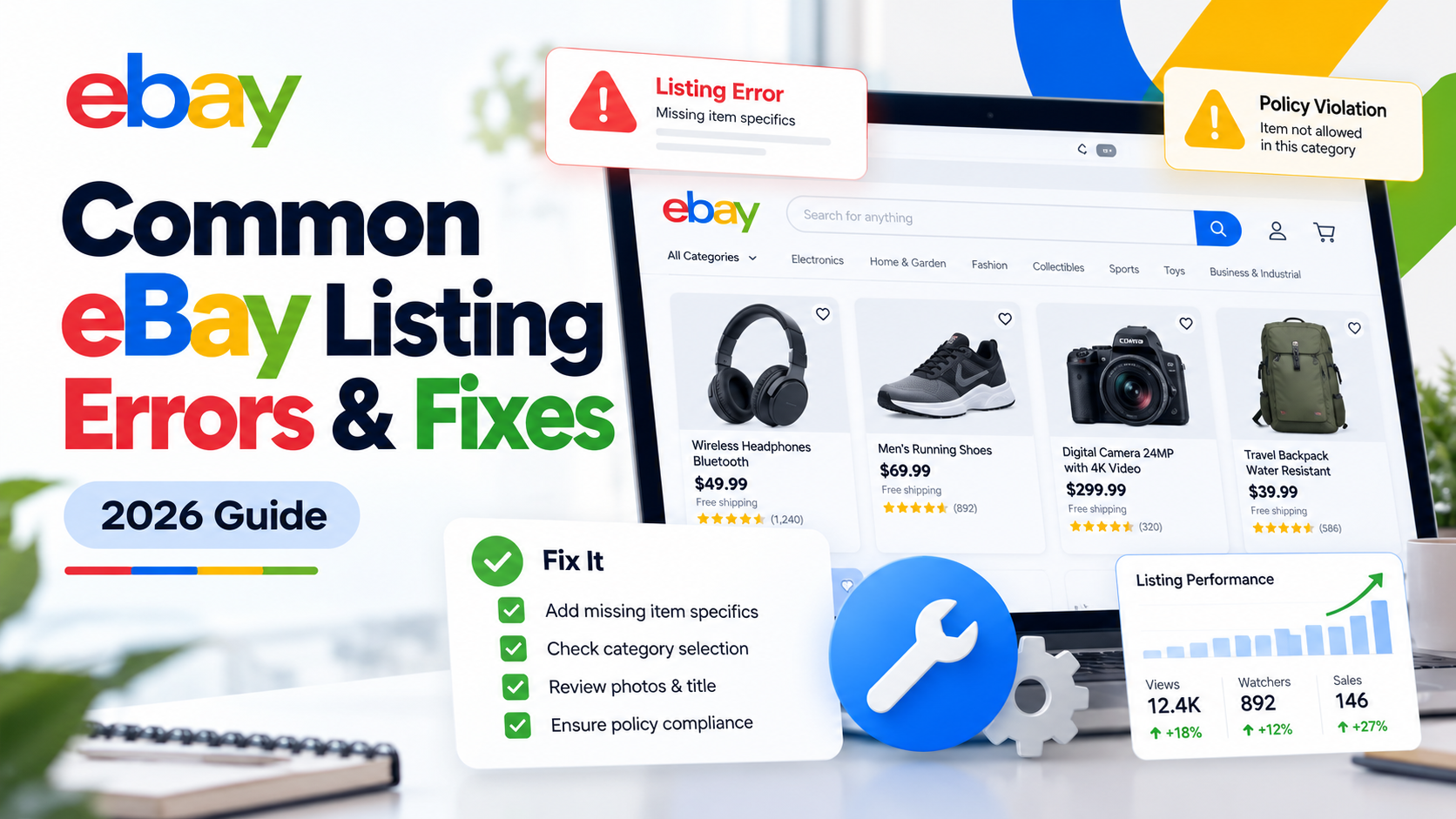
  • Common eBay Listing Errors and How to Fix Them: Complete 2026 Guide

    Common eBay Listing Errors and How to Fix Them: Complete 2026 Guide

    An eBay listing error can stop a product from going live, prevent an existing listing from being updated, break variations, remove vehicle compatibility information or create problems across hundreds or even thousands of SKUs.

    The frustrating part is that the error message does not always make the real problem obvious.

    A listing that appears to have a simple “item specifics” problem may actually have a category mismatch. A variation error may come from the same attribute being submitted at both product and variation level. An eBay API publishing error may be caused by a missing business policy, inventory location or incomplete offer.

    This guide explains some of the most common eBay listing errors, eBay error codes and catalogue problems, what they mean and how to fix them.

    If you manage a large catalogue or sell across multiple marketplaces, Dahiya Decodes also provides dedicated eBay Marketplace Services covering listing optimisation, catalogue management, product feeds, marketplace integrations and ongoing eBay support.


    Why Do eBay Listing Errors Happen?

    Most eBay listing problems originate from the information being submitted about the product rather than the listing title or description alone.

    Typical causes include incorrect categories, missing required item specifics, conflicting variation attributes, invalid product identifiers, duplicate products, incorrect business policies, inventory mismatches, selling limits and incompatible vehicle fitment information.

    This matters because eBay increasingly relies on structured product data to understand what a seller is offering.

    Item specifics such as brand, size, colour, type and material help eBay match listings with relevant buyer searches and filters. eBay states that item specifics can also affect visibility beyond eBay, including external search experiences.

    Before repeatedly resubmitting a failed listing, it is therefore important to identify which field is actually causing the rejection.


    1. eBay Error 21919067: Duplicate Listing Error

    One of the more common eBay listing errors is:

    Error 21919067 – Listing violates the Duplicate Listing policy

    This means eBay believes you already have an active listing for the same item.

    eBay’s documented error explains that identical products from the same seller generally should not appear simultaneously as separate listings. For multiple identical items, eBay recommends using a multi-quantity fixed-price listing instead.

    How to fix eBay Error 21919067

    First, search your active eBay inventory using the SKU, product title, MPN, UPC or other identifier.

    If an identical listing already exists, update the quantity on the existing listing rather than creating another one.

    For products that are genuinely different, check whether your product data makes that difference clear. Different versions may need accurate variation values, model numbers, sizes, colours or other relevant attributes.

    For large catalogues, duplicate errors often indicate a deeper feed or SKU-mapping problem. Your ecommerce system, ERP, inventory platform or marketplace software may be creating a new listing instead of updating the existing Item ID.

    This is where catalogue mapping becomes more important than manually editing one listing at a time.


    2. eBay Error 21916626: Variation Specifics and Item Specifics Conflict

    The official description for Error 21916626 is essentially that variation specifics and item specifics for a multi-SKU product must be different.

    For example, imagine you sell a T-shirt in:

    Black – Small
    Black – Medium
    Blue – Small
    Blue – Medium

    Colour and Size should normally be variation attributes because they differentiate one purchasable variation from another.

    A common mistake is also sending Colour or Size as an item-level specific containing the same information.

    That creates redundancy and may result in Error 21916626.

    How to fix Error 21916626

    Use variation specifics for attributes that change between individual SKUs.

    Use item specifics for attributes that apply to the entire listing.

    For example:

    Brand → Item Specific
    Material → Item Specific
    Department → Item Specific
    Colour → Variation Specific
    Size → Variation Specific

    Review your feed or listing template and remove duplicated attributes from the item-level data.

    This problem is particularly common when product data is being pushed to eBay through third-party marketplace software rather than entered directly through Seller Hub.


    3. eBay Error 21916664: Variation Specifics Mismatch

    Another frequent multi-variation listing problem is:

    Error 21916664 – Variation Specifics Mismatch

    eBay requires the variation structure to remain consistent.

    For example, you should not have some variations using:

    Colour + Size

    while other variations in the same listing use:

    Colour + Size + Material

    eBay’s developer documentation confirms that the same variation-specific names should be used consistently across the variations in a listing.

    How to fix Error 21916664

    Compare every SKU inside the affected listing.

    Make sure each child SKU follows the same variation structure.

    If the variation dimensions are:

    Size + Colour

    then every variation should provide both Size and Colour.

    Blank values, inconsistent attribute names or an additional variation field on only some SKUs can cause the listing to fail.

    Also standardise your naming.

    For example, do not mix:

    Colour
    Color
    Product Colour

    within the same variation structure.

    A clean catalogue should have one standard field mapped consistently to the appropriate eBay aspect.


    4. “This Attribute Is Not Valid for This Variation”

    eBay periodically updates its category structures and item-specific requirements.

    A variation attribute that worked previously may therefore no longer be accepted for that particular category.

    Sellers may encounter a message similar to:

    “This attribute is not valid for this variation. Add a valid attribute.”

    eBay recommends replacing the invalid variation detail with a more appropriate existing attribute where possible. If the products are not closely related enough to be legitimate variations, separate listings may be required instead.

    Consider a faucet listing.

    Using Type with values such as:

    Stainless Steel
    Chrome
    Bronze

    would not accurately describe what changes between those variations.

    Finish would be the more appropriate variation attribute.

    How to fix invalid eBay variation attributes

    Open the listing in Seller Hub and check which variation field eBay is flagging.

    Then review the available variation attributes for the current category and map your source field to the appropriate eBay value.

    Do not simply create an arbitrary replacement field to get the feed accepted. Incorrect variation architecture can create future catalogue problems and a poor buyer experience.


    5. eBay Category Does Not Support Variations

    Sometimes there is nothing wrong with your variation data.

    The category itself does not support the type of multi-variation listing you are attempting to create.

    This can occur after changing a category, migrating products between eBay marketplaces or sending products from an ecommerce platform using an outdated category mapping.

    eBay’s documentation specifically identifies situations where the selected listing category does not support multi-variation listings.

    How to fix it

    Check whether the product is in the correct leaf category.

    Do not move a product into an unrelated category simply because that category allows variations.

    Instead, determine whether there is another accurate category that supports your listing structure.

    If there is not, the products may need to be listed separately rather than as one multi-variation listing.

    Correct category selection is also important for discoverability because category selection, product identifiers and item specifics all help eBay understand the product.


    6. Missing or Invalid eBay Item Specifics

    Item specifics are among the most important parts of an eBay listing.

    Depending on the category, eBay may require fields such as:

    Brand, Type, Size, Colour, Material, Model, MPN or other category-specific product information.

    Recommended fields may not always prevent publication, but completing relevant item specifics helps eBay understand and surface your products.

    eBay states that buyers use item specifics as search filters and that listings need matching data to appear when those filters are applied.

    How to fix missing item specifics

    Start with the required fields for the exact category.

    Then complete relevant recommended fields using accurate product data.

    Do not insert meaningless values simply to fill every field.

    If you operate a large catalogue, create a mapping between your source attributes and eBay’s category-specific aspects. This prevents the same missing-field error from appearing across hundreds of products.

    You can also use Seller Hub’s download/upload functionality to review and update missing required or recommended item specifics in bulk.

    Important 2026 eBay update for fashion sellers

    This is particularly important for apparel and footwear sellers.

    eBay states that from August 2026, apparel and footwear listings with missing or unclear size information may be hidden until they are updated. eBay has also highlighted unclear or missing condition information in its current listing guidance.

    So if you manage fashion listings, reviewing size and condition data should now be a priority rather than an optional optimisation exercise.


    7. UPC, EAN, GTIN or MPN Problems on eBay

    Product identifiers help eBay identify exactly what product is being sold.

    Common identifiers include UPC, EAN, ISBN and Manufacturer Part Number (MPN).

    A listing can run into problems when an identifier is missing where required, incorrectly formatted, belongs to a different product or points to catalogue information that conflicts with the actual item.

    eBay advises sellers to use identifiers that exactly match the product being sold and notes that product identifiers are required in many categories.

    How to solve product identifier errors

    Verify the identifier against the physical product, manufacturer information or authoritative supplier data.

    Do not copy a GTIN from a similar product simply because the model looks the same.

    Check:

    Brand → MPN → GTIN → Model → Variation

    as one connected dataset.

    For variation listings, make sure identifiers are assigned to the correct child products rather than incorrectly applied to the parent listing.

    If a genuine product does not have an identifier, use eBay’s appropriate product-identifier-unavailable option where that category and marketplace permit it.


    8. eBay Motors Fitment and Compatibility Errors

    Automotive sellers face another layer of complexity: vehicle compatibility, also called fitment.

    A perfectly good automotive product listing can perform poorly—or fail during data submission—if its vehicle compatibility information is invalid.

    Two useful eBay error examples are:

    21916723 – One or more item compatibility combinations are invalid

    and

    21916724 – Compatibility name, value or name-value pair is not recognised

    eBay’s documentation indicates that each compatibility combination needs to identify a recognised vehicle correctly.

    How to fix eBay vehicle compatibility errors

    Validate the vehicle data rather than simply removing fitment.

    Check information such as:

    Year
    Make
    Model
    Trim
    Engine

    and, where your automotive catalogue uses them, the relevant eBay vehicle identifiers, K-Type/KType references, ePIDs or other marketplace-compatible mappings.

    Fitment should also represent genuine product compatibility.

    Incorrect compatibility may increase returns because buyers rely on eBay’s vehicle matching functionality to determine whether a part fits their vehicle.

    eBay specifically positions fitment as an important tool for improving product discovery and helping buyers purchase compatible parts. Eligible listings with appropriate compatibility information may also participate in eBay Guaranteed Fit.

    For automotive sellers managing thousands of applications, manually maintaining fitment is rarely scalable. A structured product-to-vehicle compatibility database and reliable feed process are much safer.

    Dahiya Decodes works with automotive marketplace data including listing structures, product identifiers and fitment/compatibility workflows as part of our eBay Marketplace Services.


    9. eBay Shipping Service or Business Policy Errors

    Some products fail because the listing does not contain a valid shipping service or references an incorrect business policy.

    For API-based listings this becomes especially important.

    eBay’s official Trading API documentation includes Error 21915469, which indicates that at least one valid shipping service needs to be provided.

    With the Inventory API, publishing can also fail when information required at publication time is incomplete.

    For example, eBay documents that a merchant location becomes necessary when publishing an offer and that sellers using the Inventory API need appropriate fulfilment, return and payment policies.

    How to fix eBay business-policy errors

    Check the affected listing’s:

    Shipping or fulfilment policy
    Payment policy
    Return policy
    Inventory location
    Marketplace
    Shipping services

    Then confirm that the policy IDs being sent through your listing software actually belong to the correct eBay account and marketplace.

    This is particularly important when migrating from one marketplace tool to another or when operating several eBay stores.


    10. eBay Listing Created but Offer Will Not Publish

    This problem frequently appears with API integrations.

    Your software may successfully create the inventory item and even create an offer, yet the final publishOffer request fails.

    That does not necessarily mean eBay’s API is down.

    Publishing an offer has stricter requirements than simply creating the inventory record.

    The offer needs to be complete enough to become a live eBay listing. Depending on the configuration, problems may involve business policies, marketplace settings, category requirements, inventory location, quantity or incomplete product information. eBay advises checking the errors returned by the publishing call when publication fails.

    The correct troubleshooting approach

    Do not repeatedly send the same payload.

    Capture the complete eBay API response.

    Identify the errorId, message and affected parameter.

    Then trace that parameter back to the original product, offer, policy, location or inventory record.

    When multiple systems are involved—such as an ERP, ecommerce website, middleware and eBay—the visible eBay error can actually originate much earlier in the data flow.

    That is why marketplace integration troubleshooting should follow the entire chain:

    Source Product → Integration → eBay Inventory Item → Offer → Policies → Publish → Live Listing


    11. eBay Selling Limit Errors

    Sometimes your listing data is correct and eBay still will not allow the listing to go live.

    The problem may be your selling limit.

    eBay applies selling limits to seller accounts, and active and sold listings count towards the monthly limit. Sellers can check their current allowance in Seller Hub and may be able to request a higher limit.

    If you encounter a selling-limit message, do not try to bypass it by moving products into incorrect categories or creating unnecessary seller accounts.

    Review your Seller Hub limits and follow eBay’s available process for requesting an increase where appropriate.


    12. eBay Account Restrictions Can Also Stop Listings

    If many unrelated products suddenly fail at the same time, the problem may not be your catalogue.

    Check the account itself.

    eBay says restrictions may occur for reasons including outstanding selling costs, unresolved buyer issues, policy violations, account verification problems or suspected unauthorised account access.

    When an account is restricted, creating or revising listings may be unavailable depending on the reason. eBay recommends checking the notice in your eBay Messages because it contains the steps associated with the restriction.

    This is an important troubleshooting distinction:

    One product failing often suggests a product-data or category problem.

    Hundreds of unrelated products suddenly failing may point towards an account, policy, integration or platform-level issue.


    The Right Way to Troubleshoot eBay Errors

    When an eBay listing fails, changing random fields is one of the fastest ways to create a bigger catalogue problem.

    Instead, treat the error as a data-quality issue.

    Start with the exact error message and code. Identify whether the failure relates to the product, category, variation, policy, compatibility, inventory or account. Check the source data before modifying the live eBay listing, particularly when another platform controls the catalogue.

    Then test the correction on a small number of products.

    Once you know the fix works, apply it systematically.

    This approach is particularly important for businesses using platforms such as Linnworks, Volo Commerce, Base.com, Ad-Lister, custom APIs, ERP systems or ecommerce website integrations.

    A rule that is wrong for one SKU can easily become wrong for 10,000 SKUs.


    Fixing an Error Is Only Part of eBay Optimisation

    Getting a listing successfully published does not automatically mean the listing is optimised.

    Once technical errors are resolved, review the quality of the catalogue itself.

    Product titles should describe the item clearly. Categories should be accurate. Required and relevant recommended item specifics should be populated. Product identifiers should match the actual product. Variations should be logically structured. Automotive listings should contain accurate fitment. Images, delivery information and return information should make the buying decision easier.

    eBay’s own listing guidance highlights searchable titles, appropriate categories, relevant product details, product identifiers and item specifics as important listing fundamentals.

    For broader organic growth outside marketplaces, you can also review our Ecommerce SEO Services and Ecommerce Growth Optimisation services.


    Need Help Fixing eBay Listing Errors?

    A few failed listings can usually be fixed manually.

    The challenge begins when the same error affects hundreds or thousands of products—or when fixing one field creates another error elsewhere.

    Dahiya Decodes provides eBay Marketplace Services for ecommerce brands, retailers and marketplace sellers that need help with:

    eBay catalogue troubleshooting, listing errors, listing optimisation, variations, item specifics, product feeds, automotive compatibility and fitment, marketplace integrations, inventory synchronisation and large-scale catalogue management.

    We can also review how your eBay operation connects with your wider Marketplace Services and ecommerce systems so recurring data problems can be corrected at the source rather than repeatedly repaired at listing level.

    If an eBay error is blocking your products, send us the error message, error code or screenshot and details of the system you use to manage your eBay catalogue.

    Contact Dahiya Decodes or request a Free Ecommerce Audit.


    Frequently Asked Questions About eBay Listing Errors

    Why is eBay not letting me list an item?

    An eBay listing may fail because of missing required product information, an incorrect category, invalid variations, duplicate listings, product identifier problems, selling limits, account restrictions, prohibited products or incomplete shipping and business-policy settings. Check the exact error message before editing the product.

    What does eBay Error 21919067 mean?

    Error 21919067 indicates that eBay believes the listing violates its duplicate listing policy because an identical product is already active. Where appropriate, update the existing listing or use a multi-quantity fixed-price listing rather than creating another identical listing.

    What is eBay Error 21916626?

    Error 21916626 relates to overlapping item specifics and variation specifics in a multi-SKU listing. Attributes that differentiate variations should be used as variation specifics rather than redundantly submitted at item level.

    How do I fix an eBay variation error?

    Check that the selected category supports variations, ensure every SKU uses the same variation structure, remove duplicate attributes from item specifics and confirm that the variation names and values are valid for the category.

    Why are my eBay item specifics causing errors?

    Item-specific requirements vary by category and can change as eBay’s category structure develops. Verify that your listing is using the current category and that required attributes contain valid, relevant values.

    Can incorrect eBay fitment cause listing problems?

    Yes. Automotive compatibility information needs to identify valid vehicle combinations. Incorrect year, make, model, trim, engine or vehicle mappings can cause compatibility errors and may also create a poor buying experience.

    Can Dahiya Decodes fix eBay catalogue and listing errors?

    Dahiya Decodes can review eBay catalogue problems, identify recurring product-data and integration issues, optimise listings and assist with marketplace feeds and integrations. Resolution can depend on the specific eBay error, account status and platform rules, so the first step is reviewing the exact error and affected product data.