Tag: eBay Errors

  • eBay Item Specifics Guide 2026: Improve Search Visibility & Fix Missing Item Specifics

    eBay Item Specifics Guide 2026: Improve Search Visibility & Fix Missing Item Specifics

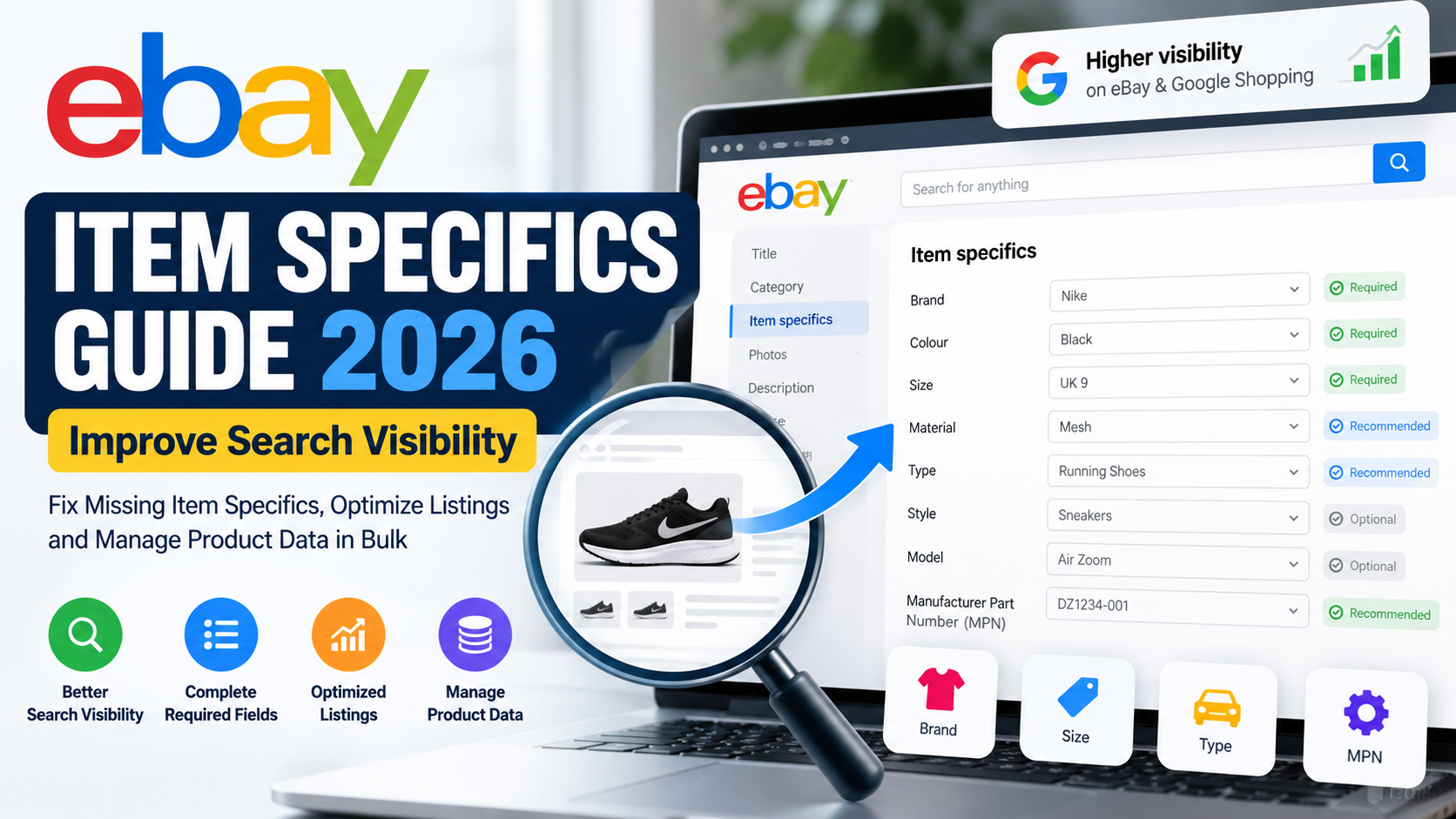
    eBay item specifics are one of the most important parts of an optimized eBay listing. They help eBay understand exactly what you are selling, help buyers filter search results, and can improve how easily your products are discovered both on eBay and through external search channels.

    A great product title and competitive price are important. However, they are not enough on their own.

    If important attributes such as Brand, Size, Colour, Material, Type, Model or Manufacturer Part Number are missing, buyers may struggle to find your product when they narrow their search.

    This becomes even more important when you manage hundreds, thousands or even tens of thousands of eBay listings.

    In this complete 2026 guide, we will explain what eBay item specifics are, why they matter for search visibility, how Required and Recommended attributes work, how to identify missing item specifics, how to update them in bulk, and how to build better marketplace product data.


    What Are eBay Item Specifics?

    eBay item specifics are structured product attributes that describe an item.

    For example, depending on the category, item specifics may include Brand, Colour, Size, Material, Type, Style, Model, Manufacturer Part Number, Storage Capacity, Features or Placement on Vehicle.

    These attributes help eBay classify a product more accurately.

    They also make it easier for buyers to understand and compare products without having to read an entire description.

    eBay explains that item specifics and product identifiers are important ways to help buyers find products. Buyers can also use these attributes when filtering search results.

    Therefore, item specifics should not be treated as optional catalogue information.

    They should be part of your overall eBay SEO and listing optimization strategy.


    Why eBay Item Specifics Matter for Search Visibility

    Imagine that you sell a pair of black Nike running shoes in UK size 9.

    A buyer searches for:

    Men’s running shoes

    The buyer then selects:

    Brand: Nike

    Colour: Black

    Size: UK 9

    Your product might match exactly what that customer wants.

    However, if you have not completed the relevant Brand, Colour and Size fields, your listing may not appear when the buyer applies those filters.

    That creates a simple problem:

    Your product exists, but the right customer may never see it.

    eBay confirms that matching item specifics help products appear when buyers use search filters. It also states that item specifics can improve visibility on eBay, Google Shopping and external search results.

    This is why improving item-specific completeness can be valuable when auditing underperforming listings.


    eBay Item Specifics and eBay SEO

    Many sellers think eBay SEO simply means putting more keywords into the product title.

    That approach is incomplete.

    A well-optimized eBay listing contains several connected data elements.

    Your title explains what you are selling.

    Your category tells eBay where the item belongs.

    Your item specifics describe its characteristics.

    Your product identifiers help identify the exact commercial product.

    Your description gives the buyer additional information.

    Your images show the physical item.

    For automotive products, vehicle compatibility can also tell eBay which vehicles the product fits.

    When all these elements agree, the marketplace receives a much clearer understanding of your product.

    That can help create stronger, cleaner and more relevant listings.


    Required eBay Item Specifics

    Some attributes are labelled Required.

    You need to complete Required item specifics when they apply to a new or revised listing.

    The exact fields depend on the category.

    For example, one category may require Brand and Colour, while another may require Type, Size or another technical attribute.

    Therefore, you should never use one universal item-specific template for your entire catalogue without considering category requirements.

    eBay maintains category-specific item-specific requirements and encourages sellers to complete Recommended attributes as well as mandatory ones.


    What Does “Required Soon” Mean on eBay?

    You may also see an attribute marked Required Soon.

    This means eBay expects that particular field to become mandatory.

    For small sellers, this might mean updating a few listings.

    For businesses with 50,000 products, however, waiting until the last moment can create a significant operational problem.

    A better approach is to identify these fields early and start updating your catalogue before the requirement becomes mandatory.

    That allows your team to validate the data rather than rushing through thousands of listings later.

    eBay’s Seller Center currently provides Required Soon indicators and related tools to help identify affected listings.


    What Are Recommended Item Specifics?

    Recommended item specifics are not always mandatory.

    However, that does not mean they should be ignored.

    eBay states that Recommended attributes are influenced by buyer demand and popular searches.

    Suppose your category contains a Recommended field for Material.

    If buyers frequently filter by material, completing that field can provide eBay with useful structured information about your product.

    Therefore, sellers should generally complete as many accurate and relevant Recommended item specifics as their product data supports.

    Accuracy matters more than completion percentage.

    Never add an incorrect value just to fill a blank field.


    Additional Item Specifics

    Additional item specifics can provide even more information about your product.

    These might include characteristics such as Finish, Features, Shape, Installation Type, Technology or Theme, depending on the product category.

    Although these fields may have a lower priority than Required attributes, they can still improve the buyer experience.

    They can also reduce repetitive customer questions.

    For example, if a buyer can immediately see a product’s material, finish and installation type, they may not need to contact you before purchasing.


    eBay Item Specifics vs Product Identifiers

    Sellers sometimes confuse item specifics with product identifiers.

    The two are related, but they serve different purposes.

    An item specific describes the product.

    Examples include:

    Colour: Black
    Material: Stainless Steel
    Size: Large
    Type: Brake Pad Set

    A product identifier helps identify a specific commercial item.

    Examples can include:

    UPC

    EAN

    ISBN

    Manufacturer Part Number

    eBay currently advises sellers to use identifiers that exactly match the product being sold because selecting an incorrect catalogue match can mislead buyers and contribute to return problems.


    Why Manufacturer Part Numbers Matter

    Manufacturer Part Numbers, or MPNs, can be especially valuable for technical and branded products.

    This includes categories such as automotive parts, electronics, machinery, industrial products, appliances and replacement components.

    Consider a buyer searching for:

    Bosch 0986424797

    This person may already know exactly which product they need.

    That makes part-number searches particularly valuable.

    Where a legitimate manufacturer part number exists, use the correct value.

    Avoid replacing genuine identifiers with vague data such as:

    N/A

    or

    Unknown

    when accurate manufacturer information is available.


    Common eBay Item Specifics Mistakes

    One of the biggest mistakes sellers make is leaving useful Recommended attributes empty.

    Another common problem is using placeholder values such as N/A in fields where real data exists.

    Bulk catalogue imports can also introduce mapping problems. For example, a Colour value might accidentally be imported into a Brand field because spreadsheet columns were mapped incorrectly.

    Custom values can create another issue.

    Suppose one supplier uses:

    BLK

    another uses:

    Black

    and another uses:

    Jet Black

    If those values represent the same standard product colour, normalizing them can create a cleaner catalogue.

    The same problem occurs with brands, dimensions, materials, product types, manufacturer names and units of measurement.

    For large catalogues, data standardisation becomes extremely important.

    If your listings are already producing errors or marketplace warnings, also read our guide to common eBay listing errors and how to fix them.

    That guide covers broader eBay listing problems that can exist alongside missing or incorrect item specifics.


    Do Not Copy Item Specifics Between Similar Products Without Checking

    Two products can look almost identical while having different specifications.

    For example, two automotive components may use similar packaging while having different OE numbers or fitment.

    Likewise, two electronics products might share the same model family while having different storage capacity, memory or connectivity.

    For that reason, do not automatically assume that the attributes of Product A also apply to Product B.

    Validate technical information against reliable product or supplier data.

    This is especially important when automating catalogue creation.

    Automation should speed up good data processes.

    It should not multiply incorrect data.


    Choose the Correct eBay Category First

    Item-specific requirements depend heavily on the listing category.

    Therefore, category mapping should normally happen before item-specific optimization.

    If your product is placed in an incorrect category, eBay may request irrelevant attributes.

    You could also miss valuable category-specific fields that buyers actually use.

    Poor category selection can therefore affect:

    • Item-specific requirements
    • Buyer filters
    • Product relevance
    • Listing quality
    • Catalogue organisation

    A strong marketplace workflow should map products into the right category before completing category-specific attributes.


    How to Find Missing eBay Item Specifics

    eBay provides tools inside Seller Hub to help sellers find incomplete listings.

    Current Seller Hub features can identify listings missing Required, Required Soon or Recommended specifics. Sellers can also work with multiple listings through bulk-edit workflows.

    For a small store, you can review affected products individually.

    However, for larger stores, it is better to create an audit process.

    For example, your internal data review might classify products as:

    Complete

    Missing Required Attributes

    Missing Recommended Attributes

    Missing Product Identifier

    Requires Manual Review

    This helps prioritise the products that need attention first.


    How to Update eBay Item Specifics in Bulk

    Bulk editing becomes necessary when you manage a large catalogue.

    eBay currently supports a Seller Hub Download/Upload workflow that allows sellers to download active listings with missing Required, Required Soon or Recommended item specifics, update the information and upload the file again.

    A practical workflow is:

    Export affected listings.

    Review the missing fields.

    Match supplier data with the appropriate eBay attributes.

    Standardize the values.

    Check required formats.

    Validate identifiers.

    Remove obvious mapping errors.

    Upload the corrected file.

    Review rejected rows.

    Correct and reprocess the remaining errors.

    This process sounds simple.

    However, the difficult part is usually not the upload.

    The difficult part is cleaning the source data.


    Why Bulk Product Data Becomes Complicated

    Imagine a supplier provides five products with the following colour values:

    BLK

    Black

    Jet Black

    BK

    BLACK

    For an eBay upload, these may need to become one consistent standard value:

    Black

    Now multiply the same problem across:

    50 colours,

    100 brands,

    20 material formats,

    multiple product types,

    different units,

    and tens of thousands of SKUs.

    This quickly becomes a product-data transformation project.

    That is why large marketplace operations often need processes for:

    • Data cleaning
    • Attribute mapping
    • Value normalisation
    • Validation
    • Deduplication
    • Error reporting
    • Bulk updates

    Clean input data usually produces cleaner marketplace listings.


    Build a Better Master Product Catalogue

    A scalable eCommerce business should avoid storing all important product information inside one description field.

    Instead, maintain structured attributes.

    For example:

    SKU: ABC1001
    Brand: Bosch
    Product Type: Front Brake Pad Set
    MPN: 0986424797
    Placement: Front
    Condition: New
    Material: Product-specific value
    EAN: Product-specific value

    Once information is stored in separate fields, it becomes much easier to transform it for multiple marketplaces.

    The same master catalogue may eventually feed:

    eBay

    WooCommerce

    Amazon

    Google Merchant Center

    and other sales channels.

    This reduces the need to rebuild your product data from scratch every time you expand to another marketplace.


    eBay Item Specifics for Automotive Sellers

    Automotive sellers need to pay particular attention to structured data.

    Depending on the category, useful automotive attributes can include Brand, Manufacturer Part Number, OE/OEM Part Number, Type, Placement on Vehicle, Features, Material, Finish and other product-specific fields.

    However, there is an important distinction.

    Item specifics describe the product.

    Vehicle compatibility describes the vehicles the part fits.

    Both can be important.

    For a detailed explanation of compatibility, K-Type mapping and automotive data, read our eBay Motors Fitment Guide 2026.

    This creates an important connection between automotive product attributes and vehicle fitment data.


    Optimize Your eBay Title Alongside Item Specifics

    Completing item specifics does not mean the listing title can be ignored.

    eBay currently allows sellers to use up to 80 characters in listing titles and recommends including relevant product details while avoiding unnecessary or irrelevant terms.

    For example, a useful structure might be:

    Brand + Product Type + Model/MPN + Important Attribute

    A product title such as:

    Bosch Front Brake Pad Set 0986424797 Replacement Brakes

    communicates useful information.

    A title such as:

    WOW AMAZING BEST BRAKES CHEAP BUY NOW

    does not.

    Relevant terms help.

    Keyword stuffing does not.


    Should Item Specifics Also Appear in the Description?

    Yes, when they naturally help the buyer.

    Suppose an item specific says:

    Material: Stainless Steel

    It is perfectly reasonable to mention that the product is manufactured from stainless steel in the description.

    Likewise, you can repeat important details such as size, model, package contents or technical specifications when they help customers make a purchasing decision.

    However, avoid creating blocks of repetitive keywords solely for search engines.

    Your product description should primarily answer the buyer’s questions.


    Item Specifics and Google Shopping Visibility

    eBay states that complete item specifics can improve a listing’s chances of being discovered not only within eBay but also through Google Shopping and other external search results.

    This gives item-specific optimization value beyond eBay’s own search filters.

    For sellers trying to increase marketplace exposure, structured product data therefore deserves the same attention as titles and descriptions.


    How Often Should You Audit eBay Item Specifics?

    Product data should not be treated as a one-time project.

    eBay categories and attribute requirements can change.

    Supplier catalogues also change.

    New products appear.

    Old listings remain live.

    Therefore, sellers should periodically review their active inventory.

    Pay particular attention when:

    eBay introduces new required fields.

    Your supplier provides an updated catalogue.

    You import a large batch of new products.

    Listings begin producing errors.

    You move products into different categories.

    You expand into new marketplaces.

    Your product data structure changes.

    Regular audits make problems easier to correct before they spread across the entire catalogue.


    A Practical eBay Item Specifics Checklist

    Before publishing or bulk-updating products, verify the following:

    • The correct eBay category is selected.
    • Required item specifics are complete.
    • Required Soon attributes have been reviewed.
    • Relevant Recommended specifics are populated.
    • Brand values are accurate and consistent.
    • Manufacturer Part Numbers are correct.
    • UPC, EAN or other identifiers are accurate where applicable.
    • Colours, sizes and materials are standardised.
    • Product-specific fields match the actual product.
    • Product attributes agree with the description and images.
    • Supplier data has been validated.
    • No columns have been mapped to the wrong attributes.
    • Placeholder values are only used where appropriate.
    • Existing listings are periodically audited.

    How Dahiya Decodes Can Help With eBay Product Data

    Managing a handful of products is very different from managing thousands.

    At Dahiya Decodes, we help businesses clean, organise, transform and prepare product information for eCommerce and marketplace workflows.

    This can include eBay listing optimization, item-specific mapping, product attribute cleaning, catalogue standardisation, automotive data management, K-Type processing, vehicle fitment, bulk listing preparation and marketplace error resolution.

    For example, if a supplier sends a spreadsheet containing inconsistent brands, materials, product types and identifiers, that information can be transformed into a cleaner structured dataset before marketplace upload.

    The same principle applies to automotive catalogues containing thousands of SKUs and large vehicle compatibility datasets.

    Rather than manually editing individual listings, the goal is to build a repeatable workflow.


    eBay Item Specifics and Large Catalogue Automation

    Automation becomes valuable when the same transformation needs to happen repeatedly.

    Suppose a supplier sends a new catalogue every month.

    Instead of manually correcting the same formatting problems every time, a data-processing workflow can standardize recurring patterns.

    For example:

    Supplier value:

    BLK

    can become:

    Black

    Supplier brand:

    BOSCH AUTOMOTIVE

    can be normalized to the correct marketplace brand format where appropriate.

    Dimensions can be converted into consistent units.

    Duplicate rows can be removed.

    Product identifiers can be validated.

    Missing information can be flagged for manual review.

    This combination of automation and quality control can significantly reduce repetitive catalogue work.

    However, automation should always be monitored.

    Incorrect rules can spread errors just as quickly as correct rules can solve them.


    Frequently Asked Questions About eBay Item Specifics

    What are eBay item specifics?

    eBay item specifics are structured attributes that describe a product, such as Brand, Colour, Size, Material, Model, Type and other category-specific characteristics.

    Are eBay item specifics important for SEO?

    Yes. They help eBay understand the product and can influence whether listings appear when buyers apply relevant filters. eBay also says item specifics can contribute to visibility on Google Shopping and external search results.

    What happens if required item specifics are missing?

    Required attributes generally need to be completed when creating or revising affected listings. Missing data can prevent listings from being updated correctly.

    What does Required Soon mean?

    Required Soon identifies attributes that eBay expects to make mandatory. Sellers should consider updating these fields before enforcement begins.

    Should I complete Recommended item specifics?

    Yes, when accurate information is available. eBay recommends completing relevant attributes because they can help buyers find and understand listings.

    Can eBay item specifics be updated in bulk?

    Yes. eBay provides bulk editing and Download/Upload tools for updating multiple listings with missing specifics.

    Are item specifics the same as product identifiers?

    No. Item specifics describe product characteristics. Product identifiers such as UPC, EAN, ISBN and MPN help identify specific commercial products.

    Why are my item specifics different between categories?

    eBay uses category-specific attributes. Therefore, changing the listing category can change which specifics are Required, Recommended or available.

    Can incorrect item specifics hurt a listing?

    Incorrect information can produce irrelevant search matches, confuse customers, increase marketplace errors and potentially contribute to returns.

    Can Dahiya Decodes help with bulk eBay item specifics?

    Yes. Dahiya Decodes can help businesses clean product data, map supplier attributes, prepare bulk marketplace files, resolve eBay listing issues and structure large eCommerce catalogues.


    Final Thoughts: Improve eBay Item Specifics With Better Product Data

    eBay item specifics should be treated as part of your product-data strategy, not simply as extra listing fields.

    Accurate structured information helps eBay understand what you sell.

    It helps customers filter products.

    It improves catalogue clarity.

    It can also strengthen your overall listing quality.

    For smaller sellers, this may mean carefully completing the important attributes while creating each listing.

    For larger businesses, it means something more:

    Clean data. Consistent attributes. Accurate identifiers. Correct categories. Reliable bulk workflows. Regular audits.

    If you manage thousands of products, manual editing quickly becomes inefficient.

    A structured data process makes it easier to prepare, validate and maintain your listings at scale.

    If you need help with eBay item specifics, listing optimization, marketplace errors, automotive fitment, K-Type data, catalogue cleaning or bulk product processing, visit Dahiya Decodes.

    You can also explore our guide to common eBay listing errors and how to fix them and our eBay Motors Fitment Guide to continue improving your eBay catalogue.

    Dahiya Decodes — Decoding Digital Growth.
  • Common eBay Listing Errors and How to Fix Them: Complete 2026 Guide

    Common eBay Listing Errors and How to Fix Them: Complete 2026 Guide

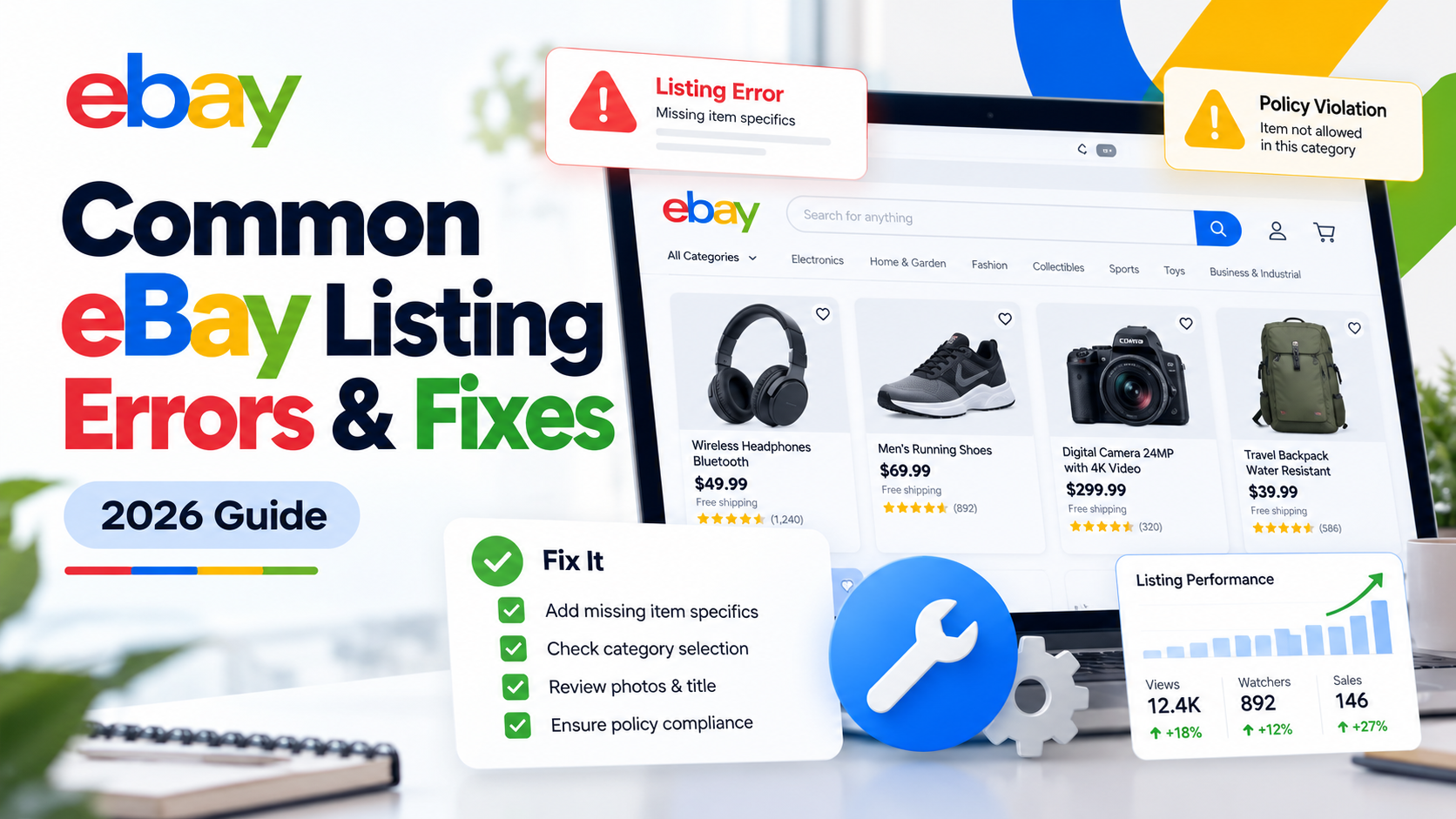
    An eBay listing error can stop a product from going live, prevent an existing listing from being updated, break variations, remove vehicle compatibility information or create problems across hundreds or even thousands of SKUs.

    The frustrating part is that the error message does not always make the real problem obvious.

    A listing that appears to have a simple “item specifics” problem may actually have a category mismatch. A variation error may come from the same attribute being submitted at both product and variation level. An eBay API publishing error may be caused by a missing business policy, inventory location or incomplete offer.

    This guide explains some of the most common eBay listing errors, eBay error codes and catalogue problems, what they mean and how to fix them.

    If you manage a large catalogue or sell across multiple marketplaces, Dahiya Decodes also provides dedicated eBay Marketplace Services covering listing optimisation, catalogue management, product feeds, marketplace integrations and ongoing eBay support.


    Why Do eBay Listing Errors Happen?

    Most eBay listing problems originate from the information being submitted about the product rather than the listing title or description alone.

    Typical causes include incorrect categories, missing required item specifics, conflicting variation attributes, invalid product identifiers, duplicate products, incorrect business policies, inventory mismatches, selling limits and incompatible vehicle fitment information.

    This matters because eBay increasingly relies on structured product data to understand what a seller is offering.

    Item specifics such as brand, size, colour, type and material help eBay match listings with relevant buyer searches and filters. eBay states that item specifics can also affect visibility beyond eBay, including external search experiences.

    Before repeatedly resubmitting a failed listing, it is therefore important to identify which field is actually causing the rejection.


    1. eBay Error 21919067: Duplicate Listing Error

    One of the more common eBay listing errors is:

    Error 21919067 – Listing violates the Duplicate Listing policy

    This means eBay believes you already have an active listing for the same item.

    eBay’s documented error explains that identical products from the same seller generally should not appear simultaneously as separate listings. For multiple identical items, eBay recommends using a multi-quantity fixed-price listing instead.

    How to fix eBay Error 21919067

    First, search your active eBay inventory using the SKU, product title, MPN, UPC or other identifier.

    If an identical listing already exists, update the quantity on the existing listing rather than creating another one.

    For products that are genuinely different, check whether your product data makes that difference clear. Different versions may need accurate variation values, model numbers, sizes, colours or other relevant attributes.

    For large catalogues, duplicate errors often indicate a deeper feed or SKU-mapping problem. Your ecommerce system, ERP, inventory platform or marketplace software may be creating a new listing instead of updating the existing Item ID.

    This is where catalogue mapping becomes more important than manually editing one listing at a time.


    2. eBay Error 21916626: Variation Specifics and Item Specifics Conflict

    The official description for Error 21916626 is essentially that variation specifics and item specifics for a multi-SKU product must be different.

    For example, imagine you sell a T-shirt in:

    Black – Small
    Black – Medium
    Blue – Small
    Blue – Medium

    Colour and Size should normally be variation attributes because they differentiate one purchasable variation from another.

    A common mistake is also sending Colour or Size as an item-level specific containing the same information.

    That creates redundancy and may result in Error 21916626.

    How to fix Error 21916626

    Use variation specifics for attributes that change between individual SKUs.

    Use item specifics for attributes that apply to the entire listing.

    For example:

    Brand → Item Specific
    Material → Item Specific
    Department → Item Specific
    Colour → Variation Specific
    Size → Variation Specific

    Review your feed or listing template and remove duplicated attributes from the item-level data.

    This problem is particularly common when product data is being pushed to eBay through third-party marketplace software rather than entered directly through Seller Hub.


    3. eBay Error 21916664: Variation Specifics Mismatch

    Another frequent multi-variation listing problem is:

    Error 21916664 – Variation Specifics Mismatch

    eBay requires the variation structure to remain consistent.

    For example, you should not have some variations using:

    Colour + Size

    while other variations in the same listing use:

    Colour + Size + Material

    eBay’s developer documentation confirms that the same variation-specific names should be used consistently across the variations in a listing.

    How to fix Error 21916664

    Compare every SKU inside the affected listing.

    Make sure each child SKU follows the same variation structure.

    If the variation dimensions are:

    Size + Colour

    then every variation should provide both Size and Colour.

    Blank values, inconsistent attribute names or an additional variation field on only some SKUs can cause the listing to fail.

    Also standardise your naming.

    For example, do not mix:

    Colour
    Color
    Product Colour

    within the same variation structure.

    A clean catalogue should have one standard field mapped consistently to the appropriate eBay aspect.


    4. “This Attribute Is Not Valid for This Variation”

    eBay periodically updates its category structures and item-specific requirements.

    A variation attribute that worked previously may therefore no longer be accepted for that particular category.

    Sellers may encounter a message similar to:

    “This attribute is not valid for this variation. Add a valid attribute.”

    eBay recommends replacing the invalid variation detail with a more appropriate existing attribute where possible. If the products are not closely related enough to be legitimate variations, separate listings may be required instead.

    Consider a faucet listing.

    Using Type with values such as:

    Stainless Steel
    Chrome
    Bronze

    would not accurately describe what changes between those variations.

    Finish would be the more appropriate variation attribute.

    How to fix invalid eBay variation attributes

    Open the listing in Seller Hub and check which variation field eBay is flagging.

    Then review the available variation attributes for the current category and map your source field to the appropriate eBay value.

    Do not simply create an arbitrary replacement field to get the feed accepted. Incorrect variation architecture can create future catalogue problems and a poor buyer experience.


    5. eBay Category Does Not Support Variations

    Sometimes there is nothing wrong with your variation data.

    The category itself does not support the type of multi-variation listing you are attempting to create.

    This can occur after changing a category, migrating products between eBay marketplaces or sending products from an ecommerce platform using an outdated category mapping.

    eBay’s documentation specifically identifies situations where the selected listing category does not support multi-variation listings.

    How to fix it

    Check whether the product is in the correct leaf category.

    Do not move a product into an unrelated category simply because that category allows variations.

    Instead, determine whether there is another accurate category that supports your listing structure.

    If there is not, the products may need to be listed separately rather than as one multi-variation listing.

    Correct category selection is also important for discoverability because category selection, product identifiers and item specifics all help eBay understand the product.


    6. Missing or Invalid eBay Item Specifics

    Item specifics are among the most important parts of an eBay listing.

    Depending on the category, eBay may require fields such as:

    Brand, Type, Size, Colour, Material, Model, MPN or other category-specific product information.

    Recommended fields may not always prevent publication, but completing relevant item specifics helps eBay understand and surface your products.

    eBay states that buyers use item specifics as search filters and that listings need matching data to appear when those filters are applied.

    How to fix missing item specifics

    Start with the required fields for the exact category.

    Then complete relevant recommended fields using accurate product data.

    Do not insert meaningless values simply to fill every field.

    If you operate a large catalogue, create a mapping between your source attributes and eBay’s category-specific aspects. This prevents the same missing-field error from appearing across hundreds of products.

    You can also use Seller Hub’s download/upload functionality to review and update missing required or recommended item specifics in bulk.

    Important 2026 eBay update for fashion sellers

    This is particularly important for apparel and footwear sellers.

    eBay states that from August 2026, apparel and footwear listings with missing or unclear size information may be hidden until they are updated. eBay has also highlighted unclear or missing condition information in its current listing guidance.

    So if you manage fashion listings, reviewing size and condition data should now be a priority rather than an optional optimisation exercise.


    7. UPC, EAN, GTIN or MPN Problems on eBay

    Product identifiers help eBay identify exactly what product is being sold.

    Common identifiers include UPC, EAN, ISBN and Manufacturer Part Number (MPN).

    A listing can run into problems when an identifier is missing where required, incorrectly formatted, belongs to a different product or points to catalogue information that conflicts with the actual item.

    eBay advises sellers to use identifiers that exactly match the product being sold and notes that product identifiers are required in many categories.

    How to solve product identifier errors

    Verify the identifier against the physical product, manufacturer information or authoritative supplier data.

    Do not copy a GTIN from a similar product simply because the model looks the same.

    Check:

    Brand → MPN → GTIN → Model → Variation

    as one connected dataset.

    For variation listings, make sure identifiers are assigned to the correct child products rather than incorrectly applied to the parent listing.

    If a genuine product does not have an identifier, use eBay’s appropriate product-identifier-unavailable option where that category and marketplace permit it.


    8. eBay Motors Fitment and Compatibility Errors

    Automotive sellers face another layer of complexity: vehicle compatibility, also called fitment.

    A perfectly good automotive product listing can perform poorly—or fail during data submission—if its vehicle compatibility information is invalid.

    Two useful eBay error examples are:

    21916723 – One or more item compatibility combinations are invalid

    and

    21916724 – Compatibility name, value or name-value pair is not recognised

    eBay’s documentation indicates that each compatibility combination needs to identify a recognised vehicle correctly.

    How to fix eBay vehicle compatibility errors

    Validate the vehicle data rather than simply removing fitment.

    Check information such as:

    Year
    Make
    Model
    Trim
    Engine

    and, where your automotive catalogue uses them, the relevant eBay vehicle identifiers, K-Type/KType references, ePIDs or other marketplace-compatible mappings.

    Fitment should also represent genuine product compatibility.

    Incorrect compatibility may increase returns because buyers rely on eBay’s vehicle matching functionality to determine whether a part fits their vehicle.

    eBay specifically positions fitment as an important tool for improving product discovery and helping buyers purchase compatible parts. Eligible listings with appropriate compatibility information may also participate in eBay Guaranteed Fit.

    For automotive sellers managing thousands of applications, manually maintaining fitment is rarely scalable. A structured product-to-vehicle compatibility database and reliable feed process are much safer.

    Dahiya Decodes works with automotive marketplace data including listing structures, product identifiers and fitment/compatibility workflows as part of our eBay Marketplace Services.


    9. eBay Shipping Service or Business Policy Errors

    Some products fail because the listing does not contain a valid shipping service or references an incorrect business policy.

    For API-based listings this becomes especially important.

    eBay’s official Trading API documentation includes Error 21915469, which indicates that at least one valid shipping service needs to be provided.

    With the Inventory API, publishing can also fail when information required at publication time is incomplete.

    For example, eBay documents that a merchant location becomes necessary when publishing an offer and that sellers using the Inventory API need appropriate fulfilment, return and payment policies.

    How to fix eBay business-policy errors

    Check the affected listing’s:

    Shipping or fulfilment policy
    Payment policy
    Return policy
    Inventory location
    Marketplace
    Shipping services

    Then confirm that the policy IDs being sent through your listing software actually belong to the correct eBay account and marketplace.

    This is particularly important when migrating from one marketplace tool to another or when operating several eBay stores.


    10. eBay Listing Created but Offer Will Not Publish

    This problem frequently appears with API integrations.

    Your software may successfully create the inventory item and even create an offer, yet the final publishOffer request fails.

    That does not necessarily mean eBay’s API is down.

    Publishing an offer has stricter requirements than simply creating the inventory record.

    The offer needs to be complete enough to become a live eBay listing. Depending on the configuration, problems may involve business policies, marketplace settings, category requirements, inventory location, quantity or incomplete product information. eBay advises checking the errors returned by the publishing call when publication fails.

    The correct troubleshooting approach

    Do not repeatedly send the same payload.

    Capture the complete eBay API response.

    Identify the errorId, message and affected parameter.

    Then trace that parameter back to the original product, offer, policy, location or inventory record.

    When multiple systems are involved—such as an ERP, ecommerce website, middleware and eBay—the visible eBay error can actually originate much earlier in the data flow.

    That is why marketplace integration troubleshooting should follow the entire chain:

    Source Product → Integration → eBay Inventory Item → Offer → Policies → Publish → Live Listing


    11. eBay Selling Limit Errors

    Sometimes your listing data is correct and eBay still will not allow the listing to go live.

    The problem may be your selling limit.

    eBay applies selling limits to seller accounts, and active and sold listings count towards the monthly limit. Sellers can check their current allowance in Seller Hub and may be able to request a higher limit.

    If you encounter a selling-limit message, do not try to bypass it by moving products into incorrect categories or creating unnecessary seller accounts.

    Review your Seller Hub limits and follow eBay’s available process for requesting an increase where appropriate.


    12. eBay Account Restrictions Can Also Stop Listings

    If many unrelated products suddenly fail at the same time, the problem may not be your catalogue.

    Check the account itself.

    eBay says restrictions may occur for reasons including outstanding selling costs, unresolved buyer issues, policy violations, account verification problems or suspected unauthorised account access.

    When an account is restricted, creating or revising listings may be unavailable depending on the reason. eBay recommends checking the notice in your eBay Messages because it contains the steps associated with the restriction.

    This is an important troubleshooting distinction:

    One product failing often suggests a product-data or category problem.

    Hundreds of unrelated products suddenly failing may point towards an account, policy, integration or platform-level issue.


    The Right Way to Troubleshoot eBay Errors

    When an eBay listing fails, changing random fields is one of the fastest ways to create a bigger catalogue problem.

    Instead, treat the error as a data-quality issue.

    Start with the exact error message and code. Identify whether the failure relates to the product, category, variation, policy, compatibility, inventory or account. Check the source data before modifying the live eBay listing, particularly when another platform controls the catalogue.

    Then test the correction on a small number of products.

    Once you know the fix works, apply it systematically.

    This approach is particularly important for businesses using platforms such as Linnworks, Volo Commerce, Base.com, Ad-Lister, custom APIs, ERP systems or ecommerce website integrations.

    A rule that is wrong for one SKU can easily become wrong for 10,000 SKUs.


    Fixing an Error Is Only Part of eBay Optimisation

    Getting a listing successfully published does not automatically mean the listing is optimised.

    Once technical errors are resolved, review the quality of the catalogue itself.

    Product titles should describe the item clearly. Categories should be accurate. Required and relevant recommended item specifics should be populated. Product identifiers should match the actual product. Variations should be logically structured. Automotive listings should contain accurate fitment. Images, delivery information and return information should make the buying decision easier.

    eBay’s own listing guidance highlights searchable titles, appropriate categories, relevant product details, product identifiers and item specifics as important listing fundamentals.

    For broader organic growth outside marketplaces, you can also review our Ecommerce SEO Services and Ecommerce Growth Optimisation services.


    Need Help Fixing eBay Listing Errors?

    A few failed listings can usually be fixed manually.

    The challenge begins when the same error affects hundreds or thousands of products—or when fixing one field creates another error elsewhere.

    Dahiya Decodes provides eBay Marketplace Services for ecommerce brands, retailers and marketplace sellers that need help with:

    eBay catalogue troubleshooting, listing errors, listing optimisation, variations, item specifics, product feeds, automotive compatibility and fitment, marketplace integrations, inventory synchronisation and large-scale catalogue management.

    We can also review how your eBay operation connects with your wider Marketplace Services and ecommerce systems so recurring data problems can be corrected at the source rather than repeatedly repaired at listing level.

    If an eBay error is blocking your products, send us the error message, error code or screenshot and details of the system you use to manage your eBay catalogue.

    Contact Dahiya Decodes or request a Free Ecommerce Audit.


    Frequently Asked Questions About eBay Listing Errors

    Why is eBay not letting me list an item?

    An eBay listing may fail because of missing required product information, an incorrect category, invalid variations, duplicate listings, product identifier problems, selling limits, account restrictions, prohibited products or incomplete shipping and business-policy settings. Check the exact error message before editing the product.

    What does eBay Error 21919067 mean?

    Error 21919067 indicates that eBay believes the listing violates its duplicate listing policy because an identical product is already active. Where appropriate, update the existing listing or use a multi-quantity fixed-price listing rather than creating another identical listing.

    What is eBay Error 21916626?

    Error 21916626 relates to overlapping item specifics and variation specifics in a multi-SKU listing. Attributes that differentiate variations should be used as variation specifics rather than redundantly submitted at item level.

    How do I fix an eBay variation error?

    Check that the selected category supports variations, ensure every SKU uses the same variation structure, remove duplicate attributes from item specifics and confirm that the variation names and values are valid for the category.

    Why are my eBay item specifics causing errors?

    Item-specific requirements vary by category and can change as eBay’s category structure develops. Verify that your listing is using the current category and that required attributes contain valid, relevant values.

    Can incorrect eBay fitment cause listing problems?

    Yes. Automotive compatibility information needs to identify valid vehicle combinations. Incorrect year, make, model, trim, engine or vehicle mappings can cause compatibility errors and may also create a poor buying experience.

    Can Dahiya Decodes fix eBay catalogue and listing errors?

    Dahiya Decodes can review eBay catalogue problems, identify recurring product-data and integration issues, optimise listings and assist with marketplace feeds and integrations. Resolution can depend on the specific eBay error, account status and platform rules, so the first step is reviewing the exact error and affected product data.